For the second activity you will contribute to a project. Here is the link to the repository, https://github.com/HamoyeHQ/Version-ctrl-with-git.git
1.Fork the repository. 2.Clone the repository, so you can have a copy of the repository on your local machine. 3.Create a new branch 4.Contribute 5.Stage changes 6.Commit changes 7.Create a pull request (PR)
#Solution
-
To "fork" the repository, go to the repository, click on "fork" and select which account to copy the repository to.
-
Copy the link to your version of the repository.
-
To clone the repository, go to the folder where you want the repository to be copied to and "git bash" here. Then run the command to clone a repository.
git clone url
-
Close the "git bash", open the cloned repository and do "git bash" here.
-
Create a branch. You can name the branch anything, but it’s preferable to use your name. You can do this by running the command;
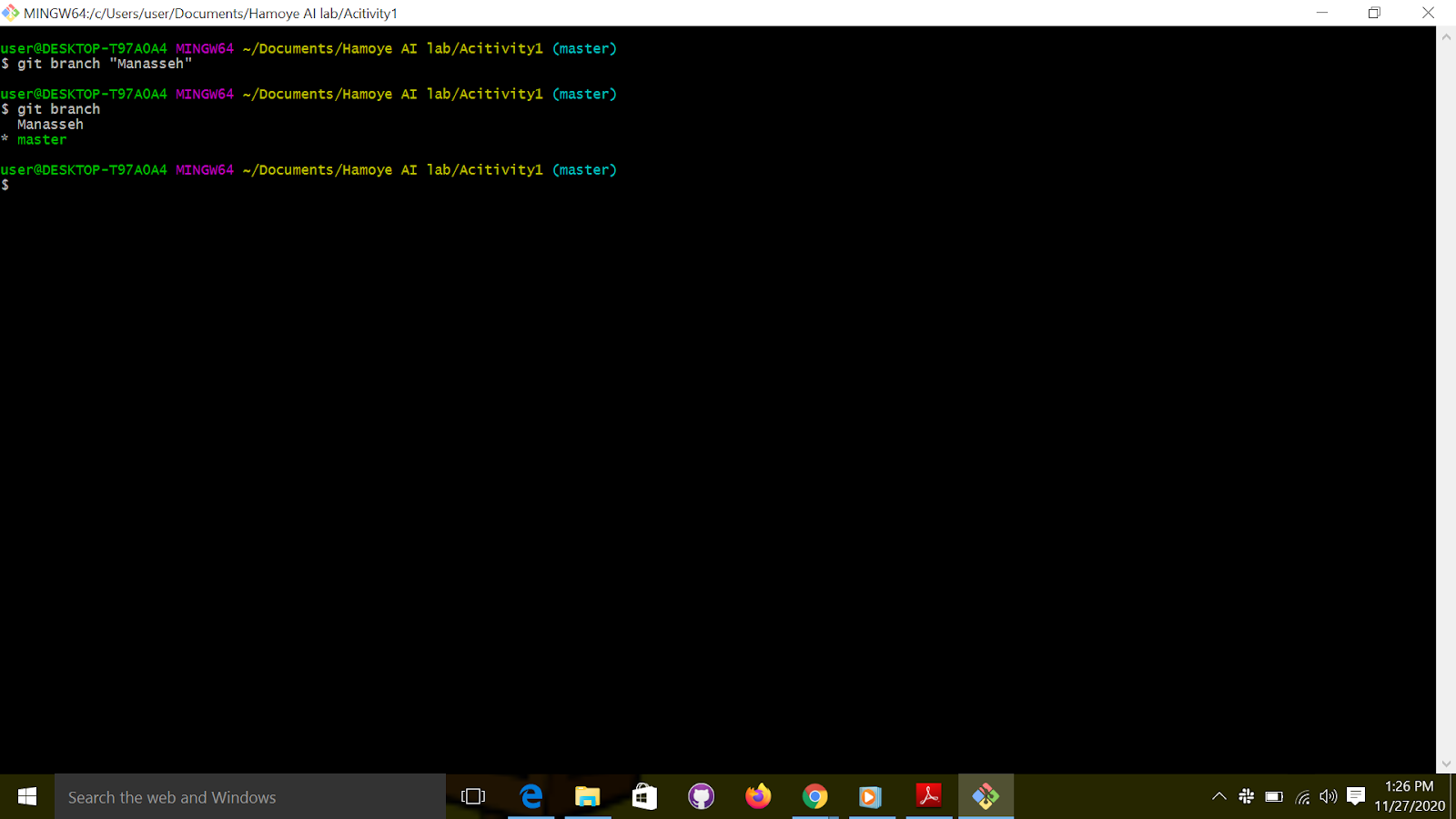
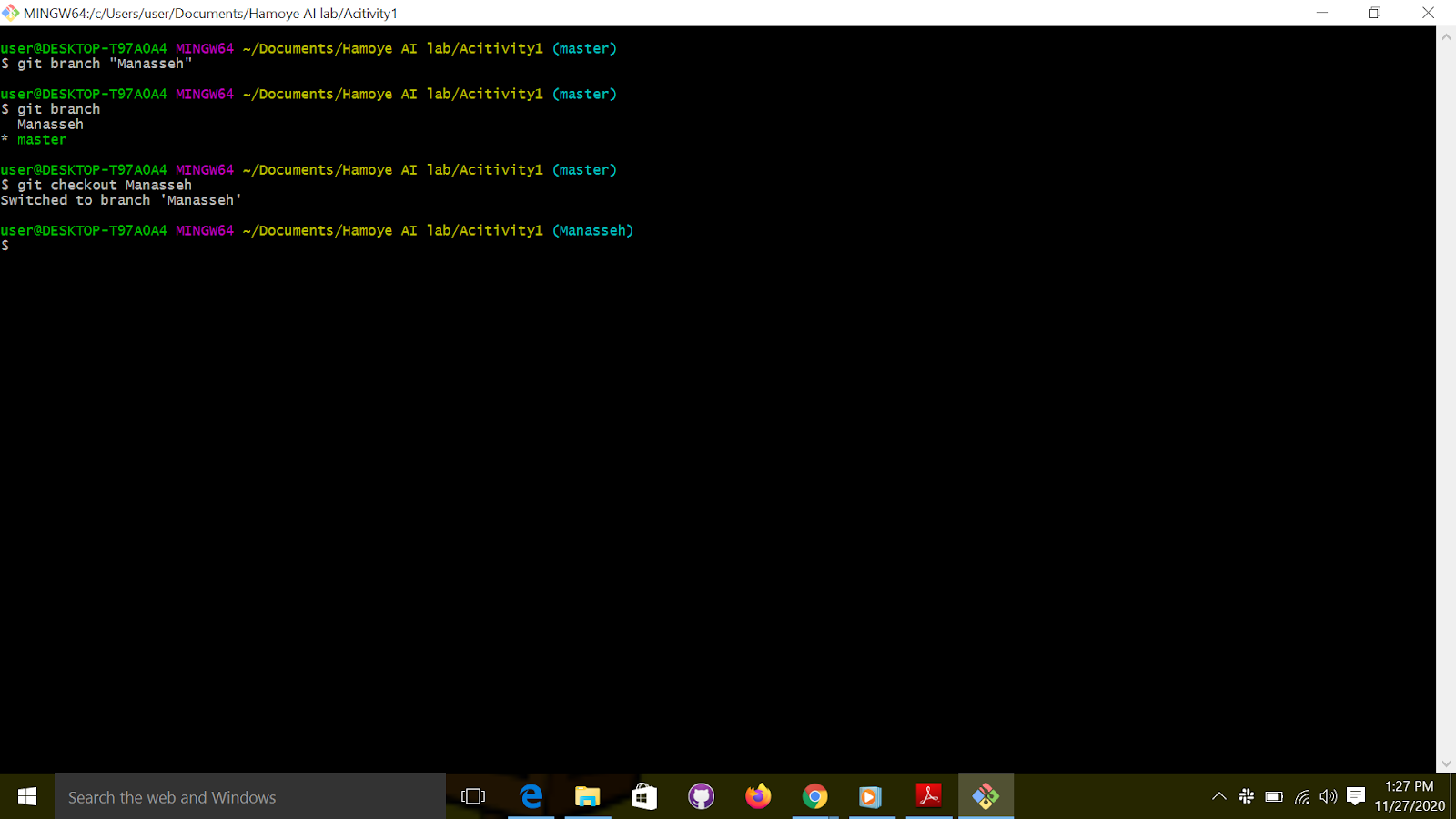
- Switch to the new branch using the git checkout command;
Git checkout branch name
-
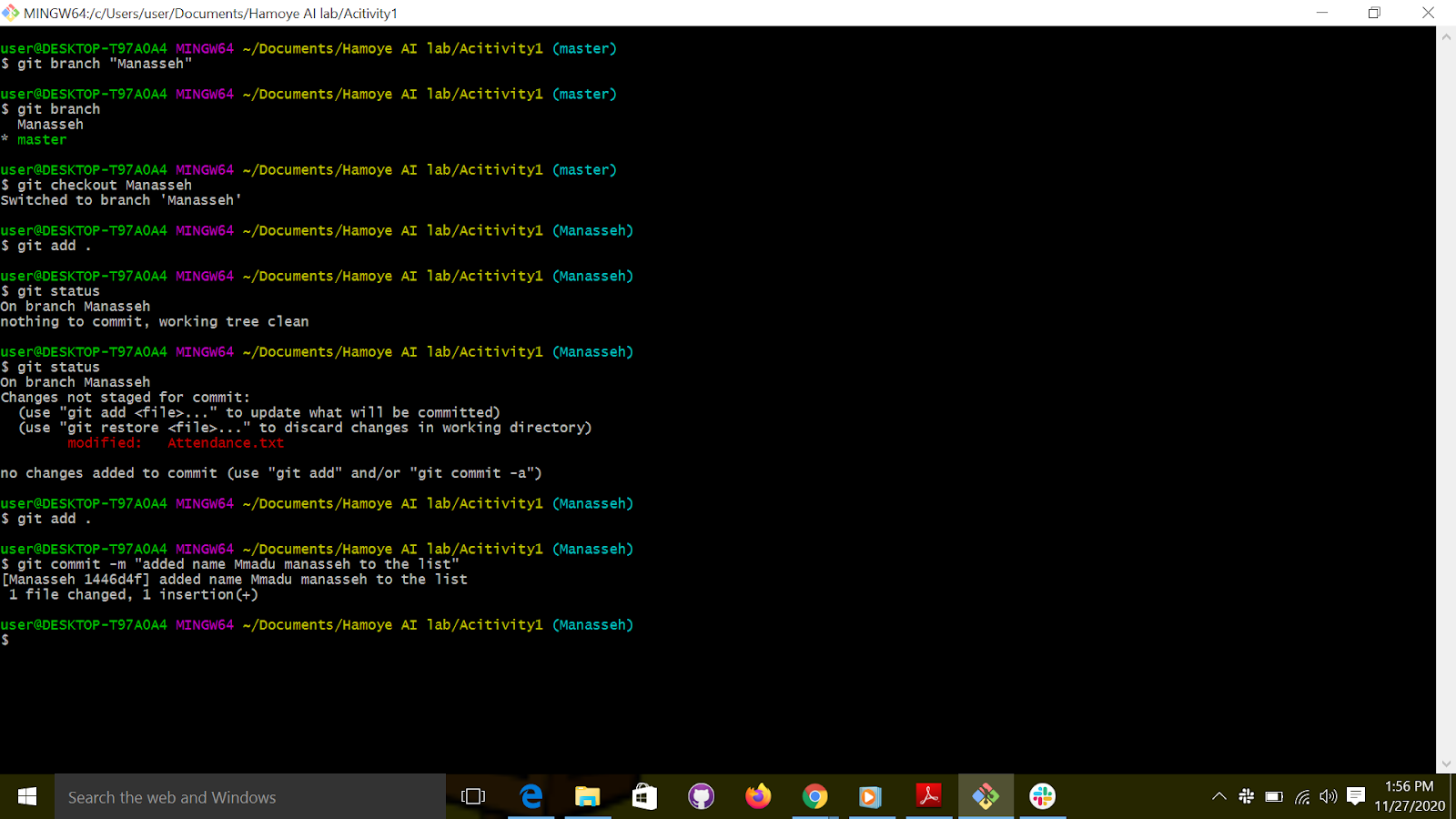
Edit the attendance.txt file using any text editor. Add your name to the list of names. Save and exit.
-
“git add” to stage the changes
“git add. “
- “Git commit” to commit the changes,
- Switch to the master branch
git checkout master.
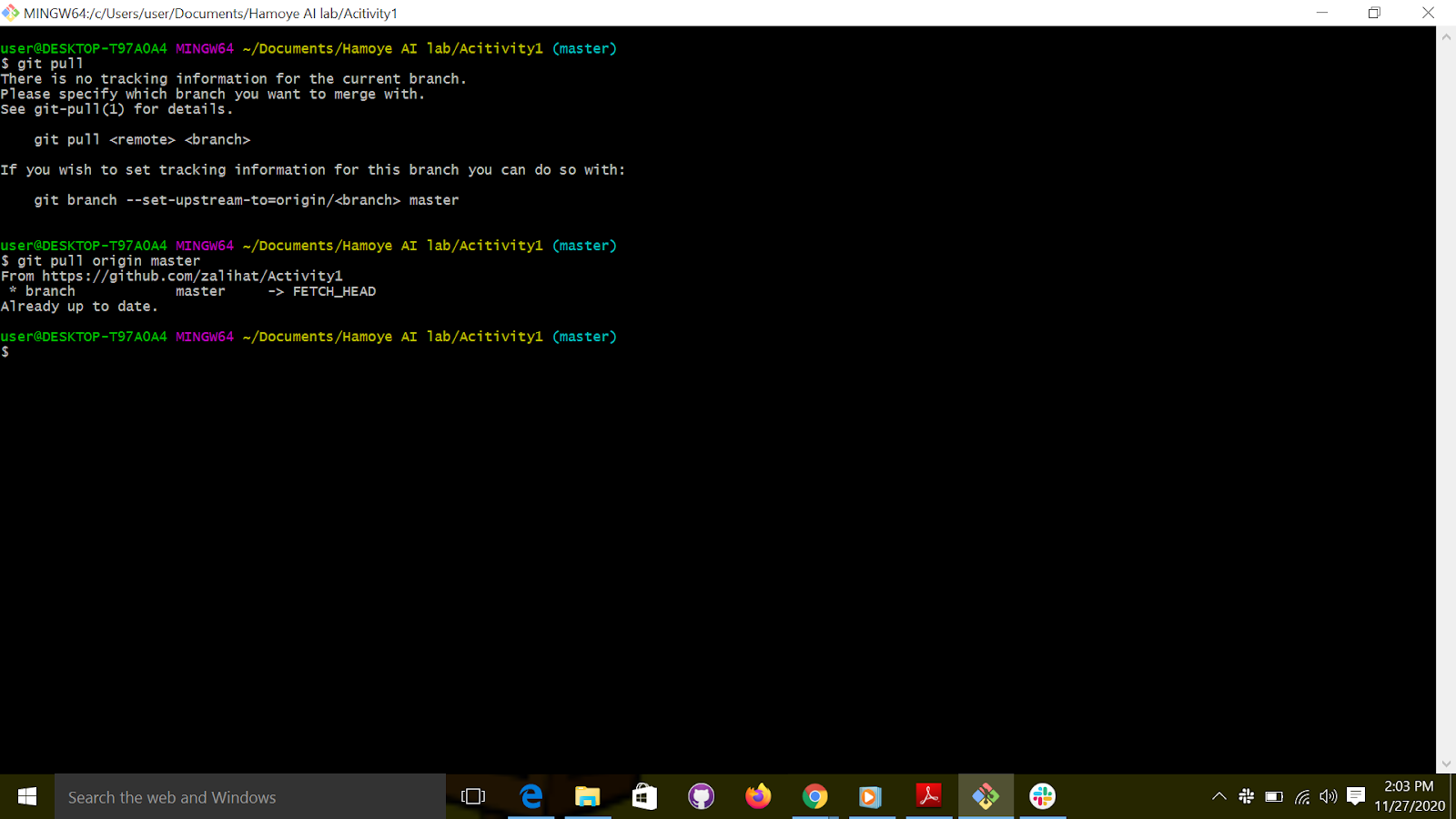
- Pull changes so that your copy can be up to date with the remote repository.
Git pull origin master
- Push your branch to the remote repository.
First switch back to your new branch
Then push
Git push -u origin branch name
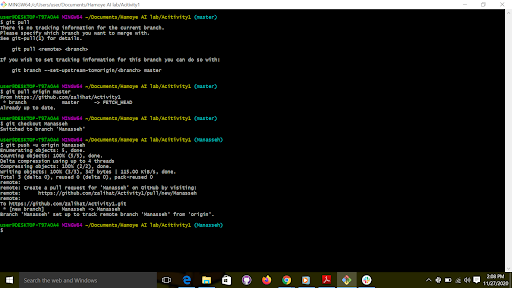
Yes, we just pushed to the remote repository, but we need to create a PR to notify the owner of the repository that we want to make changes,
- Make a Pull request (PR).
If you check the message after the push command, you will get the link to create the pull. For example,
https://github.com/zalihat/Version-ctrl-with-git/pull/new/attendance
- Follow the link to create a PR
The link will look like this;
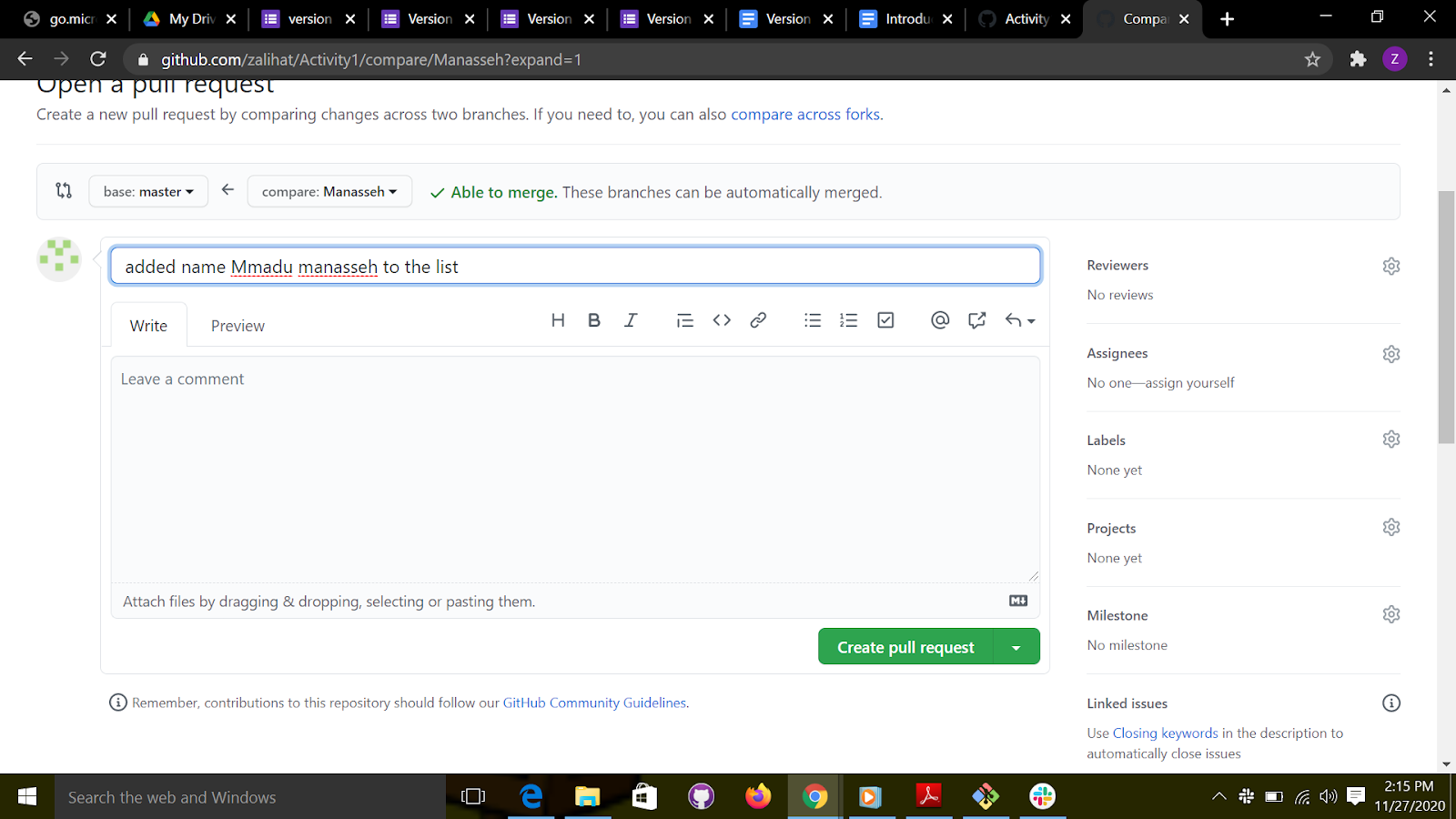
Create the Pull request and wait for the reviewer to merge your pull request.
You will get a notification once your pull request has been merged.
Congratulations, you have successfully contributed to another person’s repo. This is how you contribute to open source projects.