This is a secure, reliable, and ad-free real-time chat application built with the MERN stack (MongoDB, Express, React, Node.js) and Socket.IO.The goal of this project is to provide an efficient and intuitive platform for instant communication, complete with authentication, profile management, and media sharing, addressing the complexity and security concerns of existing chat application.
- Live Demo: https://nodechat-5dcp.sevalla.app
- Real-Time Messaging: Instant one-to-one chat powered by WebSockets (Socket.IO).
- Secure Authentication: JWT-based authentication for user signup, login, and secure session management.
- User Presence: Real-time online/offline status indicators for all users.
- Typing Indicators: Provides visual feedback when another user is actively composing a message.
- Media Sharing: Users can upload and share images, which are hosted and delivered via Cloudinary.
- Persistent Chat History: All conversations are persisted in the MongoDB database for retrieval.
- Profile Management: Users can update their profile information and avatars.
- Responsive Design: A clean, modern UI built with TailwindCSS and DaisyUI, fully responsive for both desktop and mobile use.
- Security Focused: Includes password hashing (bcrypt), API rate limiting (Arcjet), and secure HTTP headers (Helmet).
| Signup Page | Login Page |
|---|---|
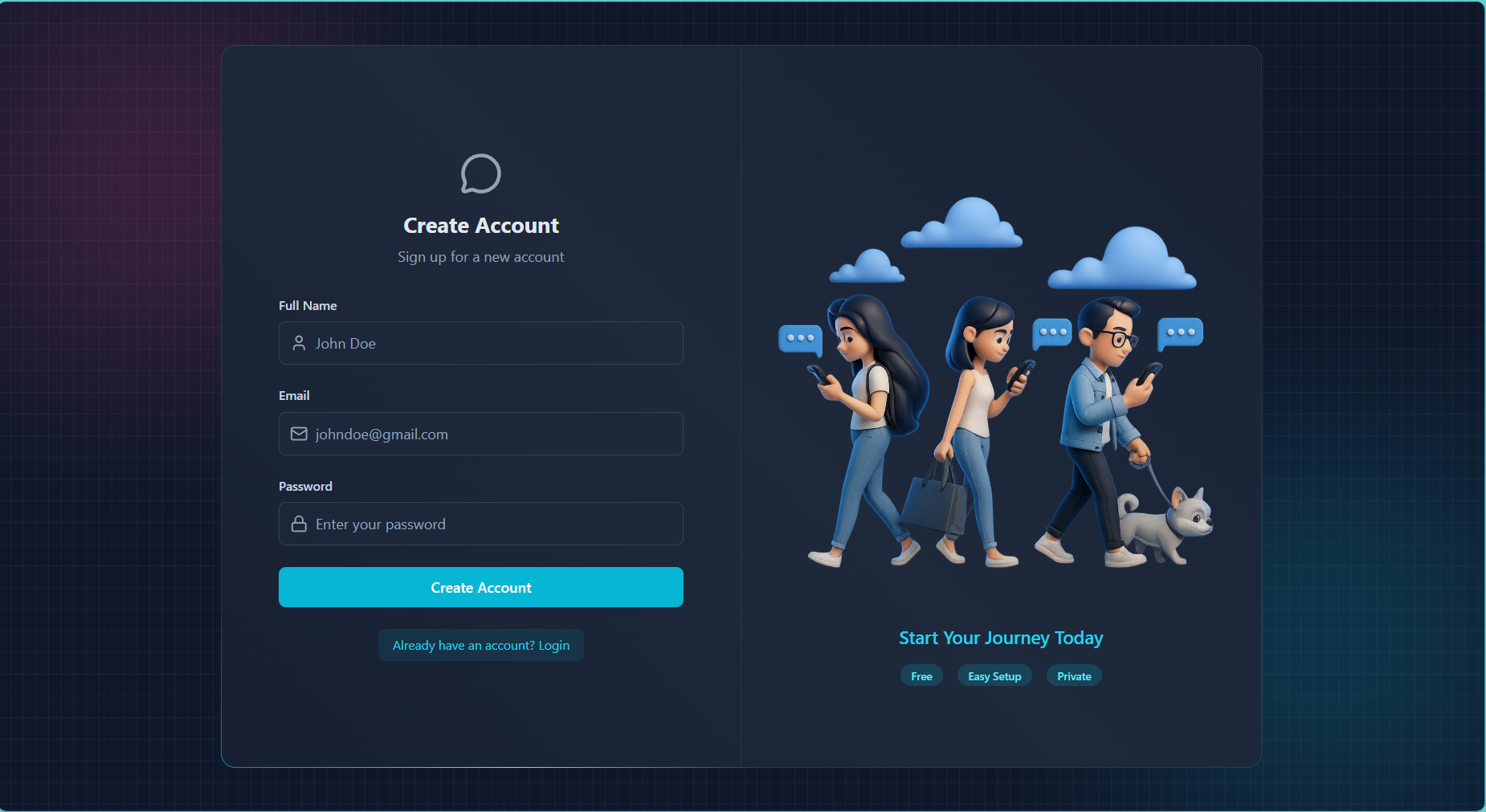 |
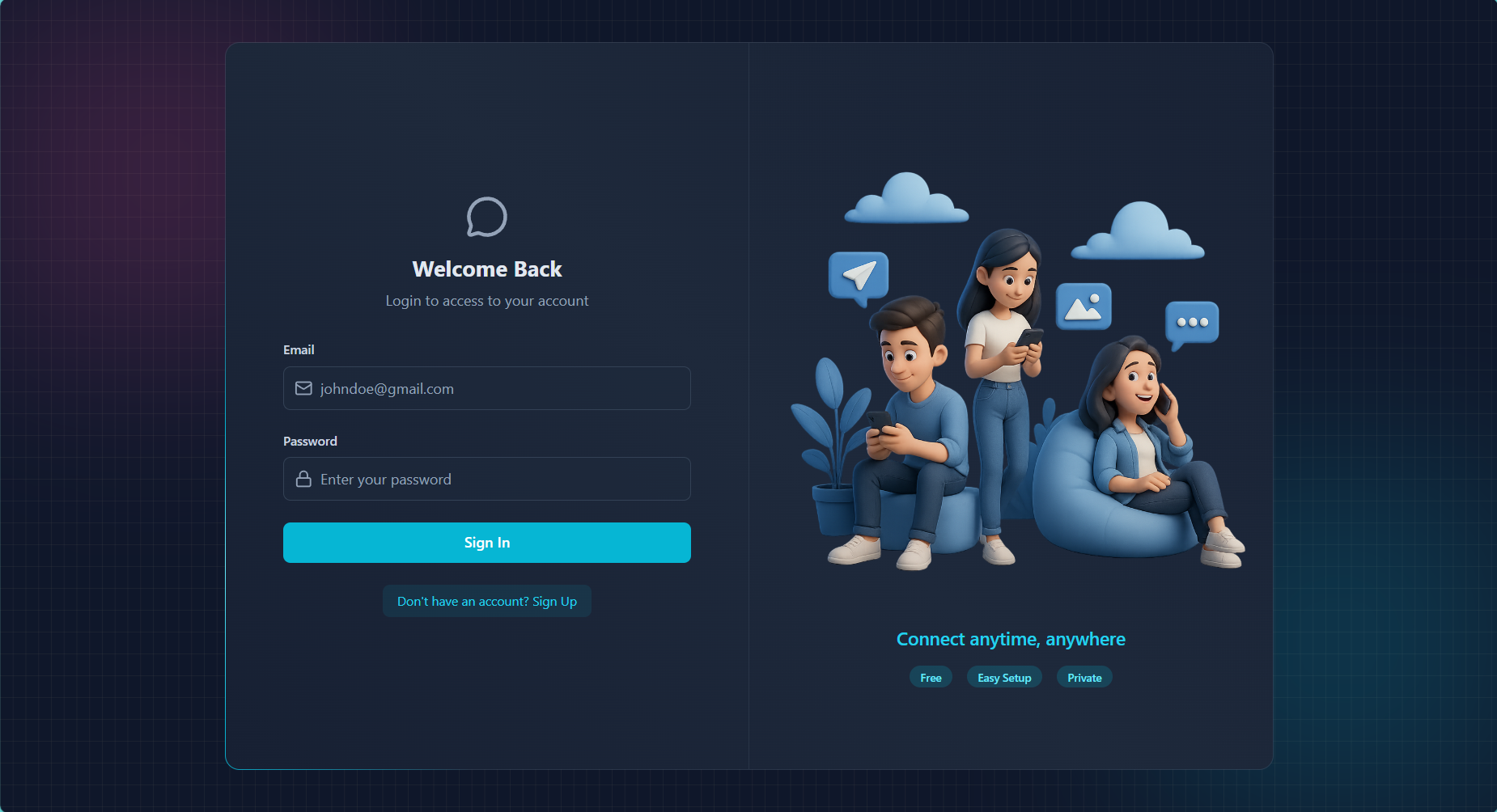 |
| Empty Chat Dashboard | Active Conversation |
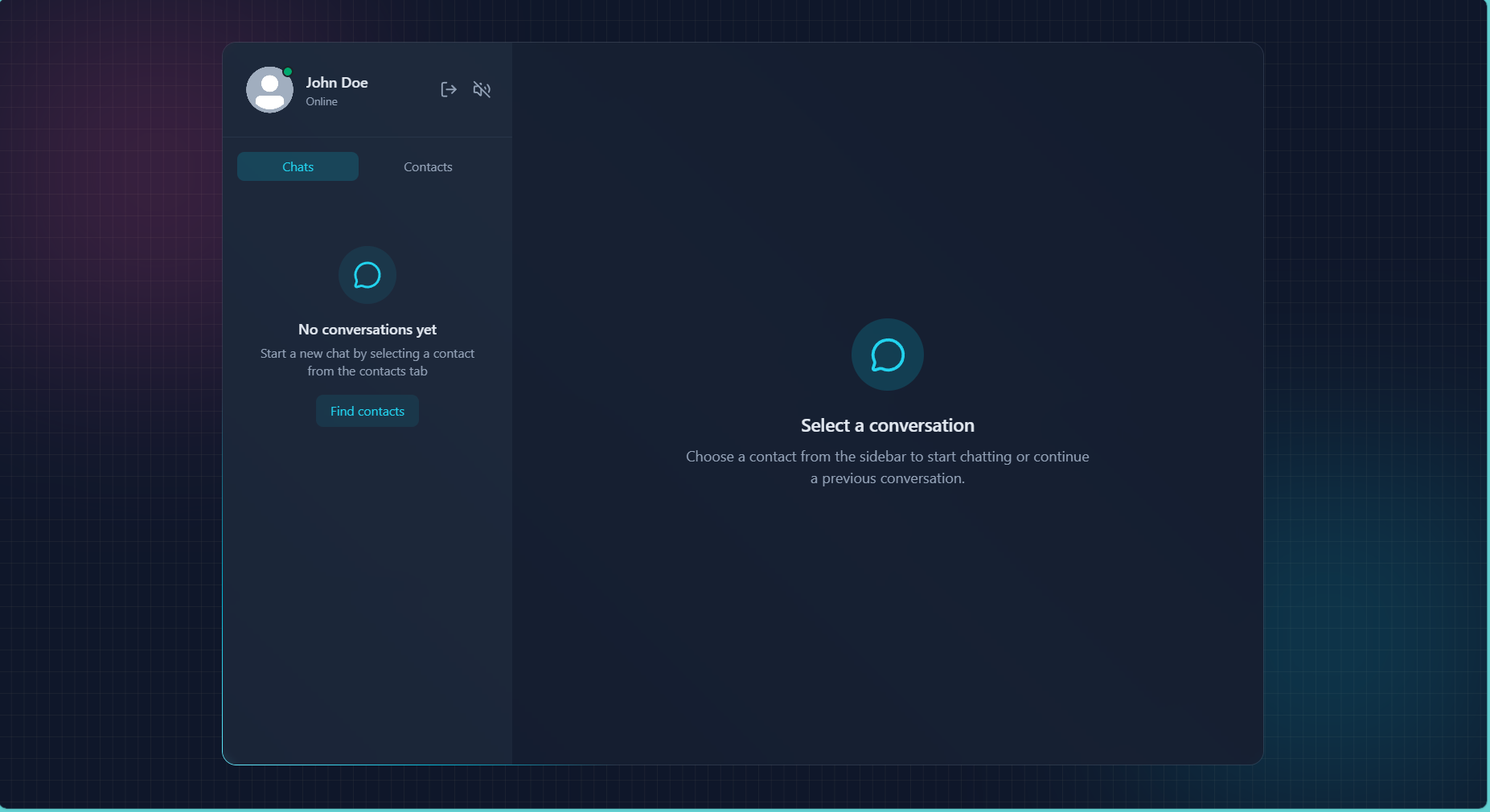 |
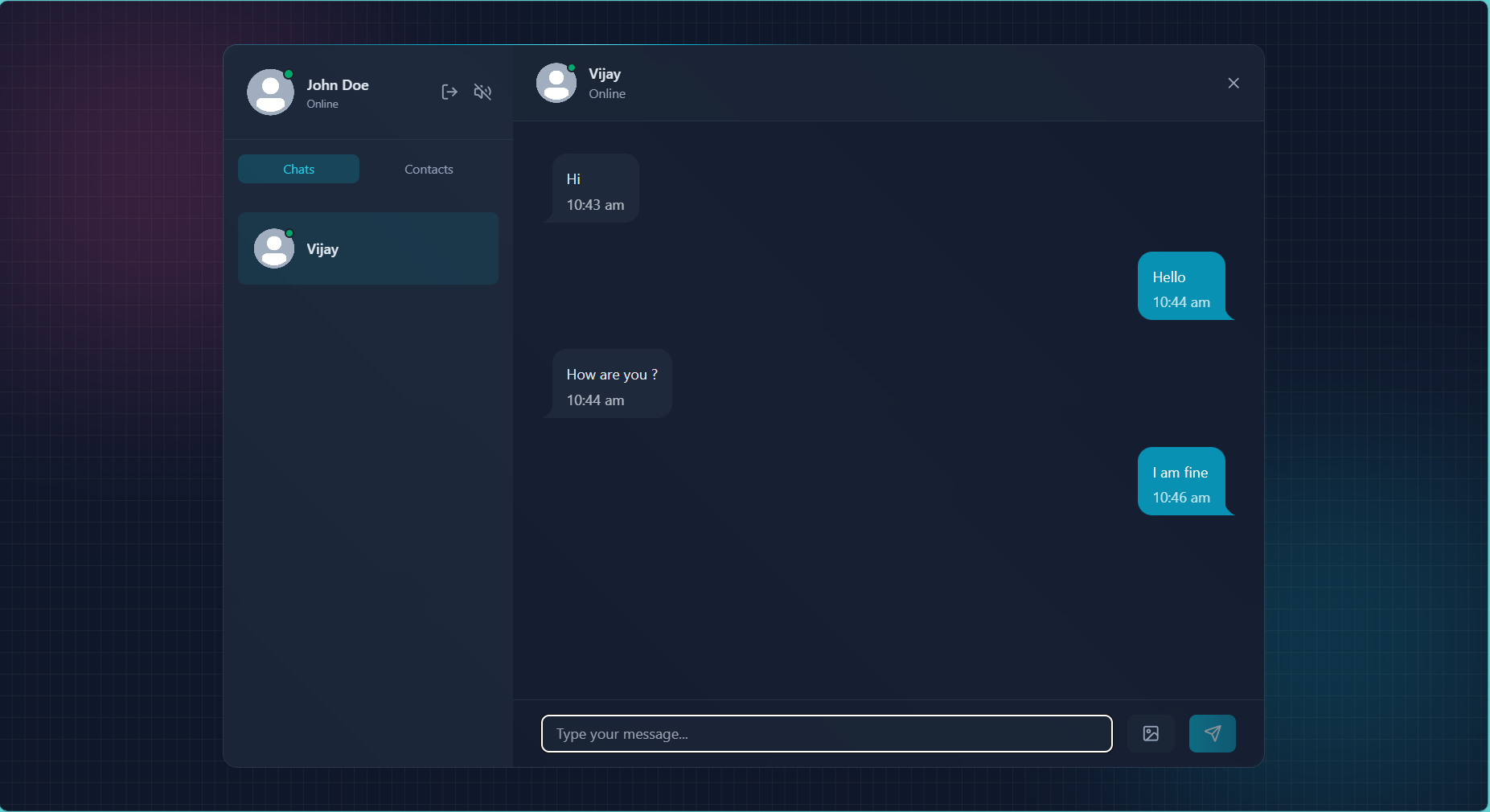 |
| Image Sharing (Received) | Image Sharing (Sent) |
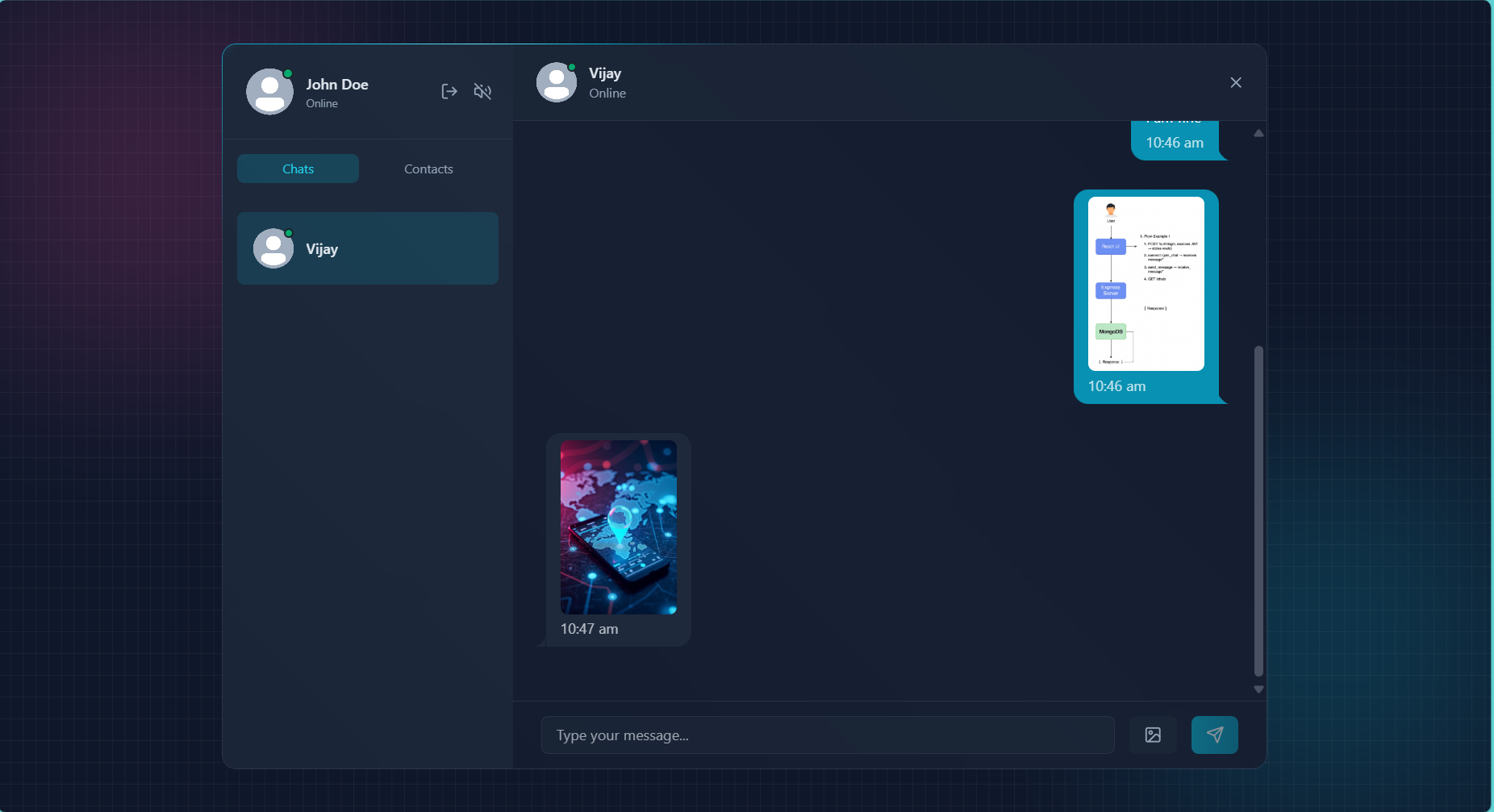 |
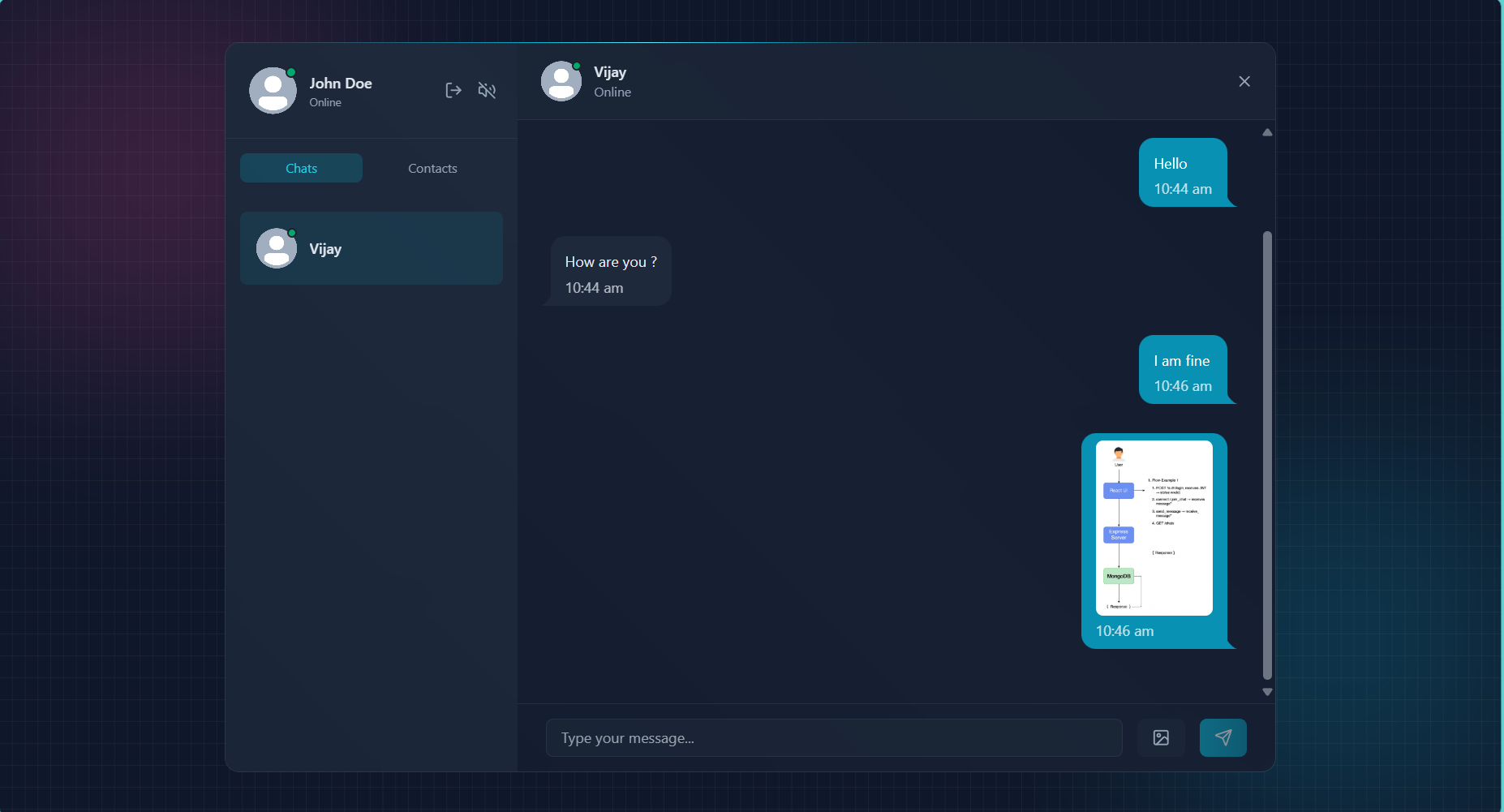 |
- UI Library: React.js (with Vite)
- Styling: TailwindCSS & DaisyUI (for the component library)
- State Management: Zustand (for lightweight, global state)
- Real-time: Socket.IO Client
- HTTP Client: Axios (for API communication)
- Runtime: Node.js
- Framework: Express.js (for REST APIs)
- Real-time: Socket.IO (for WebSocket communication)
- Authentication: JSON Web Tokens (JWT)
- Security: bcrypt (password hashing), Helmet (secure headers), Arcjet (rate limiting)
- Database: MongoDB (NoSQL)
- ODM: Mongoose (for schema modeling)
- Hosting: MongoDB Atlas
- Hosting (Frontend & Backend): Sevalla
- Media Storage: Cloudinary
- Email Service: Nodemailer (for welcome emails, etc.)
- Rate limiting: Arcjet
- The project follows a monorepo structure with two main directories:
/frontendand/backend.
- The backend uses a standard MVC-like pattern (Models, Routes, Controllers) to organize logic.

- The frontend is organized by feature, with components, hooks, and state management (stores) co-located.

- To get a local copy up and running, follow these simple steps.
- Node.js (v18 or later)
- npm
- A MongoDB Atlas account (or a local MongoDB instance)
- A Cloudinary account (for image uploads)
-
Clone the repository:
git clone https://github.com/Ragavendra0604/Real-Time-Chat-Application.git cd Real-Time-Chat-Application -
Set up the Backend:
- Navigate to the backend directory:
cd backend npm install - Create a
.envfile in the/backenddirectory. - Add the following environment variables:
MONGO_URI=<your-mongodb-connection-string>
JWT_SECRET=<your-jwt-secret-key>
CLIENT_URL=http://localhost:3000

# Cloudinary
CLOUDINARY_CLOUD_NAME=<your-cloud-name>
CLOUDINARY_API_KEY=<your-api-key>
CLOUDINARY_API_SECRET=<your-api-secret>
PORT=3000

NODE_ENV=<development or production>

RESEND_API_KEY=<Resend api>
EMAIL_FROM=<Your email>
EMAIL_PASSWORD=<your email secret key>
EMAIL_FROM_NAME="Node Chat"

CLIENT_URL=<local: http://localhost:5173 or Host: sevalla url>

ARCJET_KEY=<Arcjet api>
ARCJET_ENV=development
- Start the backend server:
node server.js
- The backend will be running on
http://localhost:5000(or your specified port).
- Navigate to the backend directory:
-
Set up the Frontend:
- Open a new terminal.
- Navigate to the frontend directory:
cd frontend npm install - Create a
.envfile in the/frontenddirectory. - Add your backend's URL:
VITE_BACKEND_URL=http://localhost:5000
- Start the frontend development server:
npm start
- Open
http://localhost:3000(or your Vite port) in your browser.
The backend provides the following RESTful API endpoints. All protected routes are secured by JWT middleware.
| Method | Endpoint | Description |
|---|---|---|
POST |
/signup |
Register a new user. |
POST |
/login |
Authenticate a user and return a JWT. |
POST |
/logout |
Log out the current user. |
PUT |
/profile-update |
Update the logged-in user's profile. |
GET |
/check |
Validate the current JWT and return user details. |
| Method | Endpoint | Description |
|---|---|---|
GET |
/contacts |
Fetch all available contacts. |
GET |
/chats |
Retrieve chat partners for the logged-in user. |
GET |
/:id |
Get all messages exchanged with a specific user. |
POST |
/send/:id |
Send a new message to a specific user. |
Socket.IO is used for all real-time communication.
connect: Establishes a real-time connection[cite: 348].send_message: Broadcasts a message to a specific recipient.receive_message: Client-side listener for incoming messages.typing: Broadcasted when a user starts typing.stopTyping: Broadcasted when a user stops typing.
The application's core features were tested manually and with API tools.
- Backend API Testing: Used Postman to test all REST API endpoints (
/register,/login,/messages). Validated correct status codes (200, 400, 401) and message persistence in MongoDB. - WebSocket Testing: Used Postman's WebSocket tool or a similar Socket.io tester to verify real-time event flow (
sendMessage,receiveMessage). - Frontend Manual Testing: Conducted full user-flow testing: Register -> Login -> Send Message -> Receive Message -> Logout. Verified responsiveness on mobile and desktop views and checked that online/offline indicators updated correctly.
Security was a core consideration for this project.
- Password Hashing: User passwords are never stored in plaintext. They are hashed using bcrypt before being saved to the database.
- JWT Authentication: All protected routes are secured using middleware that verifies a JSON Web Token (JWT) passed from the client.
- Secure HTTP Headers: The Helmet library is used in Express to set various secure HTTP headers, protecting against common web vulnerabilities like XSS and clickjacking.
- API Rate Limiting: The Arcjet service is implemented to prevent brute-force attacks and API abuse by limiting the number of requests from a single IP.
- Database Indexing: Indexes are applied to
senderIdandreceiverIdin the Messages collection to ensure fast query performance and prevent slow, blocking queries as the database scales.
The following features are planned for future development:
- Message Pagination: Implement infinite scroll on the chat window to fetch message history in pages (
limitandpagequeries) instead of all at once, improving performance for long conversations. - UI Animations: Integrate Framer Motion to add smooth animations for new messages appearing, tab switching, and page transitions.
- Loading Skeletons: Implement loading skeletons that mimic the UI layout while data (contacts, chat history) is being fetched to improve perceived performance.
This project was submitted by:
- Naresh V (2023510042).
- Hariragavendra M G (2023510031)
- Ruparagunath G (2023510305)
- Yuvaraj A (2023510037)
This project is licensed under the MIT License.