

A premium theme and card library for Home Assistant.






Try it: acosta290.github.io/fluvy — the real cards, pages and settings panel on a simulated home, in your browser.
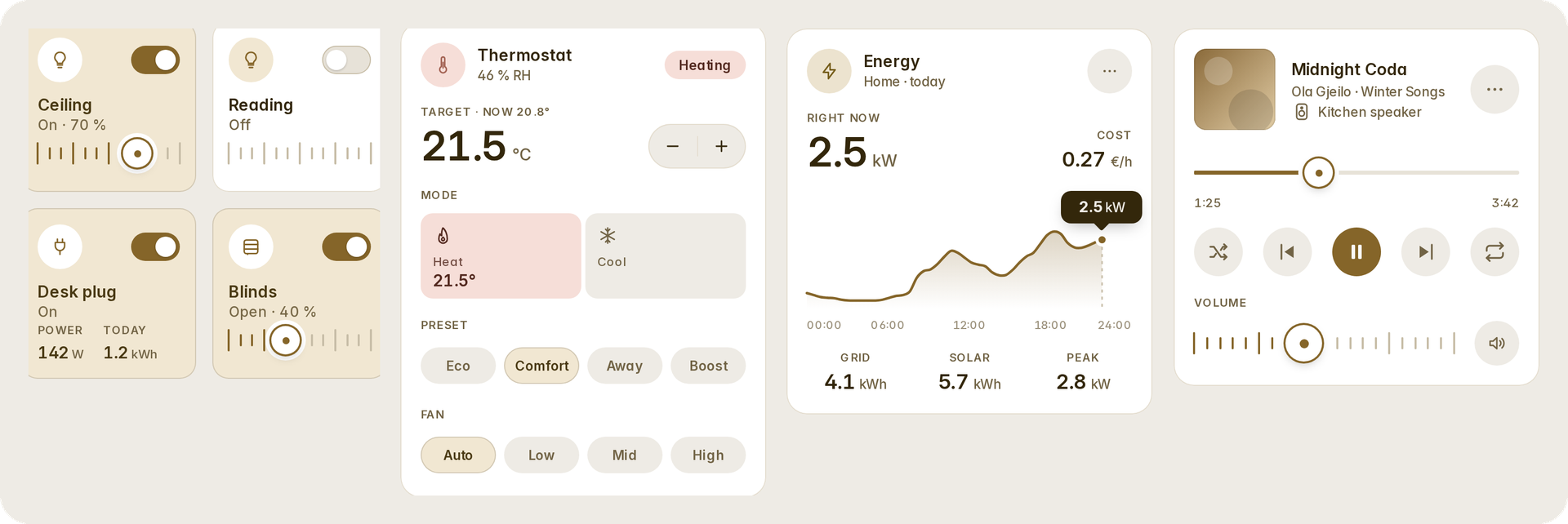
Fluvy brings one design to the whole of Home Assistant: a theme, fifty-five cards, five automatic dashboards, a settings panel, the Activity and History pages, and Home Assistant's own pages restyled to match — all from one set of design tokens, installed as one integration through HACS. Every card is drawn on a 4 px grid, checked by an alignment measurer, and holds from a phone to a wall tablet, in light and dark, in eight languages.
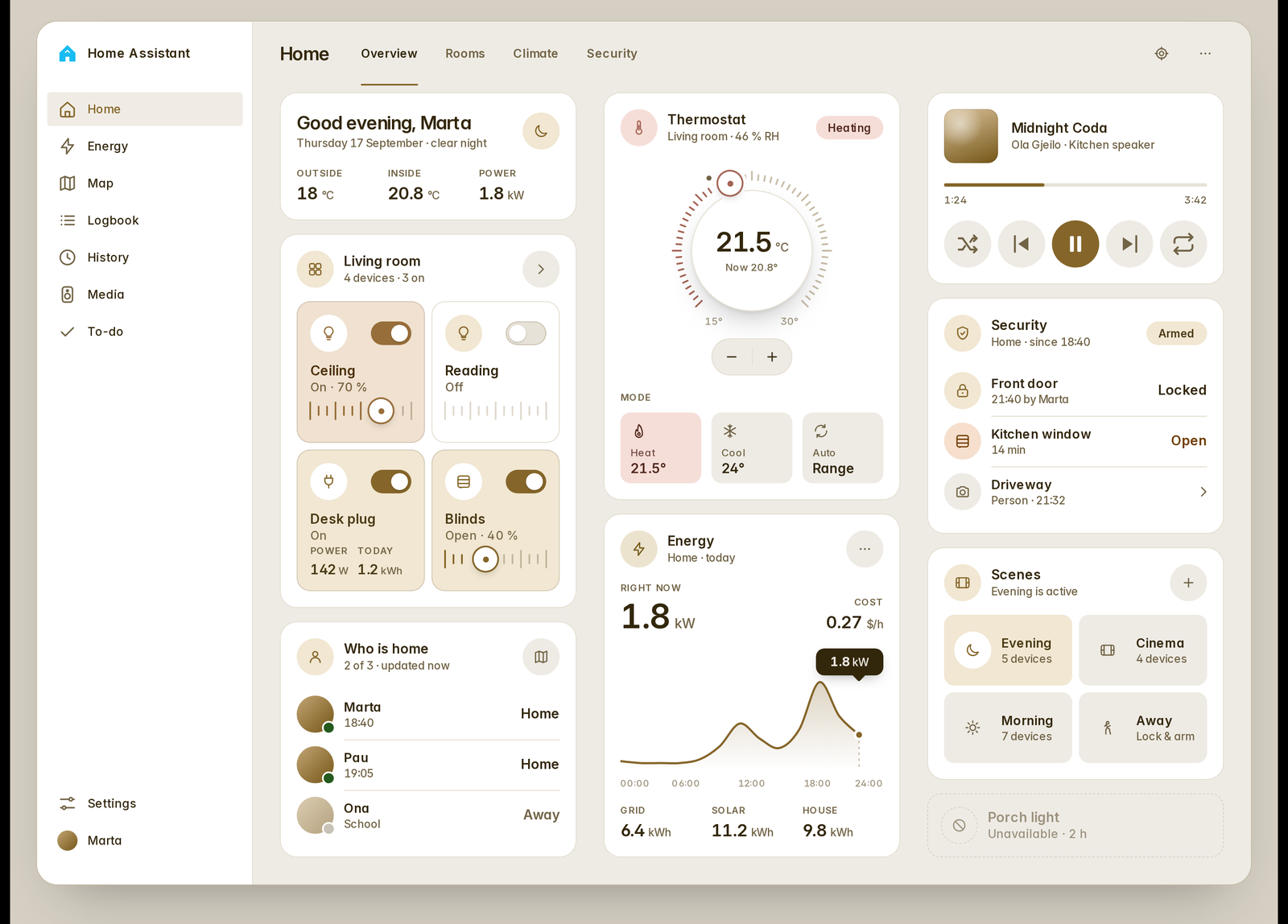
The sidebar, the header, the tabs, the dialogs, the settings pages: with the Fluvy theme on, Home Assistant looks like it was designed with the cards, because it was — the same tokens, the same type (Inter), the same radii and hairlines. A dashboard's view tabs are yours to style: the views as words with the accent under the open one (as here), as pills, as icons, Home Assistant's own, or none at all.
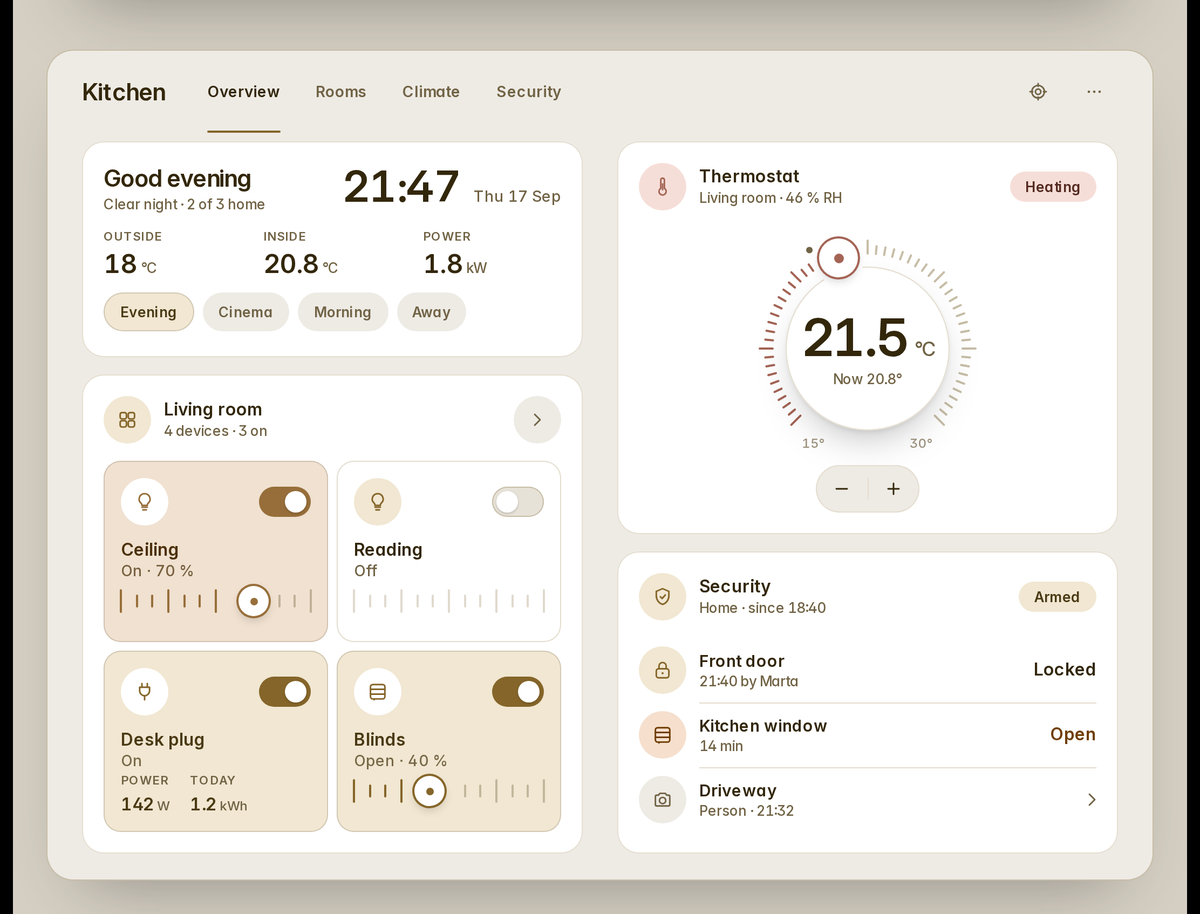
Every card has an editor form and a live preview in the card picker; every option is documented in the cards. Sliders and dials are precision controls: relative drag, slide away to slow down, hold for the 1 % scale.
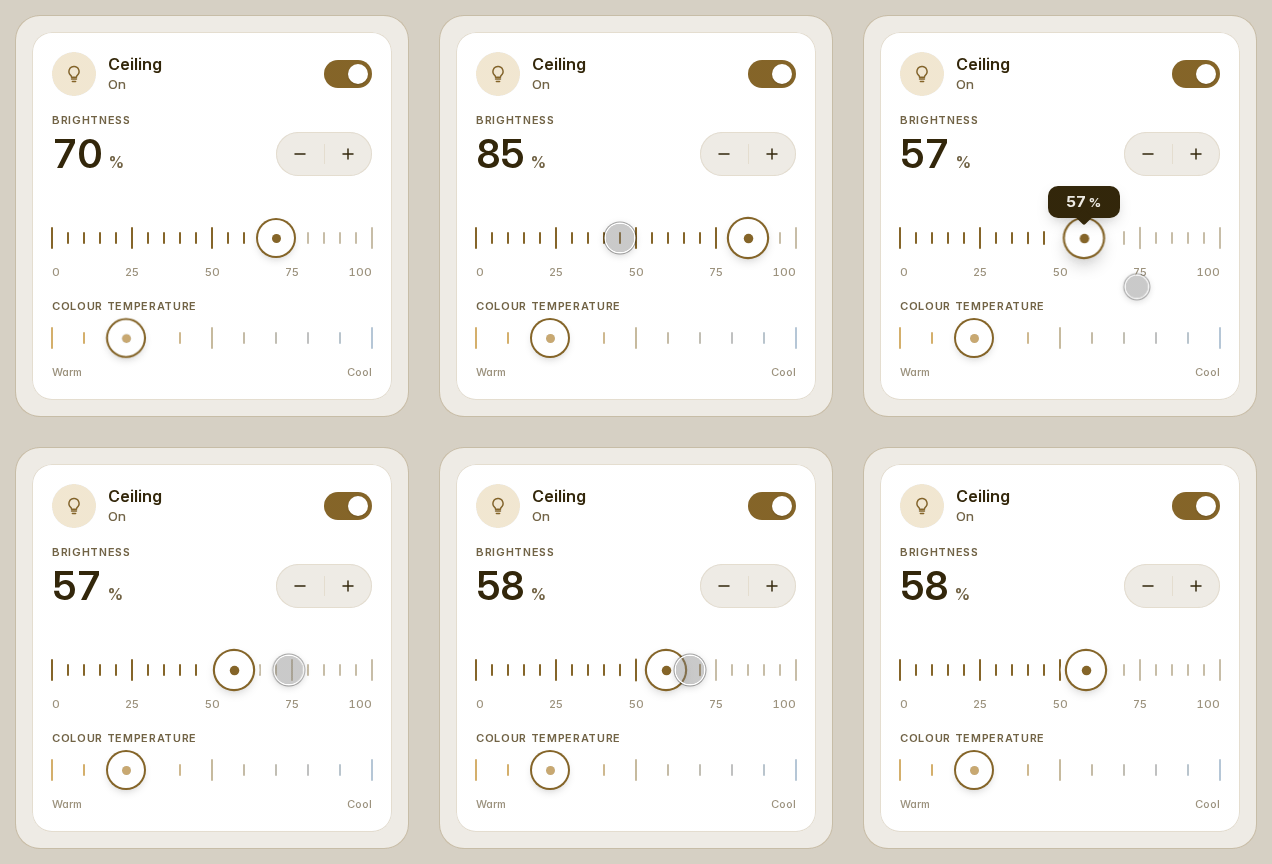
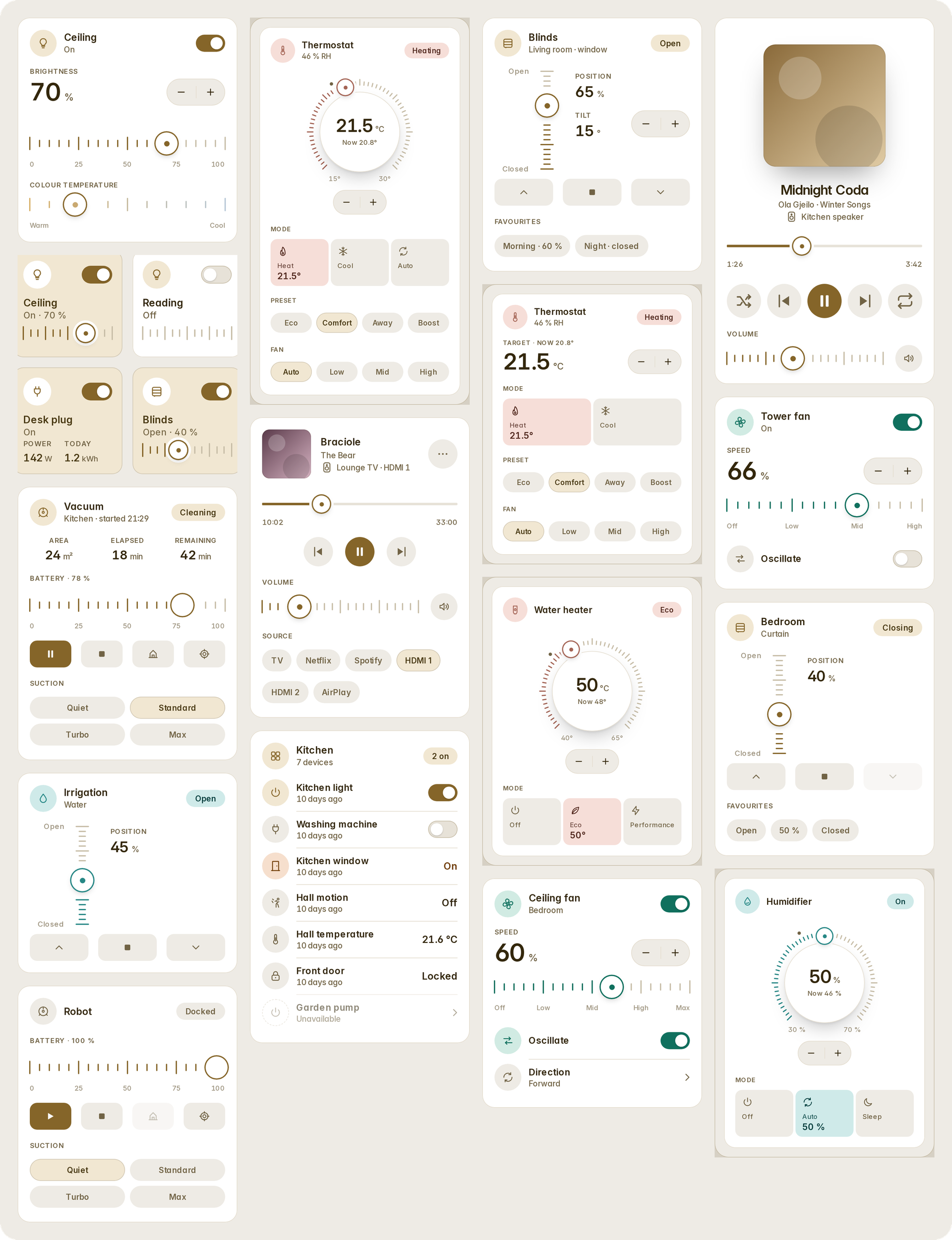
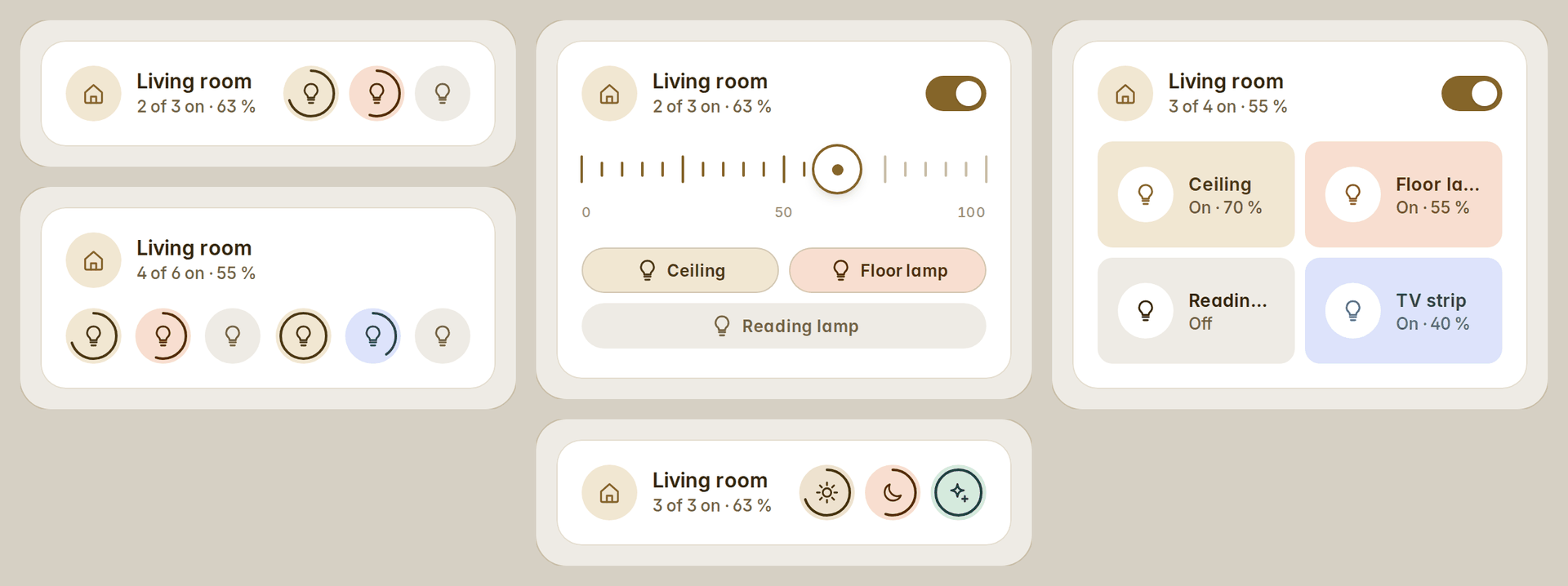
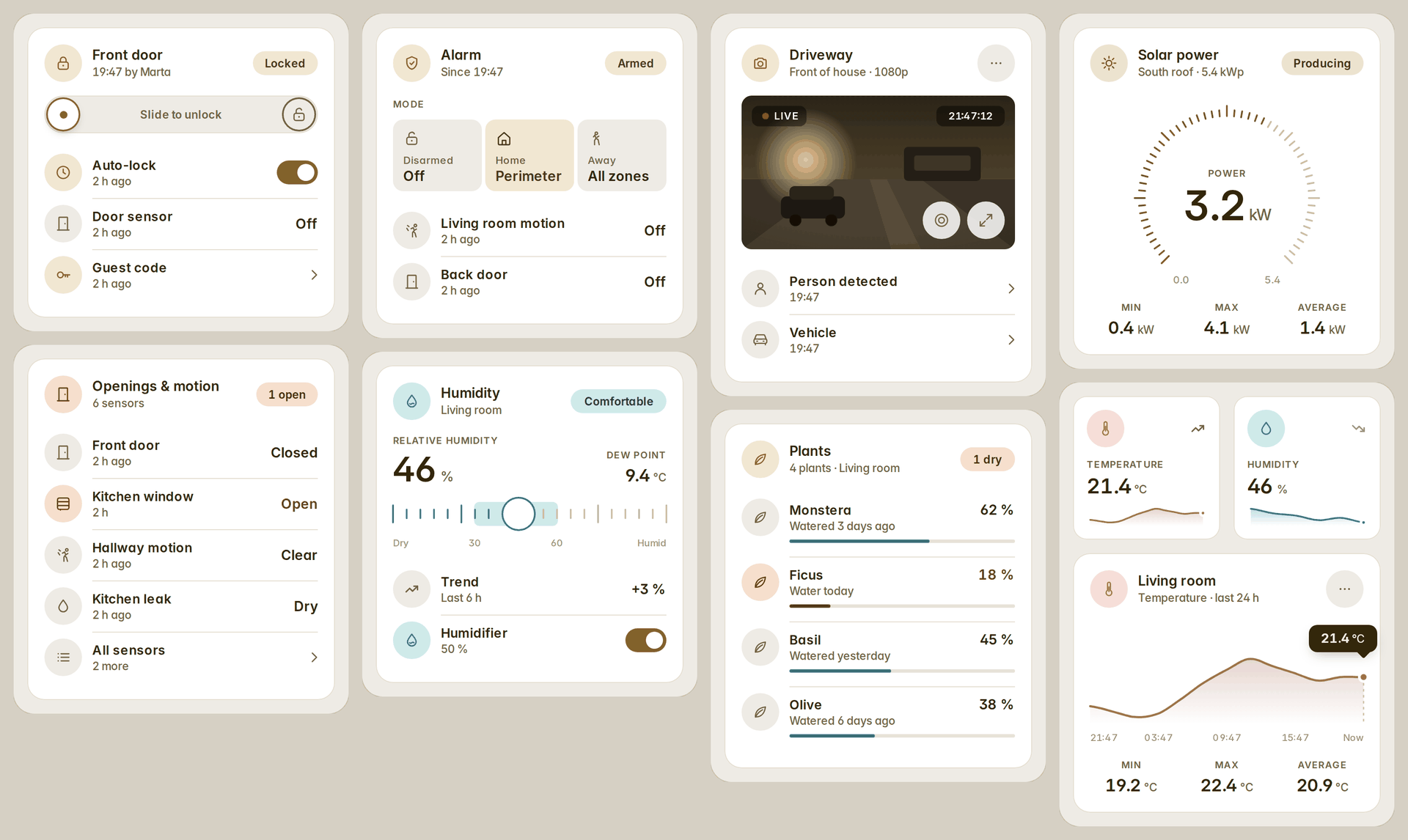
Control — lights with brightness and colour temperature, a room's lights on one card (one tap for the whole room, a round for each light, in its bulb's colour), thermostats (dial or compact), water heaters and humidifiers, covers with position and tilt, fans, vacuums, valves, media players and TVs, 3D printers (OctoPrint, PrusaLink, Bambu Lab, Moonraker, Creality, Elegoo, Anycubic, Snapmaker and FlashForge: the job, its time left, the heaters, the filament unit's trays, the camera, pause and stop), tiles and lists.
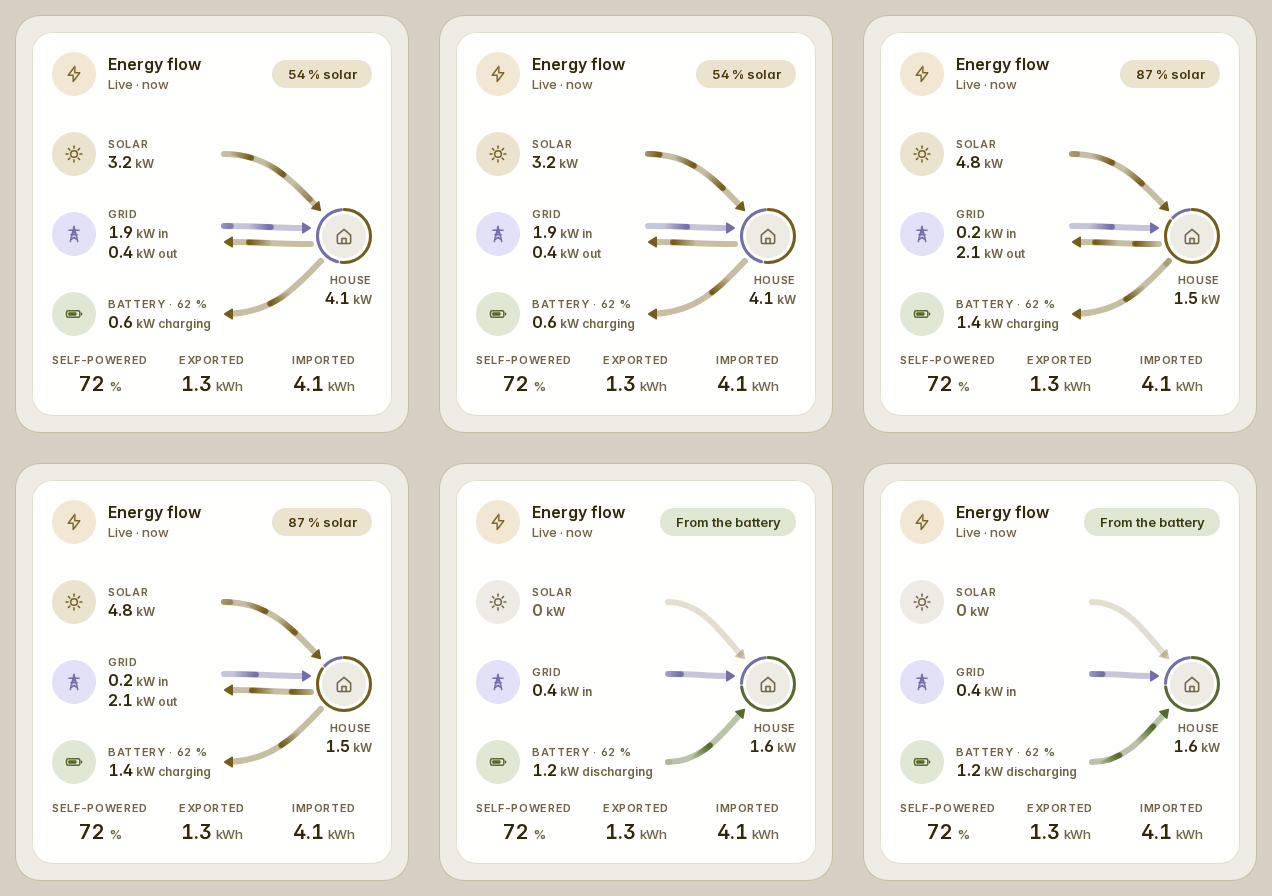
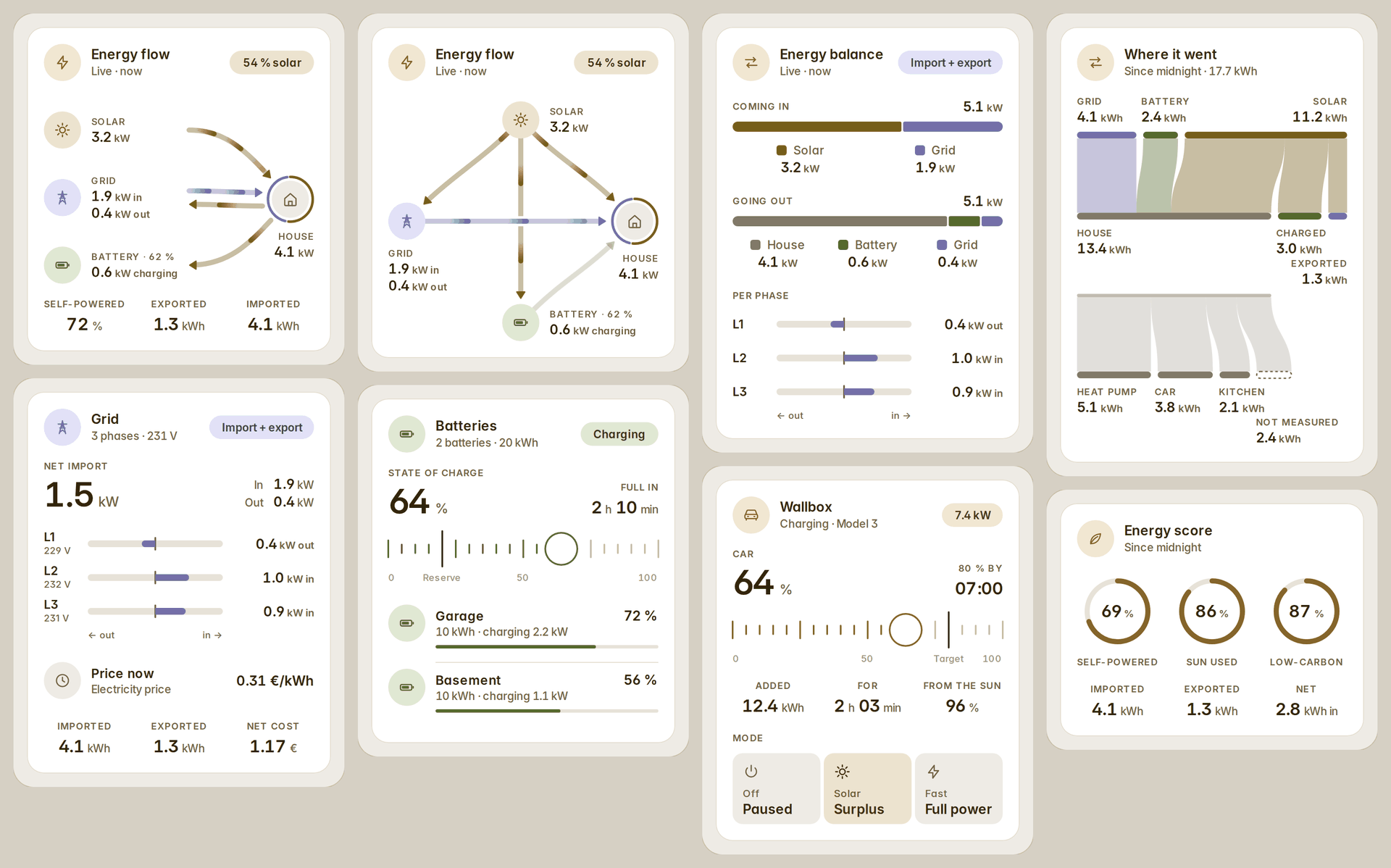
Energy — the energy flow, read the way your meters are: one sensor, import and export apart, or each phase — so a house that imports and exports at once shows both, every lane in the colour of where its energy came from, with the Energy dashboard's own sources when you give it none. Beside it: the balance of what comes in and goes out, the grid by phase, batteries, a car charger, where a day's energy went (a sankey), the score, water and gas, the house's power by source, the whole house on one chart with its batteries' charge (a power scale and gridlines on both), solar by array, consumption by device, gauges for anything, and a sensor's last days, weeks or months as bars from its long-term statistics — a counter read by its own readings when Home Assistant's sum is not the truth, today live. How they read a house.
Security and sensors — locks, alarms, cameras (live, in their own shape), openings and motion, humidity, plants, gauges, sensor tiles, and up to three sensors on one chart.
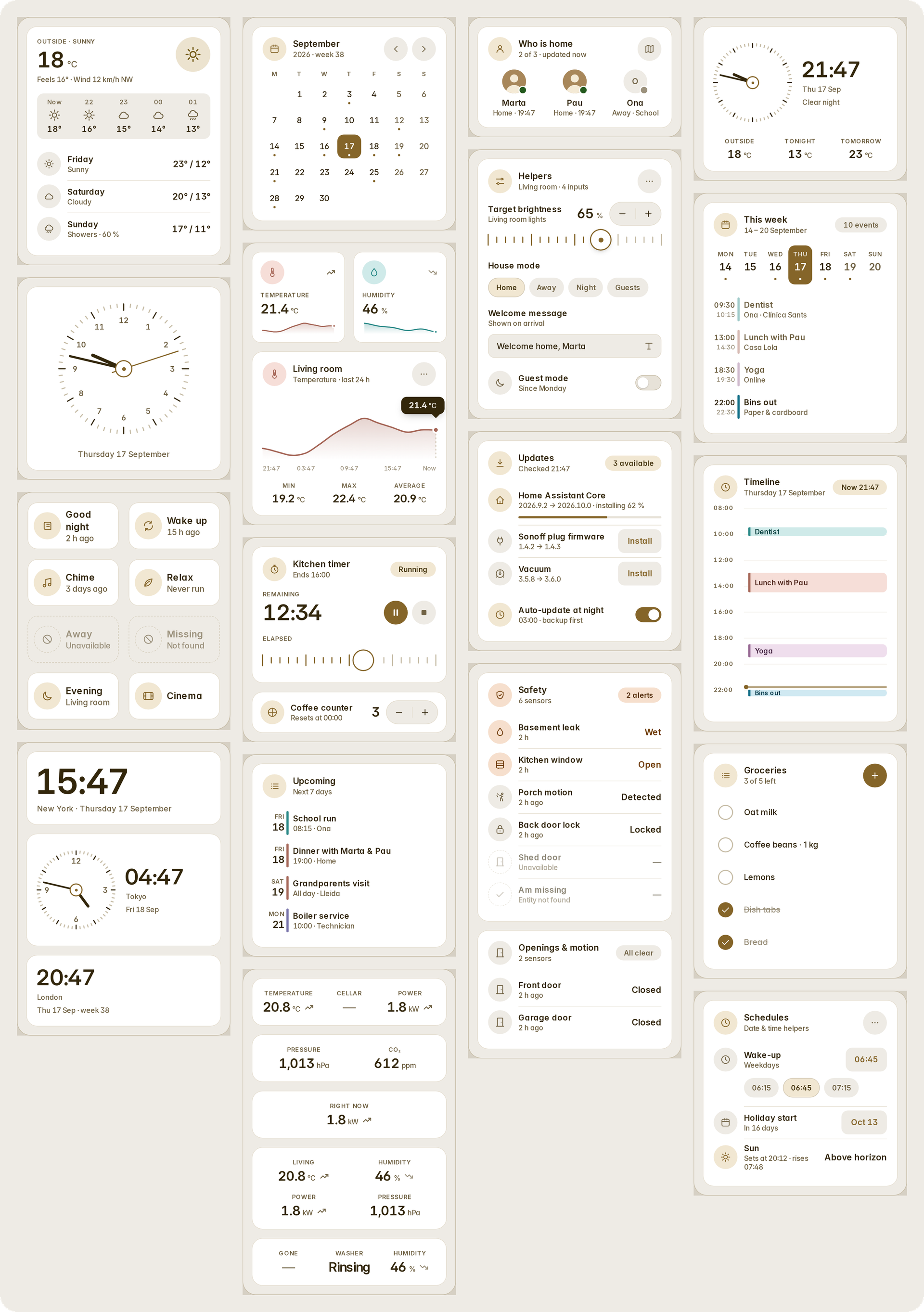
Home, time and helpers — weather and forecasts, who is home, scenes and actions, calendars (month, week, timeline, upcoming), clocks (analog, digital, world), readouts and trends, safety, helpers, updates, timers, to-do lists, and the house's automations: every one as a row with its switch and last run, and schedules written in a sheet as native Home Assistant automations — for the whole house, or for the one lamp a popup is about.
Appliances and alerts — a washer, a dryer, a dishwasher, an oven, a hob, a fridge, a coffee machine or a kettle on a plug, read from LG ThinQ, Home Connect, Miele, SmartThings, Matter, Whirlpool, Tuya, hOn and Electrolux, or from a smart plug's power: a picture of the appliance, what it is doing, the time left over a bar, three rows for its programme, water, energy or the filter to clean, the reminders, "Tell me when it's done" — the design a reader drew for us (#47) — and the house's appliances in one list or as whole cards side by side. An alerts card gathers what needs a look — low batteries, devices gone, doors left open, leaks and smoke, updates, repairs — each alert one line, as tiles, chips, rows or a banner, hidden while all is clear, with a snooze that follows you to every device.
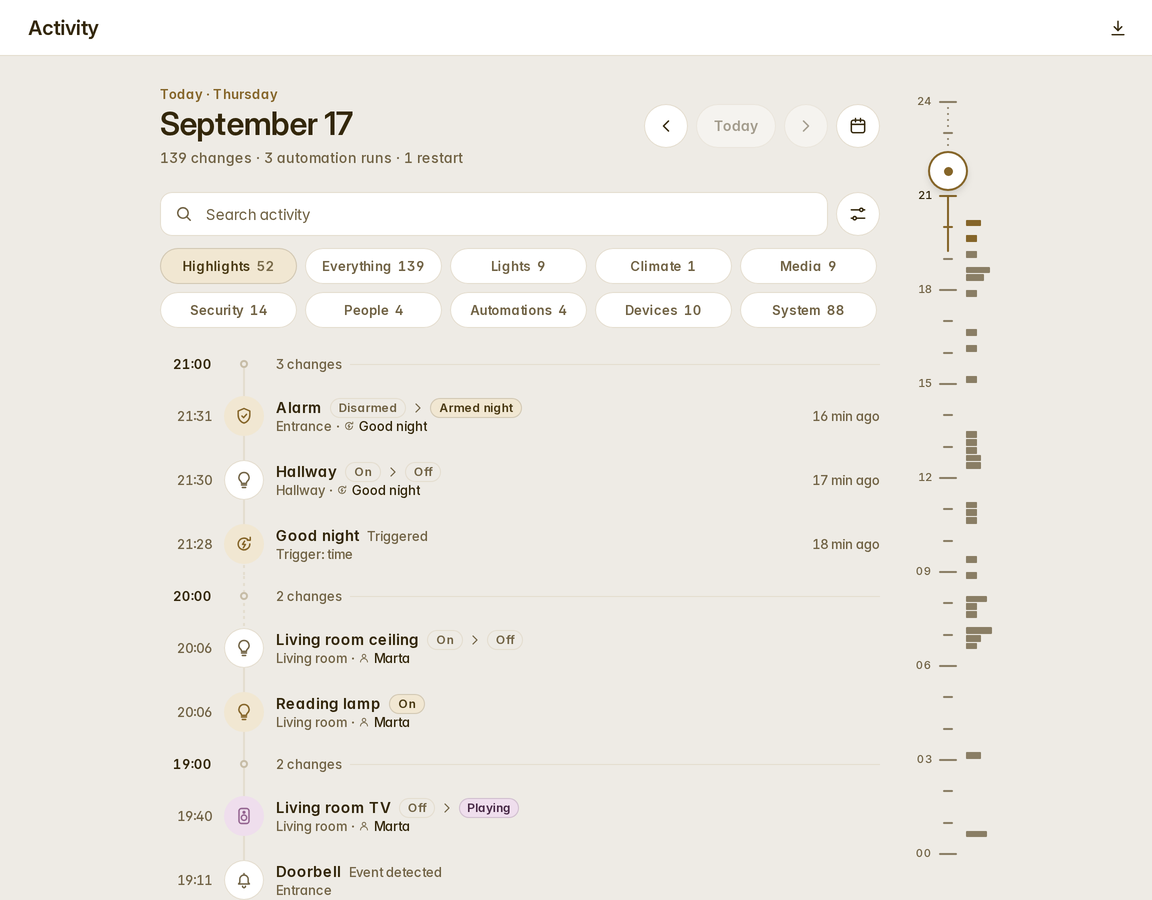
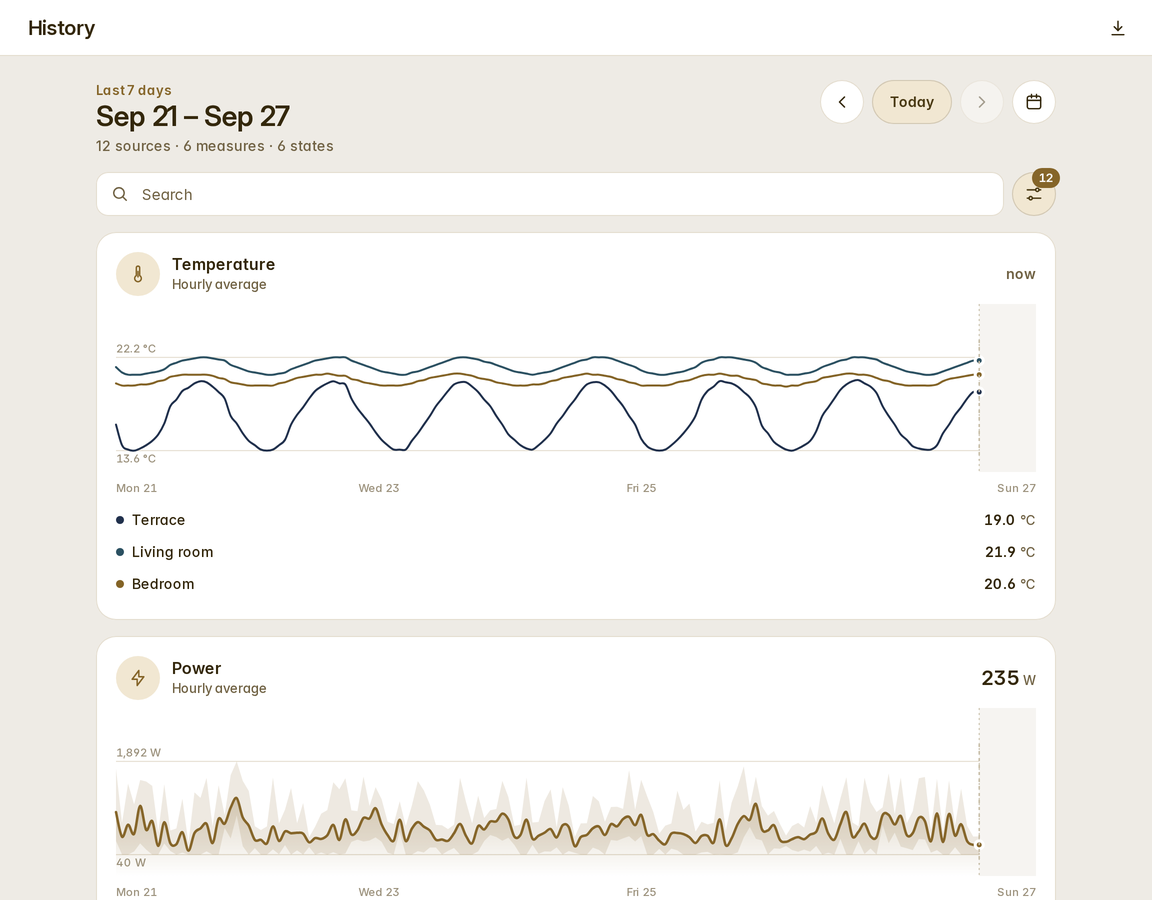
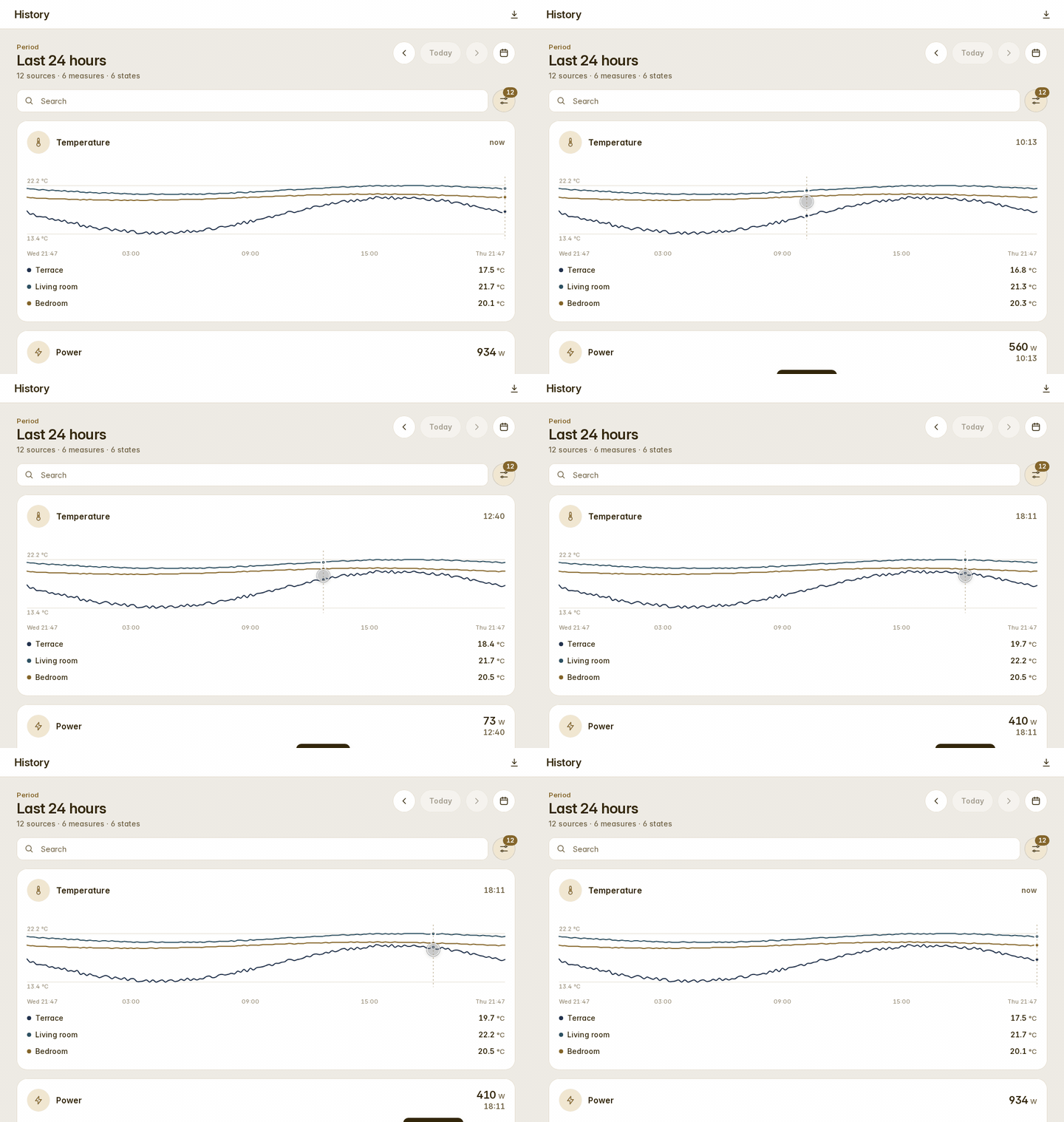
Two of Home Assistant's pages, drawn in the same idiom: the logbook as a timeline with who did what, and the history as charts with a scrub cursor, grouped by room or device. They stand in for the built-in pages while the house wants them; a switch gives Home Assistant's pages back.
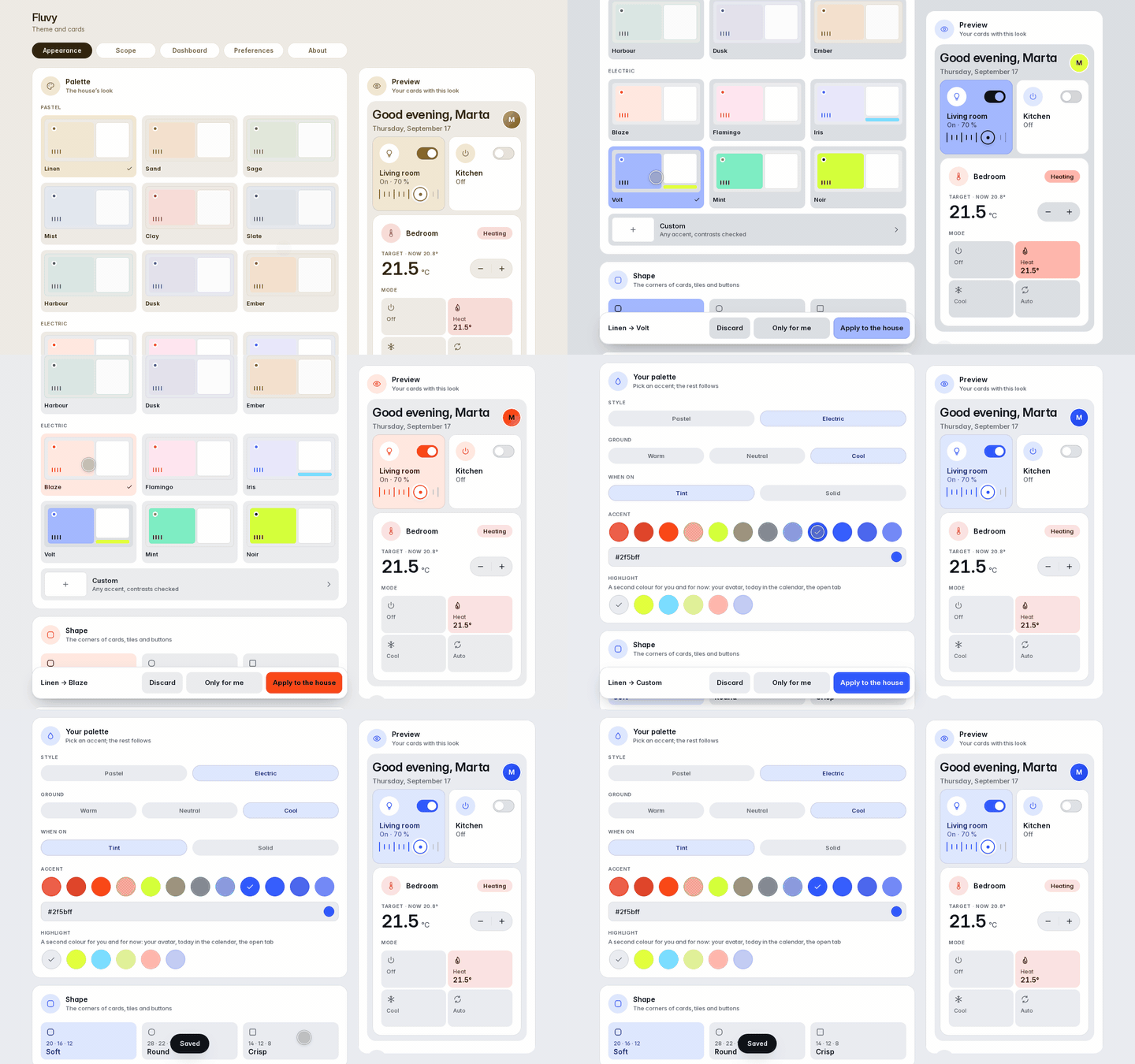
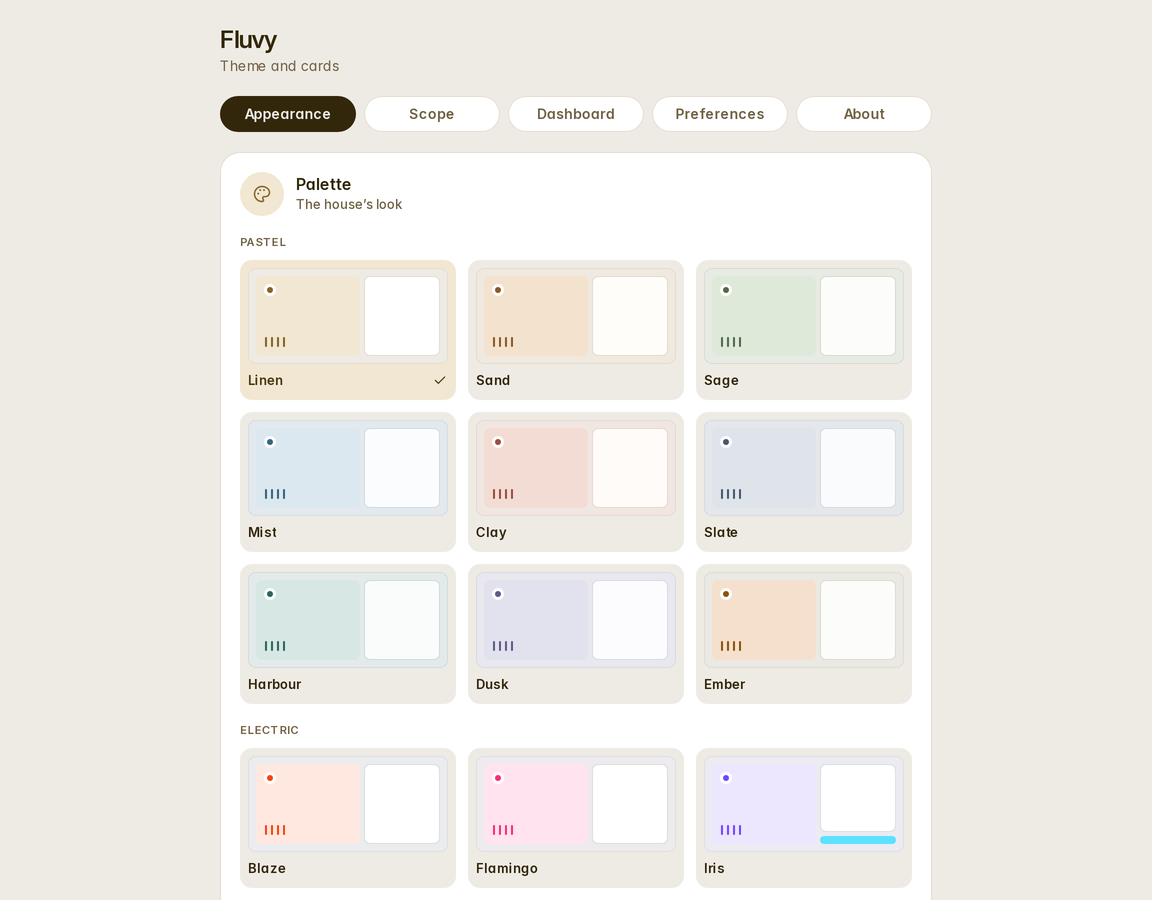
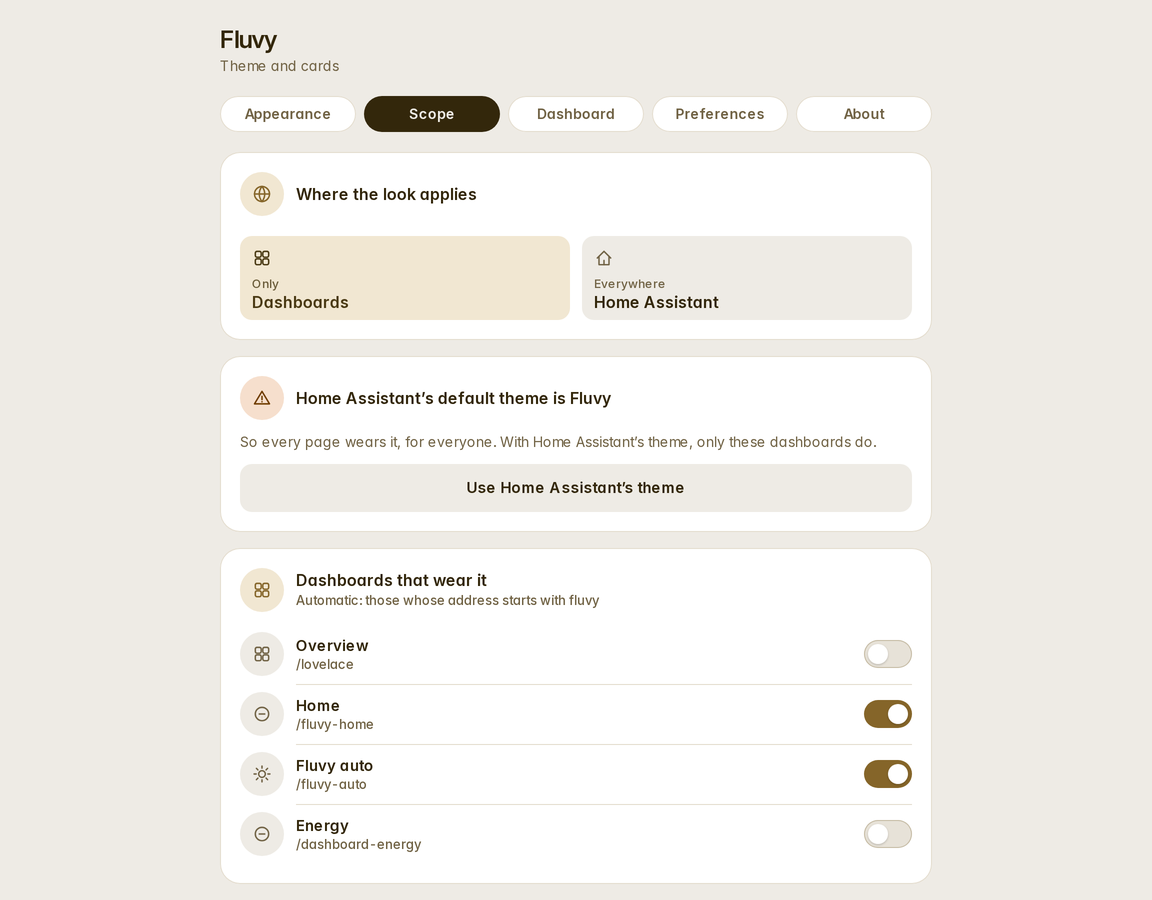
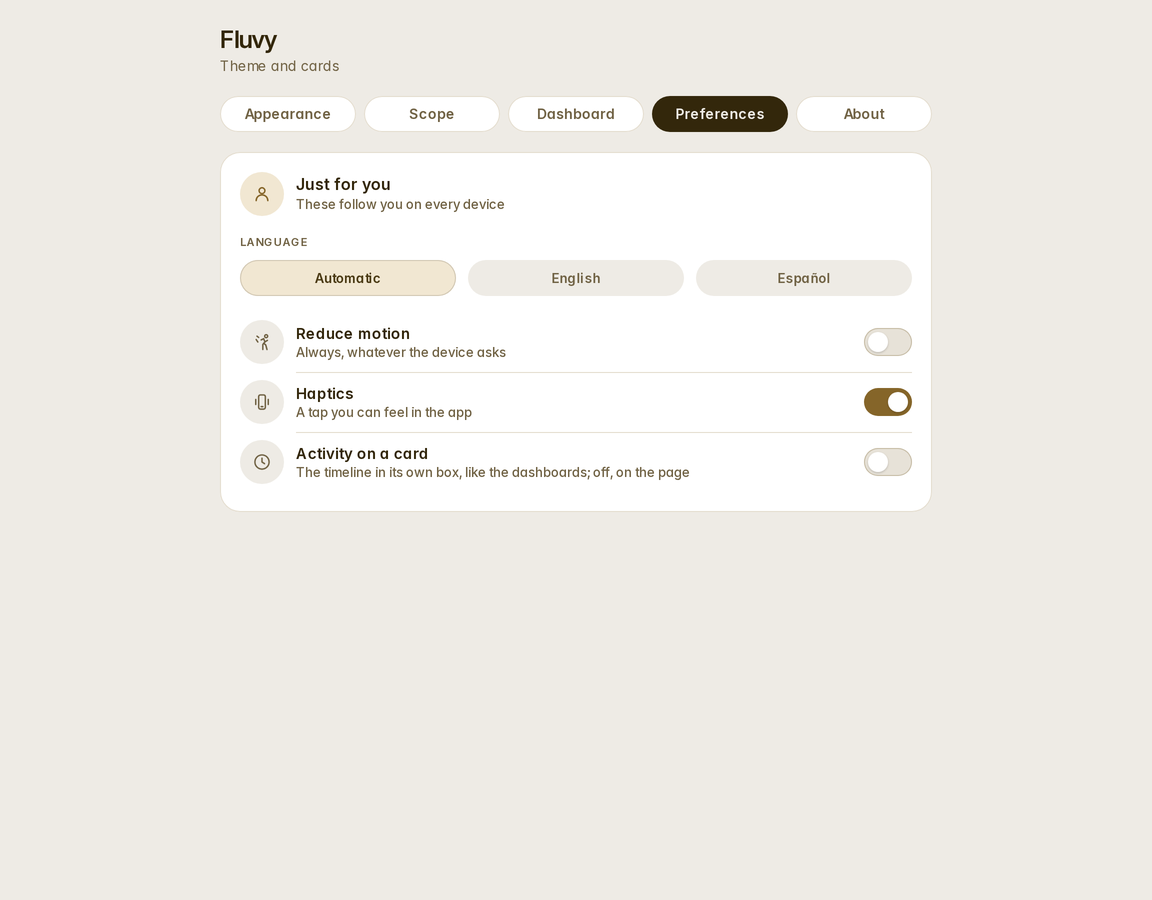
Fluvy in the sidebar: fifteen palettes in a pastel and an electric line, or your own accent with every contrast checked; three shapes; where the look applies; the automatic dashboard; and each person's own preferences — language, motion, haptics, a palette of their own. Changes apply live on every device, no reload.
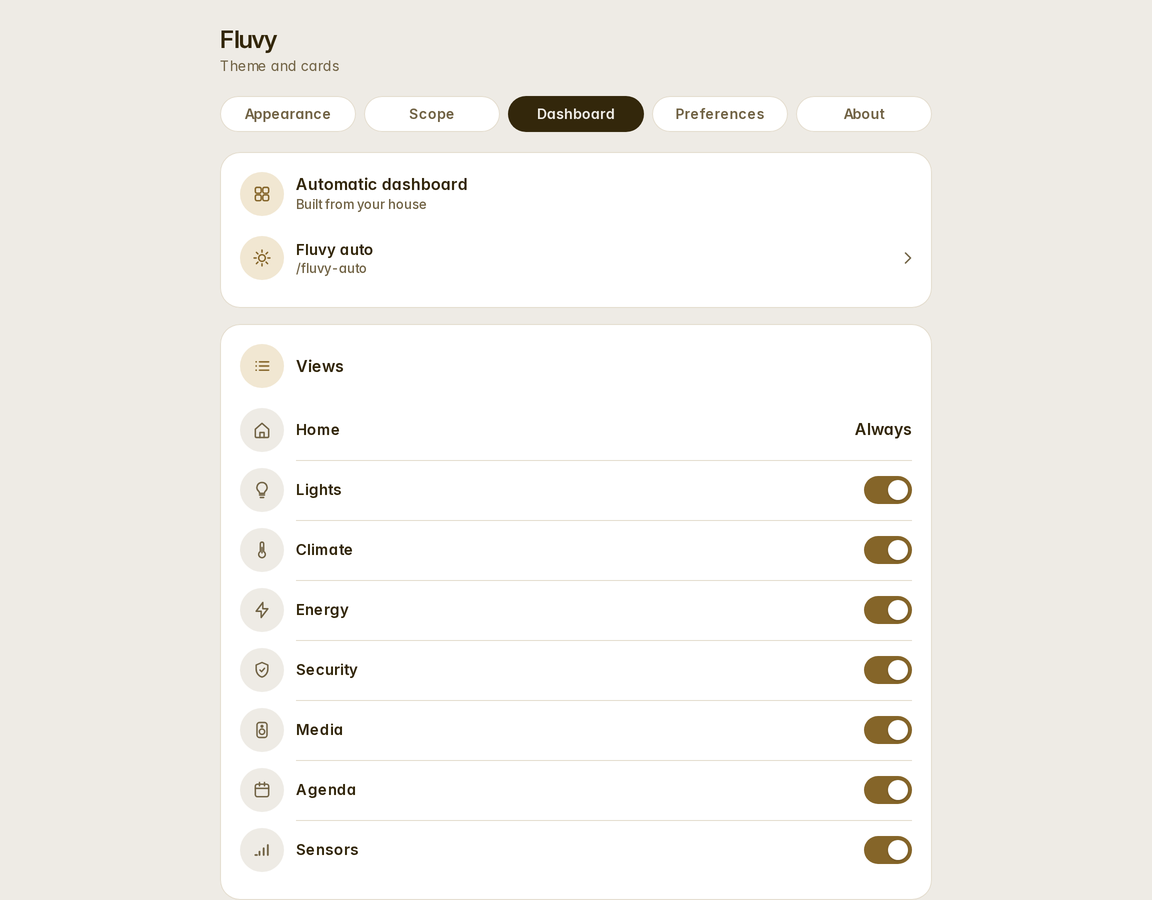
One line — strategy: { type: custom:fluvy-home } — and Fluvy reads your areas, devices, entities and energy
preferences and builds Home, Rooms, Lights, Climate, Energy, Security, Media, Agenda and Sensors: what needs
attention first (hidden while all is clear), lights grouped by room, a card a room that opens the room's own page,
the large appliances as whole cards side by side and the small ones as rows, the running thermostat first,
the home's forecast, the whole Energy dashboard read (every grid connection, the battery's charge, water and gas),
batteries and phones told apart. Four more templates build
a dashboard each — Rooms (a tab a floor), Energy, Security and a Wall for a tablet — and the panel
creates any of them with one tap. Every one is rebuilt every time it opens, so a new device simply shows up.
How they read a home.
- One theme, light and dark, generated from the same tokens the cards are drawn with.
- Fifty-five cards with editor forms, picker previews, and
unavailable,unknownand missing states drawn on purpose, at the size and in the anatomy the card has live. - Energy as your meters read it: a house that imports and exports at once shows both, per phase; with nothing configured the cards read the Energy dashboard, and a day, a week or a month add up to its own figures.
- Five automatic dashboards built from your registries: the home, the rooms, the energy, the security, a wall.
- Wall mode for a tablet: no sidebar, no header, a screensaver with the clock, dark at night, the screen kept
awake —
?kioskon the dashboard's address and the tablet remembers, a × in the corner is the way out. - A settings panel for the house and for each person.
- Activity and History pages in the same idiom.
- Everywhere: Home Assistant's own pages in the same design while it wears the Fluvy theme.
- Eight languages — English, Spanish, German, Dutch, French, Italian, Brazilian Portuguese and Turkish — in every card, page and dialog, each fetched only when spoken.
- No telemetry, no network calls of its own, no dependency but Lit, pinned to Home Assistant's version.

Fluvy needs Home Assistant 2026.9 or newer, HACS, and one line most installations already have in
configuration.yaml — the theme is a file in your themes folder, and this is how Home Assistant reads it:
frontend:
themes: !include_dir_merge_named themes- Until Fluvy is listed in HACS's default store, add it once: in HACS, open the menu (⋮) → Custom
repositories, add
https://github.com/acosta290/fluvywith the type Integration — or click the button above, which fills the dialog in. In HACS (and in Home Assistant's Marketplace from 2026.11, which reads the same catalogue) Fluvy is listed under Integration, not Theme: a HACS theme can only be a YAML file, and Fluvy is the theme plus the cards, the dashboards, the settings panel and the restyling of Home Assistant's own pages, which only an integration can install. Search for "Fluvy" or "theme" with no type filter. - Search for Fluvy in HACS and download it.
- Restart Home Assistant.
- Go to Settings → Devices & services → Add integration, search for Fluvy and add it. There is nothing to configure: the integration puts the settings panel in the sidebar, loads Fluvy on every page and installs the theme.
- Reload the browser, then choose the Fluvy theme: in your profile (Theme → Fluvy), or from the panel's Scope tab, which offers it.
Without HACS: download fluvy.zip from the latest release,
unzip it into <config>/custom_components/fluvy/, restart, and continue at step 4.
If something is missing — the theme line above, a resource that has to be added by hand because your dashboards are configured in YAML, an old manual install — Home Assistant tells you in Settings → System → Repairs, with exactly what to add or remove.
Open Fluvy in the sidebar.
- Appearance — the palette, the shape and the buttons, for the house; each person can keep their own.
- Scope — where the look applies: your dashboards only, or everywhere in Home Assistant; whether the frame, the icons and the pages are Fluvy's.
- Dashboards — create any of the five automatic dashboards with one tap and set its options, or add a
dashboard of your own with
strategy: { type: custom:fluvy-home }(orfluvy-rooms,fluvy-energy,fluvy-security,fluvy-wall) in its raw configuration. - Wall — what this tablet is, which dashboards are walls, the screensaver, day and night, the background.
- Preferences — language, motion and haptics, per person.
The cards are in the card picker under Fluvy · …, each with a preview; docs/cards.md lists them with their
options.
| Installation | HACS or the release zip, updating, uninstalling, what the integration registers, the Repairs it can raise |
| Getting started | the first ten minutes |
| The settings panel | the five tabs, house and personal settings, where they are stored |
| The theme | palettes, custom accents, shapes, the tokens |
| The cards | every card, with its configuration |
| The automatic dashboards | what the five templates build from your home, and how to steer them |
| Wall mode | a tablet on the wall: the kiosk, the screensaver, day and night |
| Activity and History | the two pages |
| Everywhere | what the shell restyles, and what to expect after a Home Assistant release |
| Troubleshooting | when something looks wrong |
| Development | the repository, the build, the tools |
| Design language | the specification every card is built and reviewed against |
Home Assistant 2026.9 or newer. The theme, the shell and the pages are checked against each Home Assistant
release; a release can change a page the shell restyles, and docs/shell.md says what happens then. Fluvy runs in
every current browser and in the Companion apps. Lit is bundled, pinned to the version Home Assistant ships; there
is no other runtime dependency, and Fluvy makes no network requests of its own.
Issues and pull requests are welcome. CONTRIBUTING.md has the development setup, the conventions, and the
licensing terms a contribution accepts; CODE_OF_CONDUCT.md applies to every space of the project.
Fluvy is free software under the GNU General Public License v3.0: use it, change it and share it; whatever you distribute that is built on it stays under the same licence, with its source. Third-party work it ships is listed in THIRD_PARTY_NOTICES.md.
Lit (Google, BSD-3-Clause); Material Design Icons (Pictogrammers, Apache-2.0), used to map Home Assistant's icons to Fluvy's glyphs; Inter (The Inter Project Authors, SIL OFL 1.1); and Home Assistant and its frontend (Apache-2.0), which Fluvy is built for and is not affiliated with.