

Go/TinyGo driver for Lumissil IS31FL3731 matrix LED driver.
PR to include this driver to the official TinyGo driver list
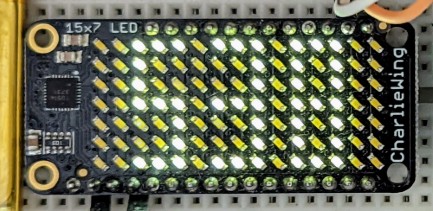
- picture mode ("auto frame play mode" and "audio frame play mode" are not supported in this version of the driver)
- drawing by XY coordinates or raw pixel's index on LED layout
- frames (0-7) and switching between them
- any custom LED matrix layout built on IS31FL3731
- using
DrawPixelIndex(...)function
- using
- Adafruit 15x7 CharliePlex LED Matrix FeatherWing (CharlieWing)
- using
DrawPixelXY(...)orDrawPixelIndex(...)function - default I2C address:
0x74
- using
- Adafruit 16x9 Charlieplexed PWM LED Matrix Driver - IS31FL3731
- driver communicates over I2C interface
- datasheet: https://www.lumissil.com/assets/pdf/core/IS31FL3731_DS.pdf
Driver can work with any Go program that provides I2C interface like this:
type I2C interface {
  WriteRegister(addr uint8, r uint8, buf []byte) error
}
This is TinyGo example that uses
machine package's I2C to control Adafruit 15x7 CharlieWing:
package main

import (
  "time"
  "machine"

  "github.com/antonfisher/is31fl3731"
)

// I2CAddress -- address of led matrix
var I2CAddress uint8 = is31fl3731.I2C_ADDRESS_74

func main() {
  bus := machine.I2C0
  err := bus.Configure(machine.I2CConfig{})
  if err != nil {
    println("could not configure I2C:", err)
    return
  }

  // Create driver for Adafruit 15x7 CharliePlex LED Matrix FeatherWing
  // (CharlieWing): https://www.adafruit.com/product/3163
  ledMatrix := is31fl3731.NewAdafruitCharlieWing15x7(bus, I2CAddressLEDMatrix)

  err = ledMatrix.Configure()
  if err != nil {
    println("could not configure led driver:", err)
    return
  }

  // Fill the whole matrix on the frame #0 (visible by default)
  ledMatrix.Fill(is31fl3731.FRAME_0, uint8(3))

  // Draw couple pixels on the frame #1 (not visible yet)
  ledMatrix.DrawPixelXY(is31fl3731.FRAME_1, uint8(0), uint8(0), uint8(10))
  ledMatrix.DrawPixelXY(is31fl3731.FRAME_1, uint8(14), uint8(6), uint8(10))

  // There are 8 frames available, it's a good idea to draw on an invisible
  // frame and then switch to that frame to reduce flickering. Switch between
  // frame #0 and #1 in a loop to show animation:
  for {
    println("show frame #0...")
    ledMatrix.SetActiveFrame(is31fl3731.FRAME_0)
    time.Sleep(time.Second * 3)

    println("show frame #1...")
    ledMatrix.SetActiveFrame(is31fl3731.FRAME_1)
    time.Sleep(time.Second * 3)
  }
}
This example code switches display between these two states:
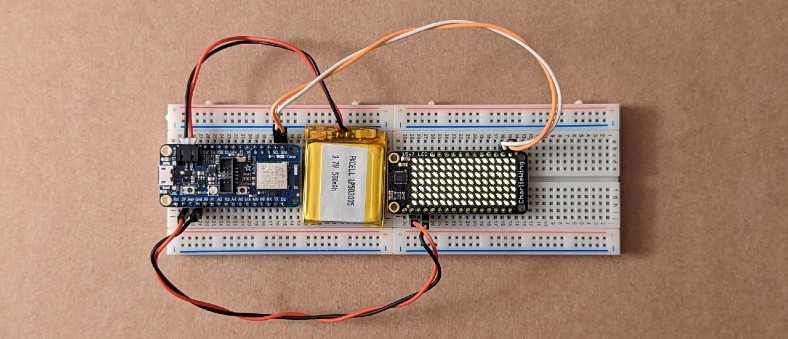
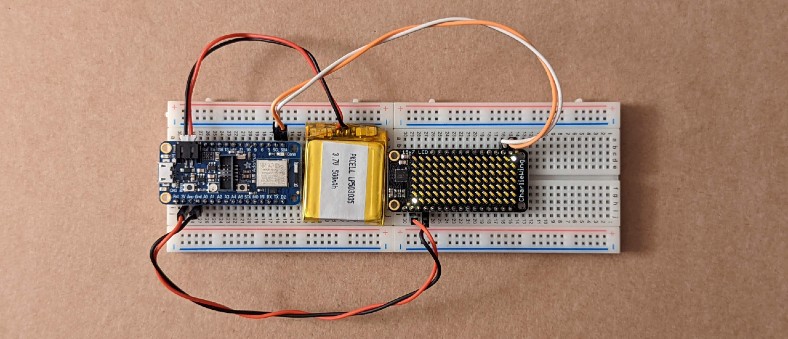
Note: tested on nRF52840 controller.
This driver inspired by Adafruit Python driver: https://github.com/adafruit/Adafruit_CircuitPython_IS31FL3731
MIT License