



An easy-to-use CLI to export your steam market history to various formats
Report Bug
·
Request Feature
steam-market-history is a command line tool written in Python which allows you to extract your entire Steam Market History with all transaction (sales/purchases) in a CSV or HTML file.
- Extract your entire Steam Market History with all transactions to a HTML, CSV or JSON file
- Overview of all transactions on a user-friendly webpage with searchable and filterable results
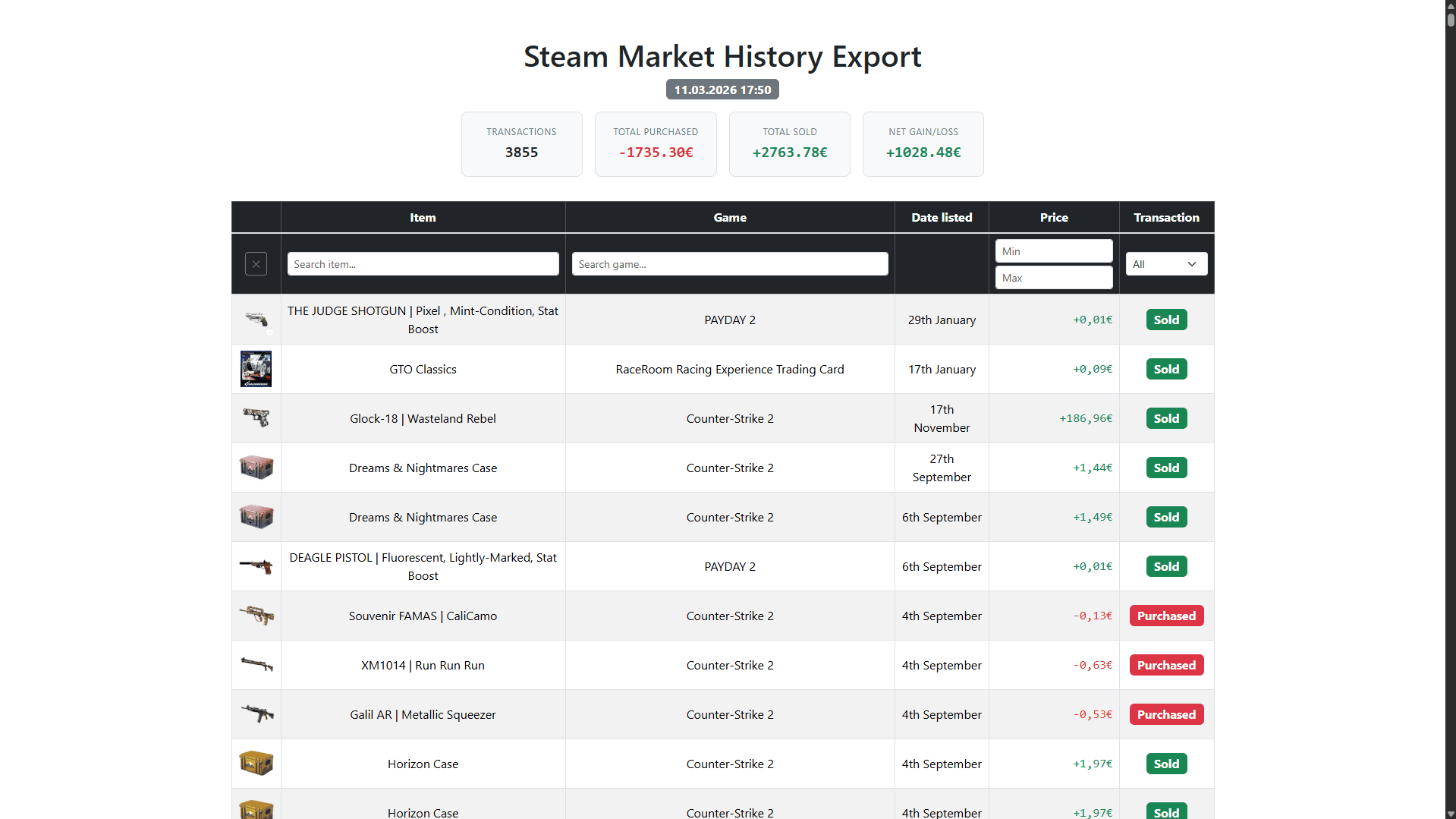
To get a local copy up and running follow these simple example steps.
- Python >= 3.10
Pip (recommended):
pipx install steam-market-historyManual:
- Clone the repo
git clone https://github.com/fabieu/steam-market-history.git
- Install poetry (if not already installed)
pip install poetry
- Install dependencies and start virtual environment
poetry install && poetry shell
Currently, the following commands are supported:
Fetch your Steam market history and export it to one or more file formats.
Note
On the first run you will be prompted for your Steam credentials. After a successful login the session is cached locally so subsequent runs do not require you to log in again. All processing is done locally on your machine — credentials are never stored in plain text.
Options:
--csv- Export market history as a CSV file--html- Export market history as an interactive HTML file--json- Export market history as a JSON file--path- Directory to write exported files into (default:./export)--cache- Reuse previously cached transactions instead of fetching from Steam (default: disabled)--open- Open the exported files in the default program (default: disabled)
Fetched transactions are always written to steam_market_transactions.json in the per-user cache directory
(%LOCALAPPDATA%\steam-market-history\Cache on Windows, ~/.cache/steam-market-history on Linux,
~/Library/Caches/steam-market-history on macOS). Pass --cache to reuse that copy instead of fetching from Steam
again; run without --cache to fetch fresh data and refresh the cached copy.
Exported filenames include a unique ID (e.g. steam-market-history-3f2e1a....csv) to avoid overwriting previous
exports.
Examples:
Export your steam market history to a HTML file:
steam-market-history export --htmlExport to CSV and JSON in a specific directory:
steam-market-history export --csv --json --path /tmp/steam-market-historyExport using a cached copy of your transaction history:
steam-market-history export --html --cacheExport to HTML and open it in your browser:
steam-market-history export --html --openDisplay package version, author, and license information.
steam-market-history versionContributions are what make the open source community such an amazing place to learn, inspire, and create. Any contributions you make are greatly appreciated.
If you have a suggestion that would make this better, please fork the repo and create a pull request. You can also simply open an issue with the tag "enhancement". Don't forget to give the project a star! Thanks again!
- Fork the Project
- Create your Feature Branch (
git checkout -b feature/AmazingFeature) - Commit your Changes (
git commit -m 'Add some AmazingFeature') - Push to the Branch (
git push origin feature/AmazingFeature) - Open a Pull Request
Distributed under the MIT License. See LICENSE for more information.
The Steam Market History Exported is a community project and is not affiliated with Valve or Steam.