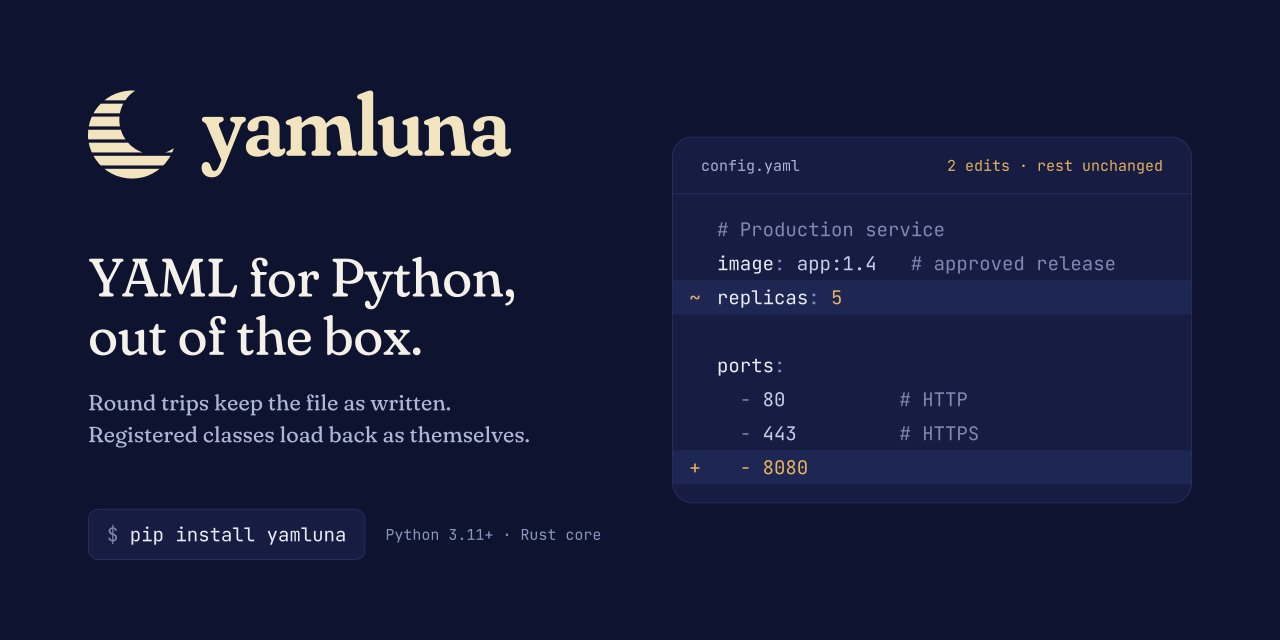
yamluna (pronounced yam-LOO-nuh) reads and writes YAML without setup. A plain YAML() loads a file, lets you change it, and saves it with everything you did not touch exactly as it was written: comments, blank lines, quotes, indentation, anchors, and document markers. Register a class and its objects go into the file under a tag and load back as themselves, whether it is your own dataclass or a type you do not own, such as numpy's ndarray. Parsing and writing happen in Rust.
from yamluna import YAML

yaml = YAML()
config = yaml.load("""# Production service
image: app:1.4   # approved release
replicas: 3

ports:
  - 80          # HTTP
  - 443         # HTTPS
""")

config['replicas'] = 5
config['ports'].append(8080)
print(yaml.dump(config), end='')
Output:
# Production service
image: app:1.4   # approved release
replicas: 5

ports:
  - 80          # HTTP
  - 443         # HTTPS
  - 8080
Two edits, and the rest of the file is unchanged. Loaded mappings and lists are Python dict and list subclasses, so there is no new API to learn for editing them.
Decorate a class to register it. There is nothing else to write:
from dataclasses import dataclass
from yamluna import YAML

yaml = YAML()


@yaml.register_class
@dataclass
class Server:
    host: str
    port: int = 80


text = yaml.dump({'primary': Server('web-1', 8080)})
print(text, end='')
print(yaml.load(text)['primary'])
Output:
%TAG ! tag:__main__/
---
primary: !Server
  host: web-1
  port: 8080
Server(host='web-1', port=8080)
The %TAG line records the package the class came from (__main__ here, because this is a script), so two libraries can each define a Server without one overwriting the other. Each YAML() keeps its own registrations.
Call register_class with a to_yaml function that writes the object and a from_yaml function that reads it back:
import numpy as np
from yamluna import YAML, CommentedSeq


def flow(items):
    seq = CommentedSeq(items)
    seq.fa.set_flow_style()
    return seq


def array_to_yaml(representer, array):
    fields = {
        'dtype': str(array.dtype),
        'shape': flow(array.shape),
        'data': flow(array.ravel().tolist()),
    }
    return representer.represent_mapping(representer.plan.tags[np.ndarray], fields)


def array_from_yaml(constructor, node):
    fields = constructor.construct_mapping(node)
    return np.array(fields['data'], dtype=fields['dtype']).reshape(fields['shape'])


yaml = YAML()
yaml.register_class(np.ndarray, to_yaml=array_to_yaml, from_yaml=array_from_yaml)

text = yaml.dump({'weights': np.eye(2, dtype=np.float32)})
print(text, end='')
print(repr(yaml.load(text)['weights']))
Output:
%TAG ! tag:numpy/
---
weights: !ndarray
  dtype: float32
  shape: [2, 2]
  data: [1.0, 0.0, 0.0, 1.0]
array([[1., 0.],
       [0., 1.]], dtype=float32)
The same pattern works for Decimal, UUID, or a class from a C extension. Custom classes covers tags, namespaces, and hooks.
- Round trips without settings. In the project's 40-file round-trip corpus, yamluna reproduces all 40 files byte for byte; ruamel.yaml reproduces 3, StrictYAML 2, and PyYAML and py-yaml12 none. There is no
typ=and noindent()call to match the file's style. Comparison and method. - Python objects in and out. One decorator for your own classes, two functions for anyone else's. Tags are namespaced by package, and a hand-written
!Serverresolves as long as only one registered class could be meant. - Comments that follow your edits. Reorder a list or delete a setting and its comments go with it. Examples and current limits.
- Fast. A load-and-save cycle is 1.7 to 6.0 times faster than ruamel.yaml and faster than StrictYAML, the other libraries that keep comments. Libraries that discard formatting, such as PyYAML with libyaml, are faster still. See the measurements.
- Familiar API. Coming from PyYAML, ruamel.yaml, py-yaml12, or StrictYAML? The migration guides list the changes; for ruamel.yaml, it is mostly the import and
typ=.
Install from PyPI with Python 3.11+:
python -m pip install yamlunaPass a Path to read or write a file: yaml.load(Path('config.yaml')) and yaml.dump(config, Path('config.yaml')). A string passed to load() is YAML text.
Installation guide · Known limitations
Documentation · User guide · API reference · Changelog · Report an issue
Python 3.11+ · YAML 1.2, with support for documents declaring YAML 1.1 · MIT or Apache-2.0