





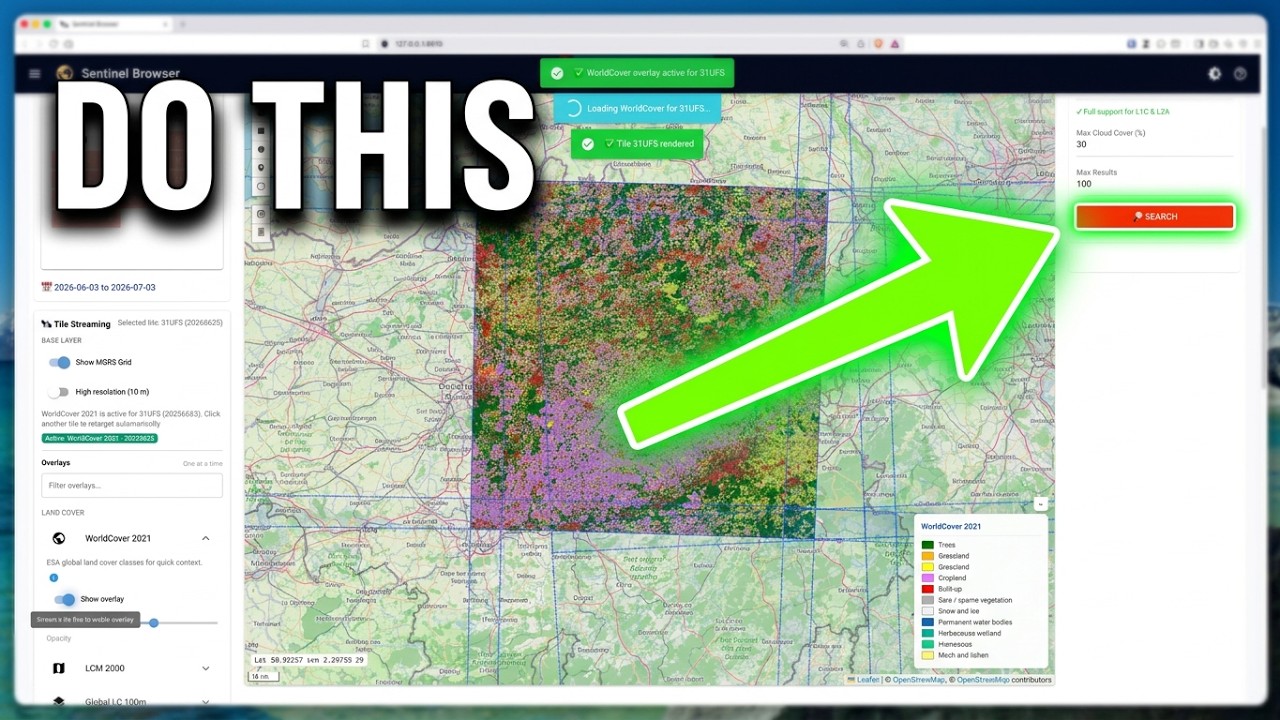
- 🗺️ Interactive Map Interface — visually search and filter satellite products
- 🛰️ High-Resolution Tile Server — visualize full-resolution product bands on the map (via
localtileserver) - 🎯 Click-to-Stream — click any MGRS grid tile to stream its latest True Color Image (TCI)
- 🌍 14 Contextual Overlays — land cover (WorldCover, LCM, LC100, TCD), terrain (Copernicus DEM), vegetation & productivity (NDVI climatology, FAPAR, Dry Matter Productivity), thermal (hourly LST), water & soil (Soil Moisture, Soil Water Index, Water Bodies), and hazard layers (Burned Area)
- 🔍 Smart Search — filter by location, date range, cloud cover, and product type
- 📦 Granular Downloads — Band-Resolution matrix for precise data selection and de-duplicated downloads
- 🔌 Dual Backend Support — discovery via OData or STAC APIs
- 🐍 Professional API — clean Python API for programmatic access
- 🔐 Secure — handle S3 credentials safely with static key support
- ⚡ Efficient — batch operations and smart caching
- Python 3.11+
- Docker and Docker Compose (optional, for the Docker setup)
uvpackage manager (optional, recommended for development)
Credentials: You need free Copernicus credentials to use vresto — get them at https://dataspace.copernicus.eu/. See the Setup Guide for configuration details.
From PyPI:
pip install vrestoFor development:
git clone https://github.com/kalfasyan/vresto.git
cd vresto
uv syncThe fastest way to run vresto:
git clone https://github.com/kalfasyan/vresto.git && cd vresto
make docker-up
The dashboard opens at http://localhost:8610. Add your Copernicus credentials anytime via the ☰ menu → Settings, or provide them up front in a .env file (see .env.example). Use make docker-rebuild after pulling changes.
Launch the app:
vresto # or: uv run vresto / pixi run vresto / make appSearch and download from Python:
from vresto.api import CatalogSearch, CopernicusConfig
from vresto.products import ProductsManager

config = CopernicusConfig()
catalog = CatalogSearch(config=config)
manager = ProductsManager(config=config)

# Search for a product by name
products = catalog.search_products_by_name("S2A_MSIL2A", max_results=5)

# Download specific bands (Red, Green, Blue)
manager.download_product_bands(
    product=products[0].name,
    bands=["B04", "B03", "B02"],
    resolution=10,
    dest_dir="./data",
)vresto-cli search-name "S2A_MSIL2A" --max-results 5
vresto-cli download-bands "S2A_MSIL2A_20200612T023601_N0500_R089_T50NKJ_20230327T190018" "B04,B03,B02" --resolution 10 --output ./data- Setup Guide ⭐ start here — installation, credentials, configuration
- API Guide — programmatic usage
- CLI Guide — command-line reference
- AWS CLI Guide — direct S3 access
- Contributing — development setup
This project is licensed under the terms in LICENSE.txt.