First-class editor support for kUML diagram scripts
(*.kuml.kts) in Visual Studio Code.
Source on the left, live-rendered SVG preview on the right — for every kUML diagram type.
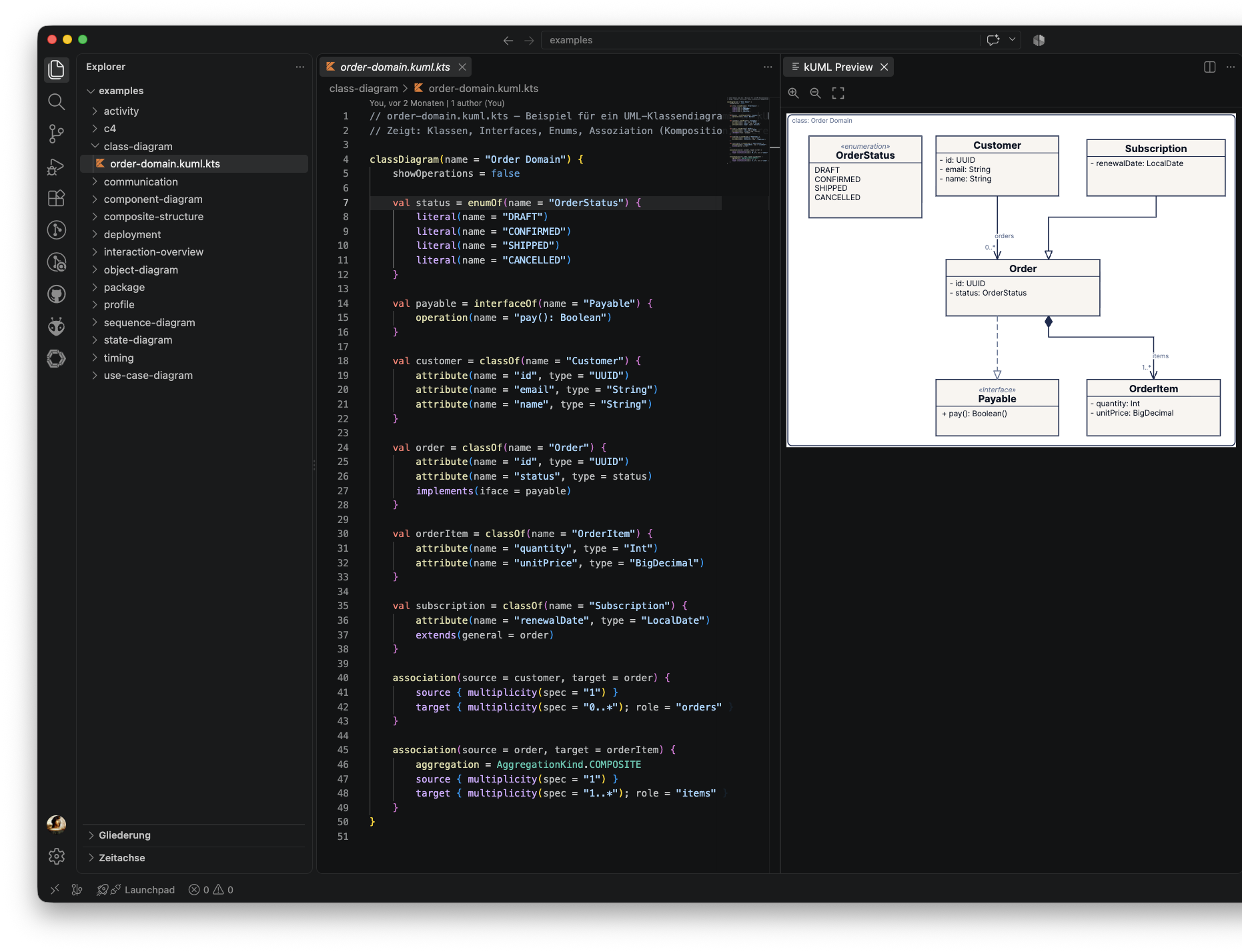
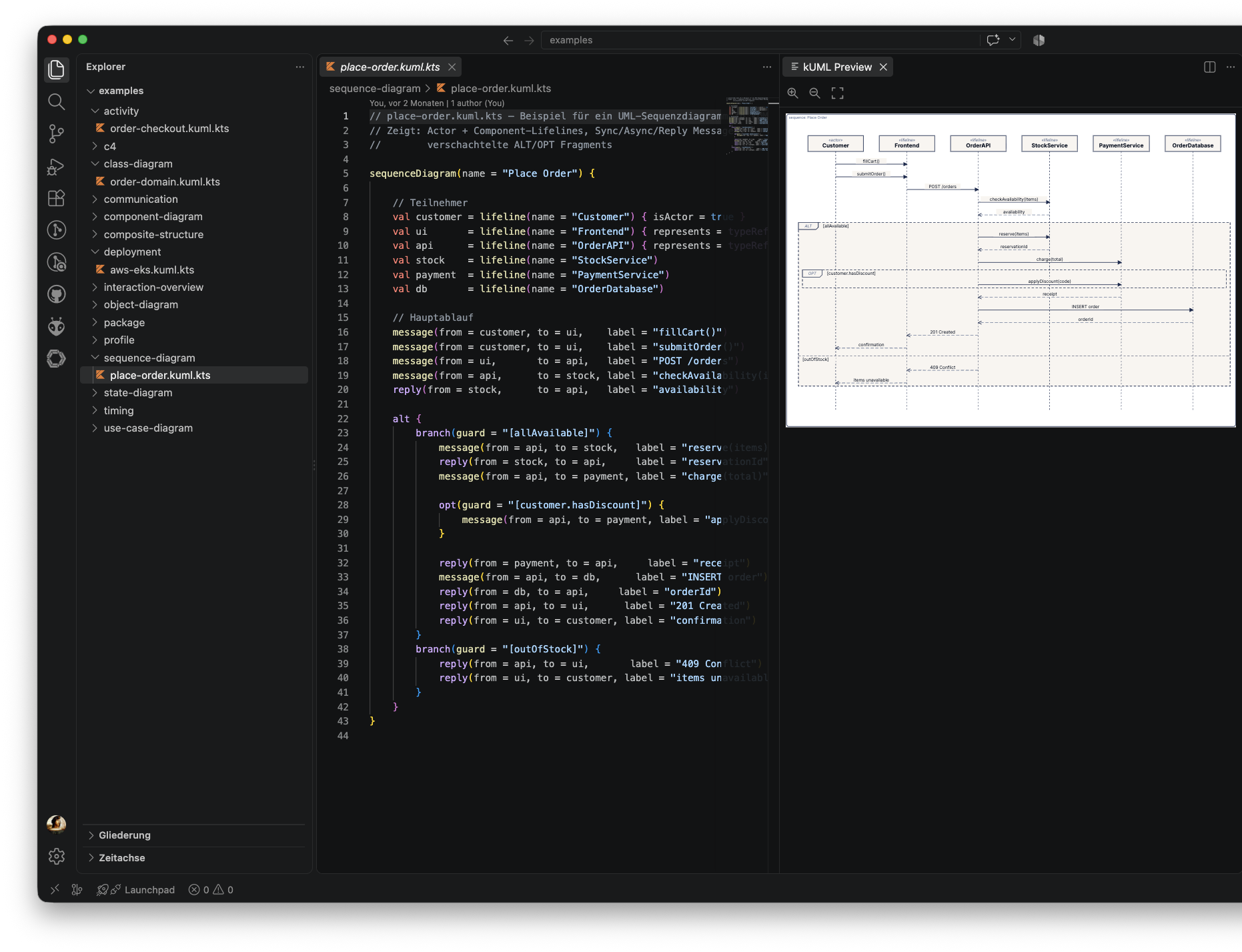
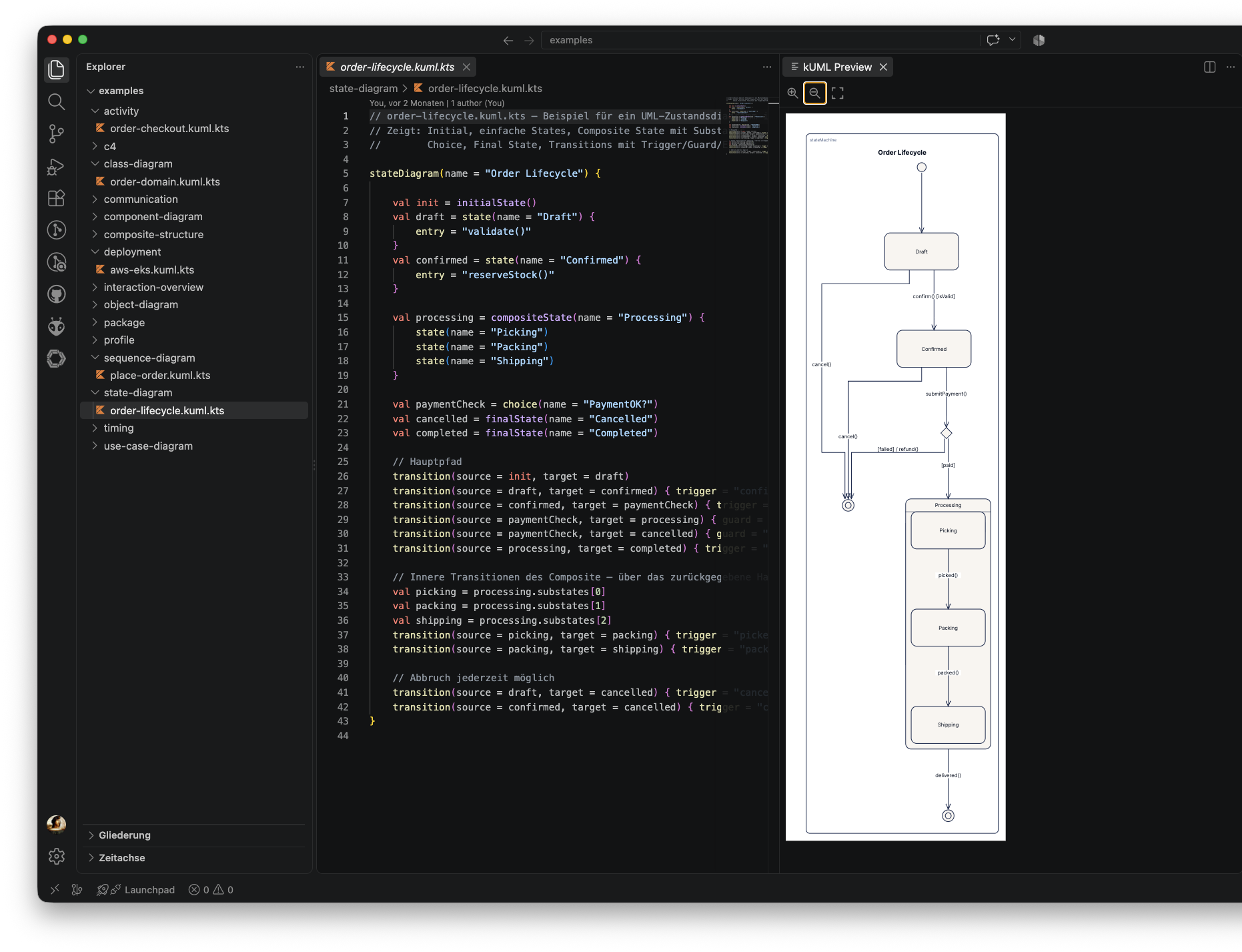
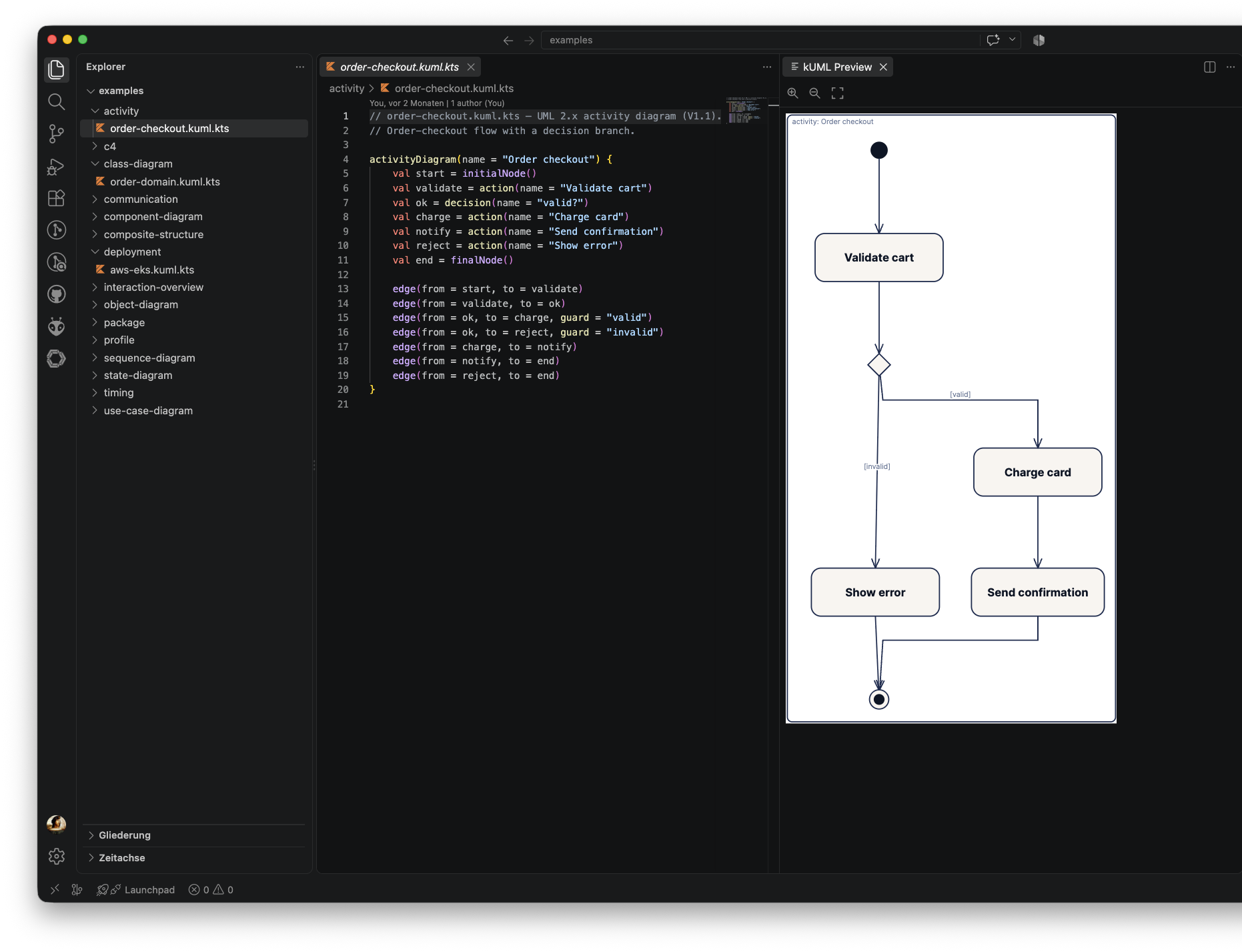
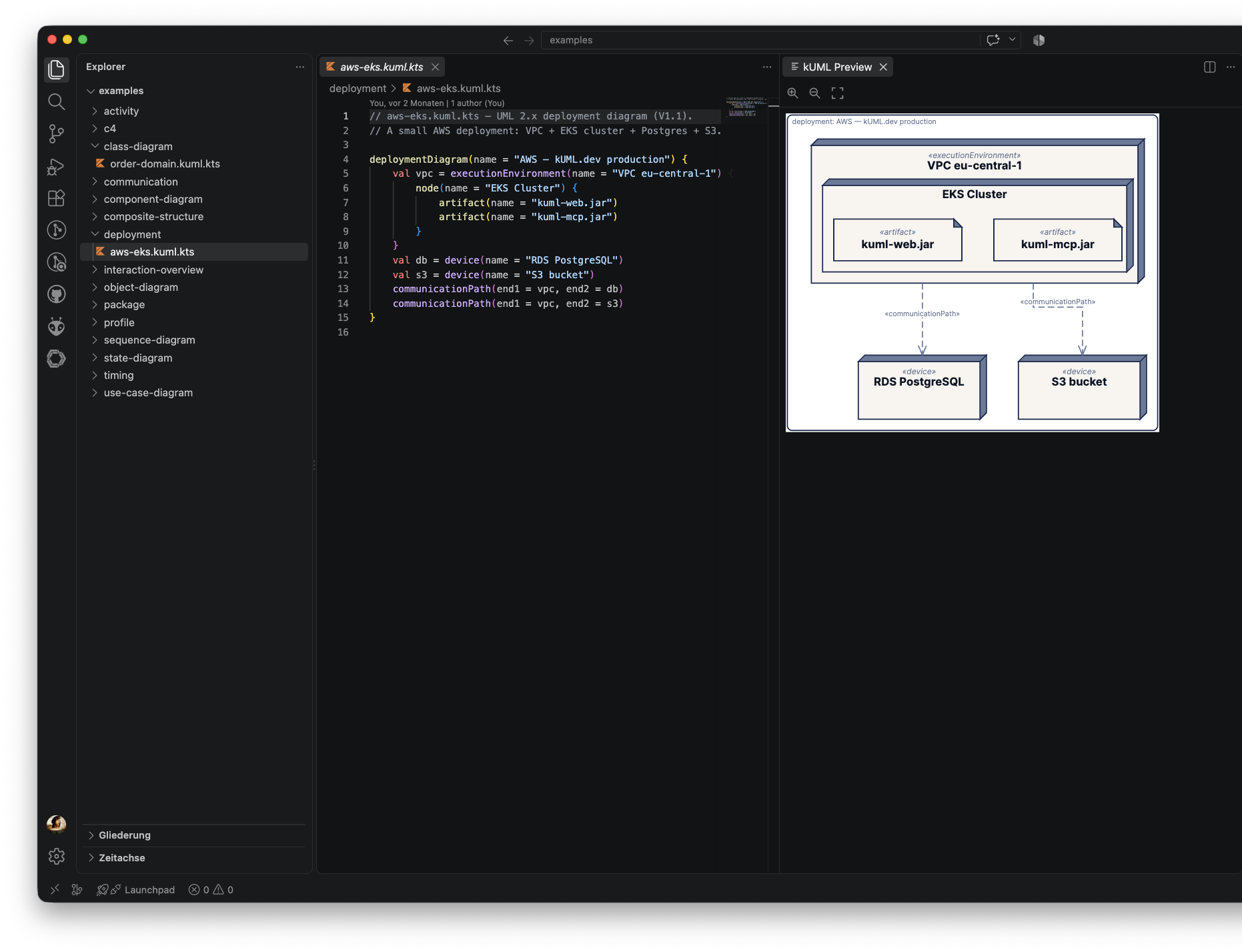
- Syntax highlighting for the kUML DSL on top of Kotlin script syntax —
diagram entry points (
classDiagram,umlModel,c4Model, …) and DSL builders (classOf,interfaceOf,enumOf,association, …) are highlighted as first-class language constructs. - Snippets for the common diagram shapes:
diagram,umlModel,classOf,interfaceOf,enumOf,c4Model,association,stateMachine,generalization,realization,applyProfile. - File icon for
*.kuml.ktsin the explorer and editor tabs. - One-click render via the kUML: Render to SVG command — invokes the
kumlCLI. PNG output opens in your OS viewer; SVG output opens in the live-preview panel (see below). - kUML: Export to PNG — always exports PNG (regardless of the
kuml.formatsetting) and opens it in your OS's default image viewer. - Diagnostics + completion via the
kuml-lsplanguage server — parse and validation errors are pushed as you type (debounced), and completion (including resolve) is available for DSL builders and identifiers. - kUML: Open Live Preview — a persistent webview panel that renders the
active document as sanitized inline SVG and re-renders automatically on save
and when you switch to another
*.kuml.ktseditor tab. The panel has its own Zoom In / Zoom Out / Zoom Fit toolbar for inspecting large diagrams. - kUML: Restart Language Server — stops and relaunches
kuml-lspwithout reloading the whole extension host window. - The Open Live Preview, Render to SVG, and Export to PNG
commands also appear as icon buttons in the editor title bar and the editor
context menu when a
*.kuml.ktsfile is active.
- The kUML CLI (
kuml) must be installed and reachable on yourPATH(or pointed at via thekuml.cliPathsetting). The render command and the live preview's CLI fallback both shell out tokuml render. - The
kuml-lsplanguage server binary must also be reachable — it's discovered the same way askuml: an explicit path (kuml.lspPathsetting orKUML_LSPenv var) → PATH → Homebrew (/opt/homebrew/bin,/usr/local/bin) /~/.local/bin→ a local Gradle build. If you're running from a clone of thekUMLrepo rather than an installed distribution, run./gradlew :kuml-language-server:installDistfirst sokuml-language-server/build/install/kuml-lsp/bin/kuml-lspexists for the walk-up discovery to find. - Syntax highlighting and snippets work without either binary installed.
The kUML: Open Live Preview panel renders via two strategies, in order:
kuml serveHTTP API — ifkuml.serverUrlis set (e.g.http://127.0.0.1:8080, from a locally runningkuml serve --port …), the panel POSTs to{serverUrl}/api/renderand inlines the returned SVG.- CLI fallback — if
kuml.serverUrlis empty, or the HTTP call fails for any reason, the panel shells out tokuml renderagainst a temp-file snapshot of the buffer (works for unsaved/dirty documents too).
Only SVG is inlined into the webview; PNG output from kuml.renderToSvg (or
the dedicated kuml.exportPng command) still opens in your OS's default
image viewer.
kUML diagrams also render live inside VS Code's built-in Markdown preview and, if you have the asciidoctor.asciidoctor-vscode extension installed (version 4.0.0 or later), the AsciiDoc preview — no separate command needed, just open the preview.
Markdown — a fenced code block with the kuml info string:
```kuml {theme="plain" name="login" width=800}
umlModel {
    classOf("User") { attribute("email", "String") }
}
```
Attributes are optional and can also be written without braces
(```kuml theme=plain).
AsciiDoc — either an inline [source,kuml] listing block, or a
kuml::path[] macro pointing at an existing .kuml.kts file (path resolved
relative to the referencing document):
[source,kuml,name="login",width=800]
----
umlModel {
    classOf("User") { attribute("email", "String") }
}
----

kuml::diagrams/login.kuml.kts[width=800]
Both surfaces share three settings — kuml.embed.markdown.enable,
kuml.embed.asciidoc.enable, and kuml.embed.allowPathsOutsideWorkspace —
see the table below.
Restricted (untrusted) workspaces: embedded diagrams do not render there.
kUML compiles and executes Kotlin script when rendering, and unlike opening a
.kuml.kts file yourself, a diagram embedded in someone else's README can
render just by opening the preview — so this path stays off until you
explicitly trust the workspace.
| Setting | Default | Description |
|---|---|---|
kuml.cliPath |
kuml |
Path to the kuml CLI executable. Override if installed in a non-standard location. |
kuml.theme |
kuml |
Default --theme passed to kuml render. Any ThemeRegistry name works. |
kuml.format |
svg |
Output format for kuml.renderToSvg (svg or png). SVG routes into the live-preview panel; PNG opens in your OS viewer. |
kuml.lspPath |
"" |
Explicit path to the kuml-lsp launcher. Empty auto-detects it (PATH → Homebrew → ~/.local/bin → local build). |
kuml.serverUrl |
"" |
Base URL of a running kuml serve instance used by the live preview. Empty makes the preview shell out to kuml render instead. |
kuml.diagnostics.enable |
true |
Enable push diagnostics from the language server. |
kuml.diagnostics.debounceMs |
300 |
Debounce interval (ms) between an edit and the server re-validating the document. |
kuml.embed.markdown.enable |
true |
Render ```kuml fenced code blocks as live diagrams in the built-in Markdown preview. |
kuml.embed.asciidoc.enable |
true |
Render [source,kuml] blocks and kuml::path[] macros as live diagrams in the AsciiDoc preview (requires asciidoctor.asciidoctor-vscode ≥ 4.0.0). |
kuml.embed.allowPathsOutsideWorkspace |
false |
Allow kuml::path[] macros to reference files outside the workspace folder, limited to the referencing document's own directory. |
kuml.cliPath, kuml.lspPath, and kuml.serverUrl are machine-scoped: they
cannot be overridden by a workspace's own .vscode/settings.json. That's
intentional — a diagram embedded in Markdown/AsciiDoc can now render just by
opening a preview, so a workspace-writable command path or render endpoint
would let a cloned repo choose what runs on your machine.
This extension is intentionally minimal — it gives you a good editor without trying to be a full IDE. The following are deliberately left out for now:
- Hover, go-to-definition, rename, and code actions.
- Any custom render request on the LSP itself — the server stays render-agnostic; all rendering is a client-side concern.
- Click-to-zoom / lightbox on embedded Markdown/AsciiDoc diagrams — for that, use the dedicated kUML: Open Live Preview panel instead.
For OCL validation and code generation, use the
dev.kuml Gradle plugin or the CLI directly.
Apache-2.0 — same as the rest of the kUML toolchain.