
ChatBuzz is a simple OBS Plugin that displays repeated messages from a Twitch or YouTube chat.
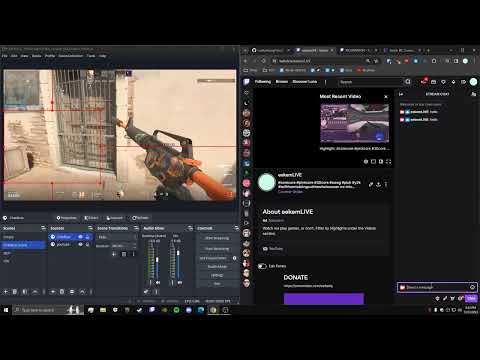
ChatBuzz is an OBS Browser Source. Its width and height match the OBS Browser Source default of 800x600, so you can leave the default Width and Height.
Your URL should look like "https://chatbuzz.app/?twitch=CHANNEL", with CHANNEL replaced by your Twitch channel's username. For YouTube, use "https://chatbuzz.app/?youtube=HANDLE" instead, with HANDLE being your channel's handle or its "UC..." channel ID. Either way the URL stays the same from stream to stream, and if you simulcast you can pass both at once — the two chats are counted together, so the same message repeated in either adds to a single repeat.
Tick the browser source's "Control audio via OBS" box so Text-To-Speech is captured in your stream and recording. With it ticked you will not hear it yourself unless you also turn on monitoring for the source: Audio Mixer → gear icon → Advanced Audio Properties → Audio Monitoring → "Monitor and Output". Unticking the box instead sends speech straight to your speakers, where you can hear it but OBS cannot record it.
Add how ever many arguments to the end of the URL as you need, in any order, in the form '&PARAMETER=ARGUMENT'. For example, you may have "https://chatbuzz.app/?twitch=xqc¬ts&min=5&dur=10.5&color=red".
A leading "@" is optional everywhere — twitch, youtube and ignore all accept a name with or without it.
| Parameter | Definition | Data Type | Constraints | Default Value |
|---|---|---|---|---|
| twitch | Twitch channel username. Also accepted as "channel" | string | - | - |
| youtube | YouTube channel name, handle or "UC..." ID. Can be combined with twitch; waits and connects on its own if you aren't live yet | string | - | - |
| ignore | Usernames or account IDs to ignore entirely, comma separated e.g. "nightbot,streamelements". Their messages don't count towards repeats at all (case insensitive) | string | - | - |
| color | Repeat font color | string | pink | red | orange | yellow | green | blue | purple | yellow |
| fontsize | Repeat font size | float | > 0.0 | 30.0 |
| emotescale | Emote scale when compared to font size | float | > 0.0 | 1.3 |
| min | Minimum number of identical messages required to display it. Text-To-Speech also activates when the repeat count is a multiple of this number | int | >= 1 | 2 |
| dur | Duration (in seconds) until a repeat expires without new identical messages | float | > 0.0 | 7.0 |
| width | Window width | int | > 0 | 800 |
| height | Window height | int | > 0 | 600 |
| voice | Text-To-Speech accent, as a language code e.g. "en", "en-GB", "en-AU", "fr". Unknown values fall back to "en" | string | any Google Translate language code | en |
| vol | Text-To-Speech volume | float | clamped to 0.0-1.0 | 0.5 |
| rate | Text-To-Speech playback rate | float | clamped to 0.25-4.0 | 1.0 |
| nocase | Ignore capitalisation when matching repeats, so "LOL" and "lol" count together. The first spelling seen is the one shown | bool* | - | false |
| notts | No Text-To-Speech | bool* | - | false |
| norepeat | No Text-To-Speech repeating messages after the initial displaying | bool* | - | false |
| topdown | Top-down instead of bottom-up | bool* | - | false |
| rightside | Right-side instead of left-side | bool* | - | false |
| nobttv | Exclude BetterTTV emotes | bool* | - | false |
| noffz | Exclude FrankerFaceZ emotes | bool* | - | false |
| no7tv | Exclude 7TV emotes | bool* | - | false |
| debug | Debug mode | bool* | - | false |
* the bool paremeters, nocase–7tv, may be false on default, but I've made it so you don't need to provide "true" for it to be true. Simply include it as an argument e.g. "&topdown¬ts" rather than "&topdown=true¬ts=true".
On Twitch, ignore matches the account's permanent username. YouTube has no equivalent, so there it matches the handle shown in chat, which anyone can change.
To ignore someone permanently, use their account ID instead of their name — a YouTube "UC..." channel ID or a numeric Twitch user ID. IDs never change, so an ignore keeps working even if the person renames themselves.
Speech comes from Google Translate, so it needs an internet connection. It offers one voice per language rather than named voices, and long messages are cut off at around 190 characters.
If you preview ChatBuzz in a normal browser tab, click the page once before expecting speech — browsers block audio until you interact with the page. OBS is unaffected, so this only applies to testing.
Ad blockers and privacy extensions sometimes block that domain, which silences speech in a normal browser tab. OBS browser sources have no extensions, so they are unaffected.
ChatBuzz is the first personal project that I can be genuinely be proud of. The need to create it came about when I wanted to personally use an OBS Plugin with a certain functionality while streaming on Twitch, but I couldn't find any that fit my needs. Specifically, the Twitch streamer Charborg has a similar program that was developed by Cagelight, seen here. I took it upon myself to make a free, open-source, public version.
(There exists a similar, widespread OBS Plugin concept of the "Combo" which is the number of consecutive identical messages. This is differentiated as a "Repeat", and uses a time duration which ignores whether or not messages are consecutive.)
I appreciate any and all feedback! Have you encountered any issues? Do you want new features e.g. emote-only mode, different font options? Any recommendations? Etc. Thanks for reading!
npm run build type-checks and bundles src/ into dist/bundle.js with esbuild. That bundle is the deployed artifact, so rebuild and commit it after changing anything in src/.
YouTube chat comes through a small Cloudflare Worker in worker/, because YouTube, unlike Twitch, doesn't let a browser read live chat directly. Nothing needs setting up to use ChatBuzz. If you fork it and run your own Worker, point at it with &youtubeproxy=YOUR_WORKER_URL.