

The open-source, self-hosted PaaS for shipping apps, not infrastructure.
Docker Compose isn't enough. Kubernetes is overkill. Miabi is the middle.
Quick Start · Live Demo · Features · Comparison · Architecture · Docs





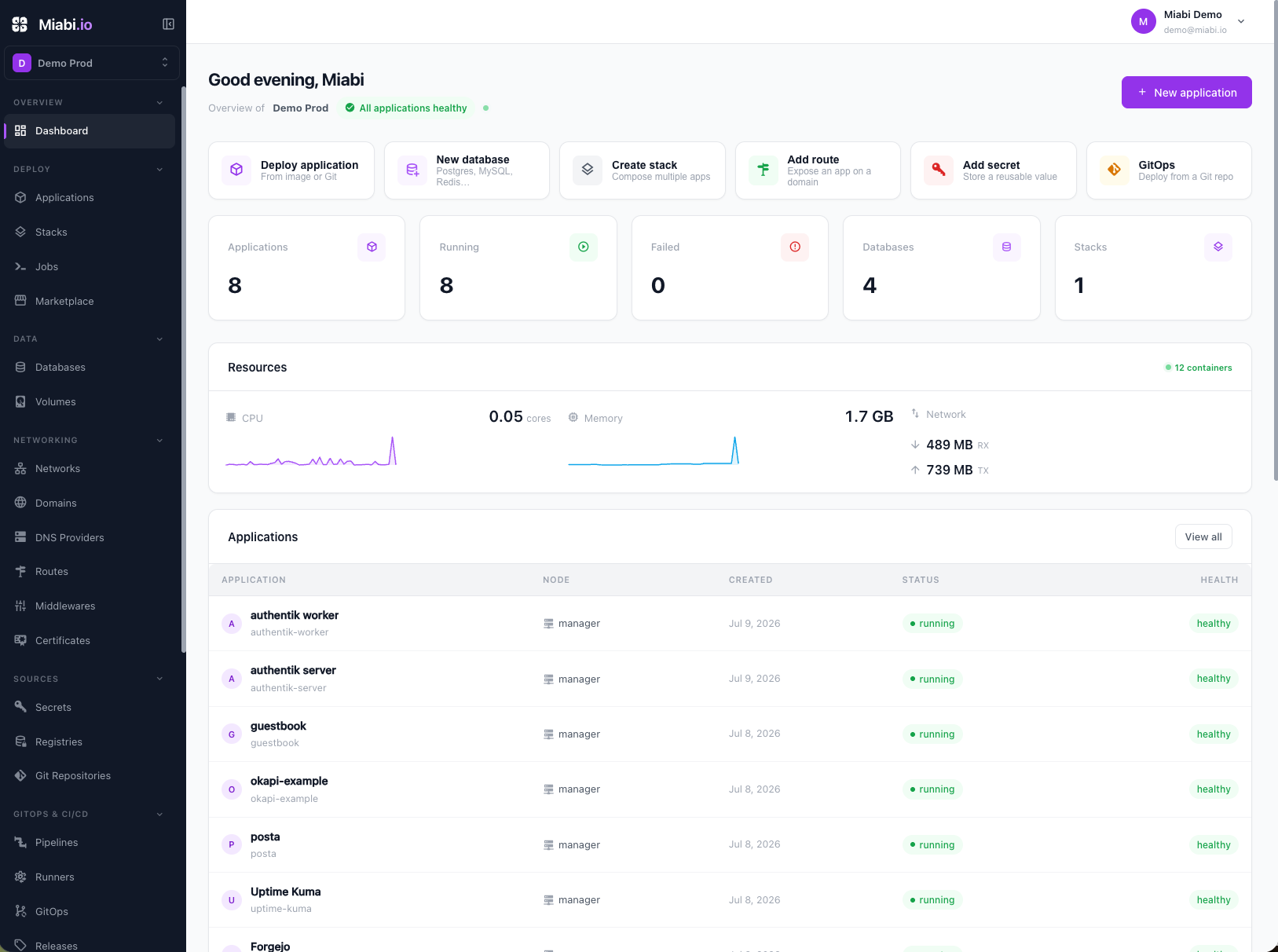
Miabi is a self-hosted, developer-first Platform-as-a-Service for containerized apps. Push an app — from a Git repo, a Docker image, or a marketplace template — and Miabi handles build, deploy, domains, TLS, databases, scaling, backups, monitoring, and analytics. One web console, one binary, no Docker commands and no Kubernetes cluster.
It is a fully self-hostable alternative to Heroku, Render, and Railway: your VPS, dedicated box, homelab, or cloud VM, with complete ownership of the infrastructure, the data, and the runtime.
The name. Miabi is Tshiluba (Kasai, DR Congo 🇨🇩) for the muabi trees, traditionally associated with blessing and growth. It joins the same family as its siblings Goma Gateway and Posta.
- Quick Start
- Why Miabi
- Features
- Screenshots
- How Miabi compares
- Architecture
- Live Demo
- Development
- Ecosystem
- Support & contributing
- License
Requirements: a Linux host with a reachable Docker socket, a domain pointing at it, and ports 80/443 free. PostgreSQL and Redis are brought up as part of the stack.
curl -fsSL https://get.miabi.io | sudo MIABI_DOMAIN=miabi.example.com \
  MIABI_ADMIN_EMAIL=you@example.com bash
The script installs Docker if missing, installs the miabi CLI, brings up the stack, and prints the admin password. From there:
sudo miabi stack status
sudo miabi stack restart
sudo miabi upgrade
sudo miabi stack uninstall
Other install paths — CLI, no root, Docker Compose
Install the CLI and run the same converge yourself:
sudo miabi setup --domain miabi.example.com --admin-email you@example.comOr use no binary at all. The Miabi image is an installer too, which is the path to take when you don't have root:
docker run --rm -it \
  -v /var/run/docker.sock:/var/run/docker.sock \
  -v /etc/miabi:/etc/miabi \
miabi/miabi:latest install --domain miabi.example.com --admin-email you@example.cominstall, upgrade, restart, status, and uninstall on the image are the same commands as miabi setup / miabi upgrade / miabi stack … — one implementation, two front-ends, so neither can drift from the other. Either way the converge is idempotent: re-run it and only what changed is recreated.
Prefer to drive Compose yourself? examples/compose/ brings up the same stack.
Full options, the /etc/miabi/miabi.yaml manifest, the built-in registry, and custom gateway config are in the installation docs.
Docker Compose isn't enough for production: no rolling updates, no rollback, no TLS, no multi-tenancy. Kubernetes is overkill: a service mesh just for canary, Argo CD or Flux just for GitOps, and a platform team to keep it running.
Miabi sits in the middle — production deployment strategies on plain Docker, with the pieces you actually need built in rather than assembled.
Three things set it apart from other self-hosted PaaS options:
Multi-tenancy from day one. Most self-hosted PaaS tools assume one operator and one set of apps. Miabi is built around workspaces: every app, database, domain, volume, registry image, secret, backup, and deployment belongs to one. That makes it workable for shared hosting providers, agencies running client apps, SaaS platforms, internal developer platforms, and universities — not just single-tenant homelabs.
Deployment strategies without a mesh. Rolling and canary deployments with weighted traffic splitting, rollbacks, and zero-downtime updates, on Docker, because routing already flows through Goma Gateway.
Analytics with zero instrumentation. Every request already passes through the gateway, so every app gets HTTP traffic, latency, and privacy-first web analytics with no JS snippet, no SDK, and no code change.
Everything in the console is also in the REST API, the CLI, and the Terraform provider. Run it on a VPS, dedicated server, bare metal, homelab, or cloud. No vendor lock-in, no managed control plane.
- Deploy from a Git repo (build), a Docker image (pull), or a marketplace template
- Buildpack builds with no Dockerfile required, with configurable memory and time limits
- Releases with one-click rollback and full deployment history
- Zero-downtime updates, canary aliases, and weighted traffic splitting
- Env vars, a workspace secret vault, and per-app resource limits
- Jobs — one-off commands in an app's runtime context
- Stacks (compose-style app groups) and Environments (dev → staging → prod)
- Per-app timeline of lifecycle events
- Built-in container registry, multi-tenant and namespaced per workspace, with local or S3/MinIO storage and an optional garbage collector:
docker login <registry> -u <workspace-name> -p <api-token>
- Domains with DNS-verified ownership, routed through Goma Gateway with workspace-owned middlewares
- Automatic TLS — HTTP-01 ACME by default, managed wildcard / DNS-01 certs via a connected DNS provider (auto-renewed), and uploaded custom certs (encrypted)
- Workspace-isolated Docker networks carved from a managed address pool, so a busy multi-tenant host never exhausts Docker's small default pool
- Configurable CIDR for the shared proxy network, per-node edge gateways, and on-demand port forwarding to managed databases
- Databases — PostgreSQL, MySQL, MariaDB, Redis, libSQL, and MongoDB, with managed credentials and in-place version upgrades
- Volumes — workspace-owned Docker volumes, node-local by default, or shared (RWX) storage a replicated app can mount across nodes: NFS, CIFS/SMB, or a host-path bind to operator-managed storage under
/mnt/*(privileged workspaces) - Backups — scheduled and manual database backup/restore plus volume archives, to local, MinIO, or S3
- Nodes — add remote Docker hosts; the node agent dials the control plane over an outbound WebSocket tunnel, so it works behind NAT and firewalls
- Cluster mode — optional, auto-detected Docker Swarm with encrypted overlay networks
- Replicated service apps — in cluster mode apps deploy as replicated Swarm services by default (opt out per app); stateful apps with node-local storage stay pinned automatically
- Multiple clusters & locations — one control plane drives many clusters: the default cluster, standalone nodes connected over their agent tunnel, and remote Docker Swarms in other regions. Workspaces pick a location, and apps, databases and volumes are placed inside it
- Cluster ingress — each cluster is served by its own gateway (the central gateway, a node's own edge gateway, or a remote swarm's ingress node) with DNS pointing at it; traffic reaches a clustered app's tasks wherever the scheduler placed them, and the app detail view shows the real nodes replicas run on
- Node pools — group nodes by tier; Enterprise plan placement keeps each plan's workspaces on its locations and pool
- Image distribution — built images are pushed to the internal registry so any node can pull them, making multi-node deploys and rollbacks of Git-built apps work across the cluster
- Housekeeping to reconcile drift and reclaim disk, and Docker import to adopt pre-existing containers, volumes, and networks
- Pipelines — pipeline-as-code CI/CD
- Build runners — dedicated build machines that keep build load off app-hosting nodes; a co-located runner ships for single-node and homelab use, and an optional "builds require a runner" guarantee keeps builds off production nodes entirely
- GitOps — declarative, pull-based reconciliation from
miabi.io/v1manifests, plus an imperative one-shot apply with dry-run, diff, and prune. No separate controller to run: no Argo CD, no Flux - Git push deploy, stored Git and registry credentials, signed webhooks, and notifications
- REST + OpenAPI everywhere, plus a CLI and an official Terraform / OpenTofu provider
- Auth — registration, login with email or username, password reset, JWT sessions with Redis-backed revocation, API tokens, and 2FA (TOTP)
- SSO & directory — OAuth 2.0 / OIDC (GitHub, Google, generic OIDC). Enterprise adds SAML 2.0, SCIM provisioning, and LDAP / Active Directory sign-in on the normal login form, with directory groups mapped onto platform-admin and per-workspace roles
- Workspaces & teams — members, invitations, and organizations; each workspace has a unique name handle (its URL and
docker loginnamespace) plus a display name, and each user a unique username - RBAC — Owner · Admin · Developer · Viewer, enforced in middleware and by
workspace_idscoping. Enterprise adds custom roles and per-resource policies (a role on a single app, domain, or database) - Container security profiles — an optional non-root "restricted" profile runs app and job containers as a platform UID with
no-new-privileges; outbound webhooks are SSRF-guarded - Plans & quotas, per-workspace encryption keys (keyring/DEK), key rotation, and crypto-shred on delete
- Container CPU/memory/disk metrics and workspace health with retained history, Prometheus integration, and health endpoints
- Analytics — requests/sec, status mix, bandwidth, top routes; p50/p95/p99 latency with a gateway-vs-upstream split ("is my app slow, or the gateway?"), error rate, and Apdex; unique visitors, top pages, referrers, countries, and device families. Cookieless, no consent banner, IPs never stored, unique visitors via HyperLogLog sketches rather than per-person rows
- Log storage — deployment, pipeline, job, and backup logs externalized from Postgres to a shared filesystem store with a bounded DB tail, retention, size caps, and full-log download; live tailing unchanged
- Append-only audit log of every mutating action, with optional SIEM streaming over syslog or webhook (Enterprise)
- Admin platform — nodes and cluster, users, plans, settings, OAuth providers, SSO, license, and SIEM
Official, versioned templates: WordPress, Ghost, Nextcloud, n8n, Gitea, Forgejo, Umami, NGINX, pgAdmin, phpMyAdmin, mongo-express, libSQL, Posta, PostgreSQL, MySQL, Redis, and MongoDB.
Deploy an application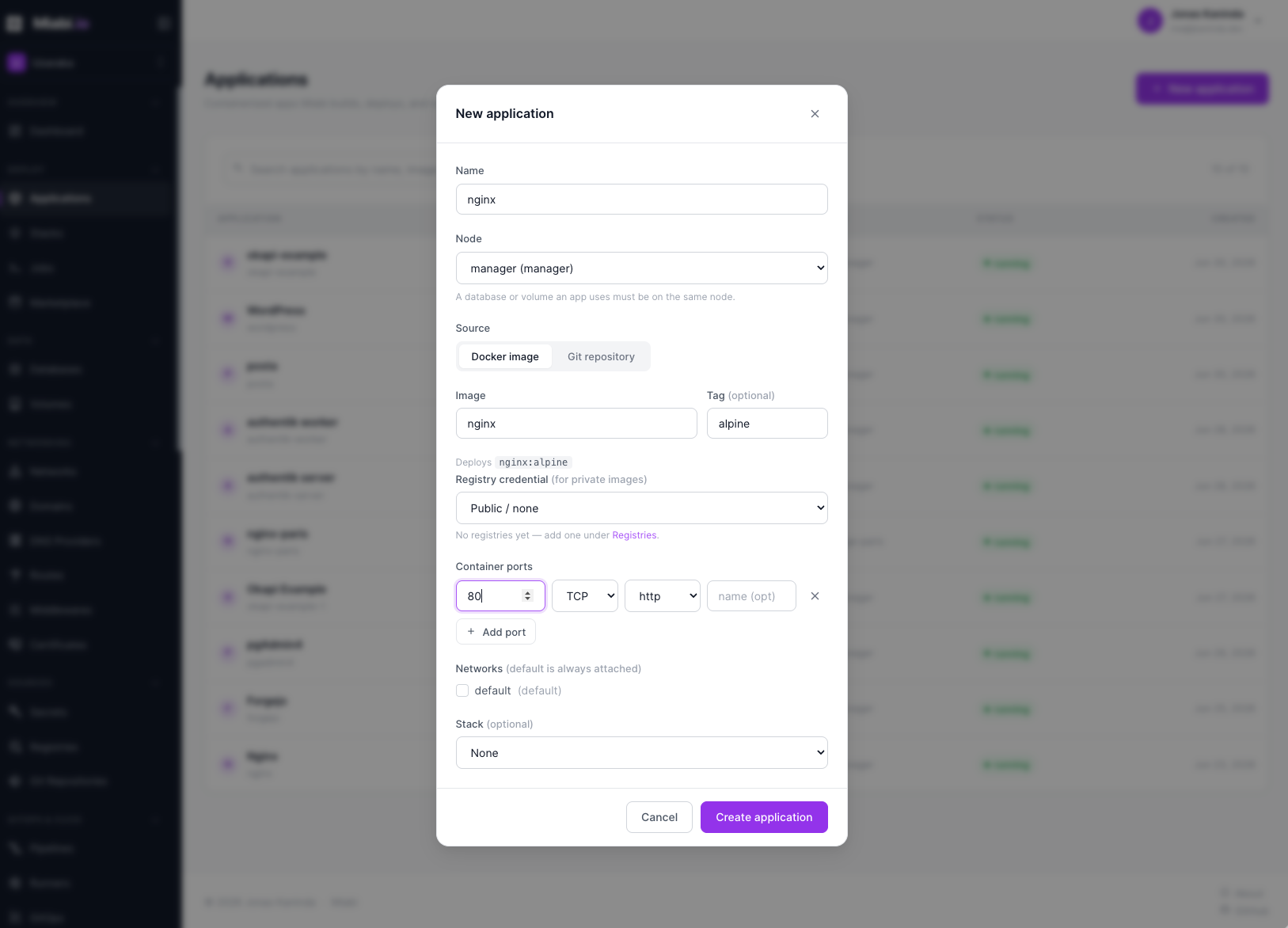 |
Canary deployment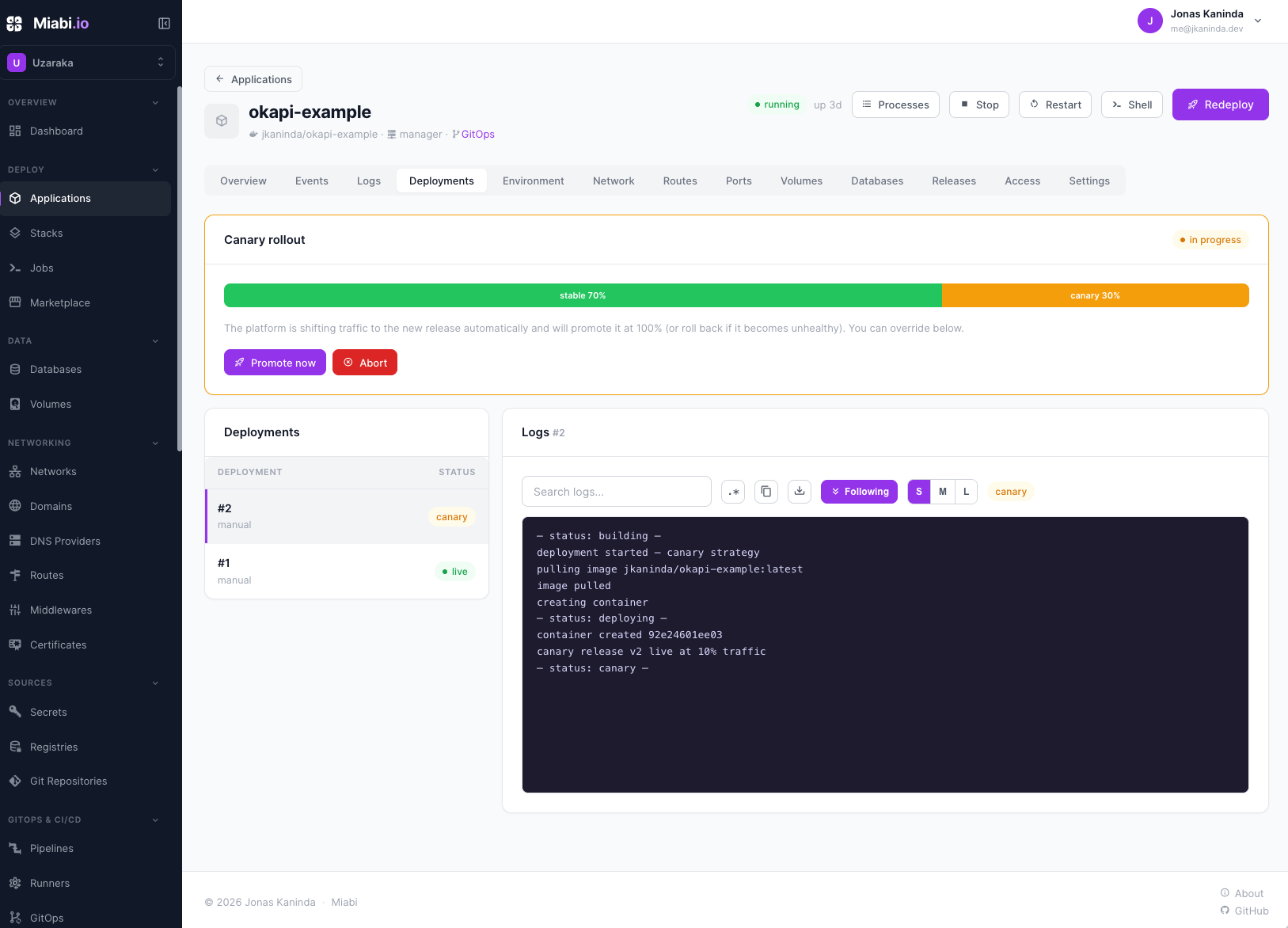 |
GitOps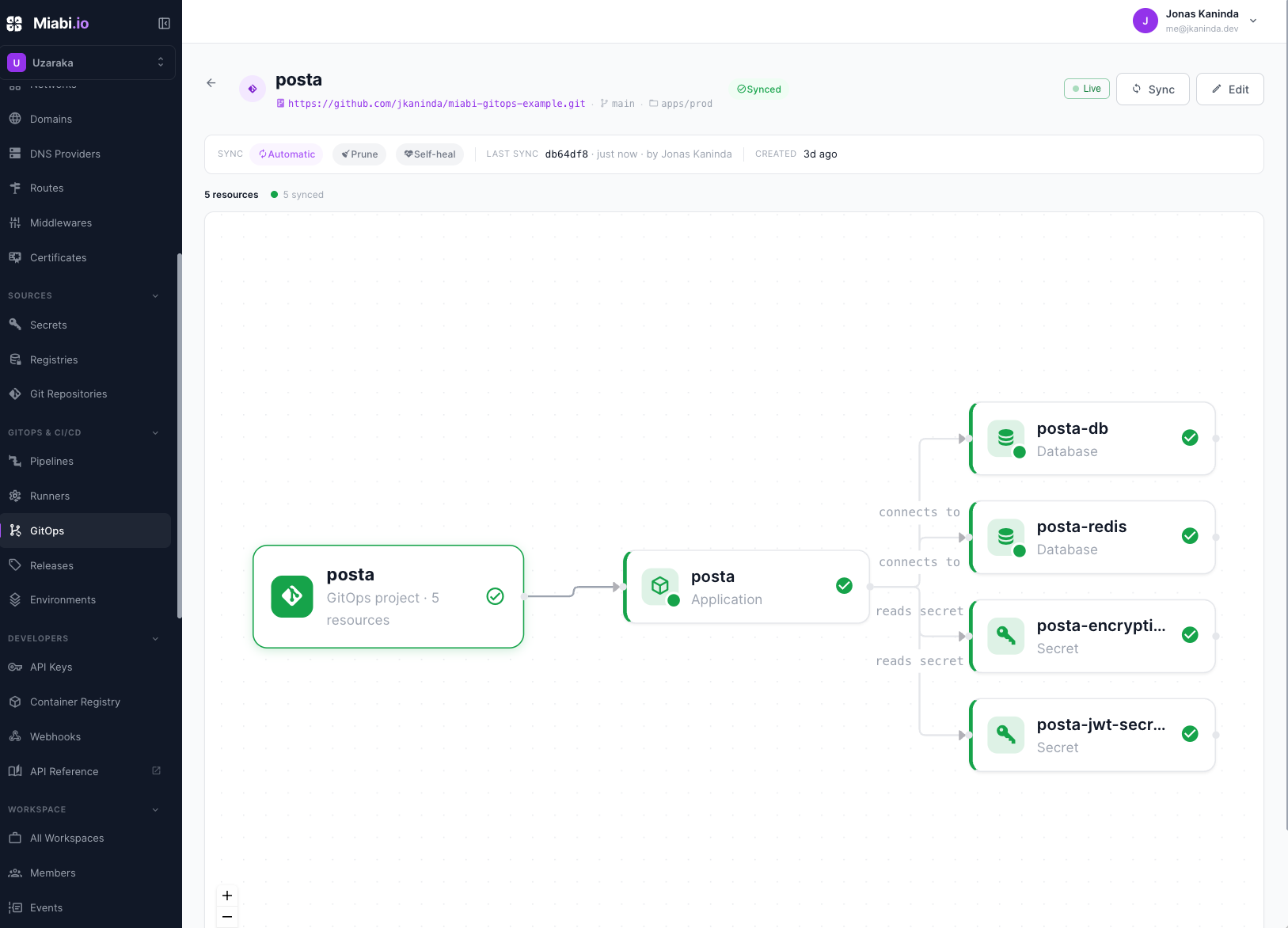 |
Analytics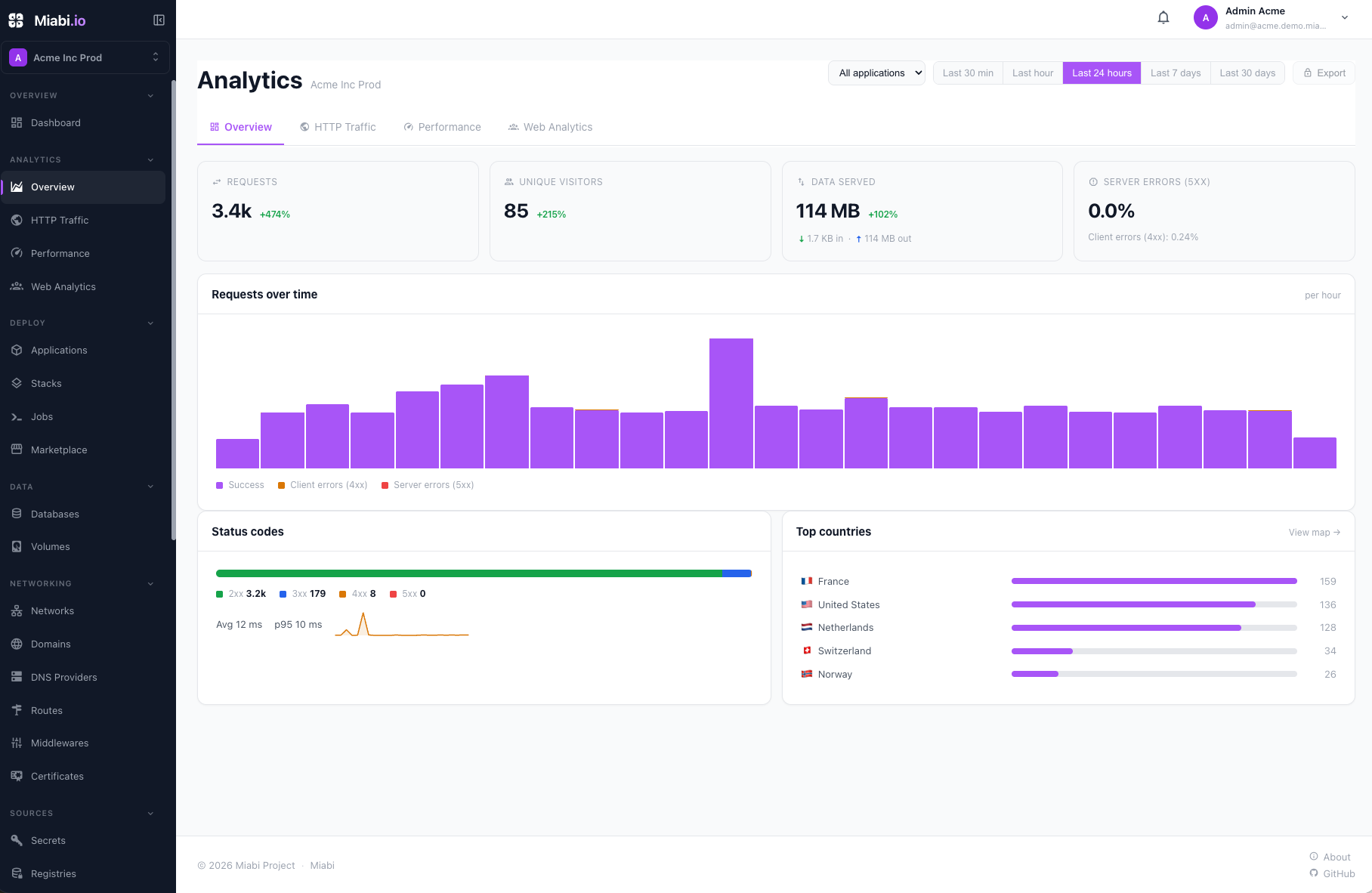 |
Nodes & cluster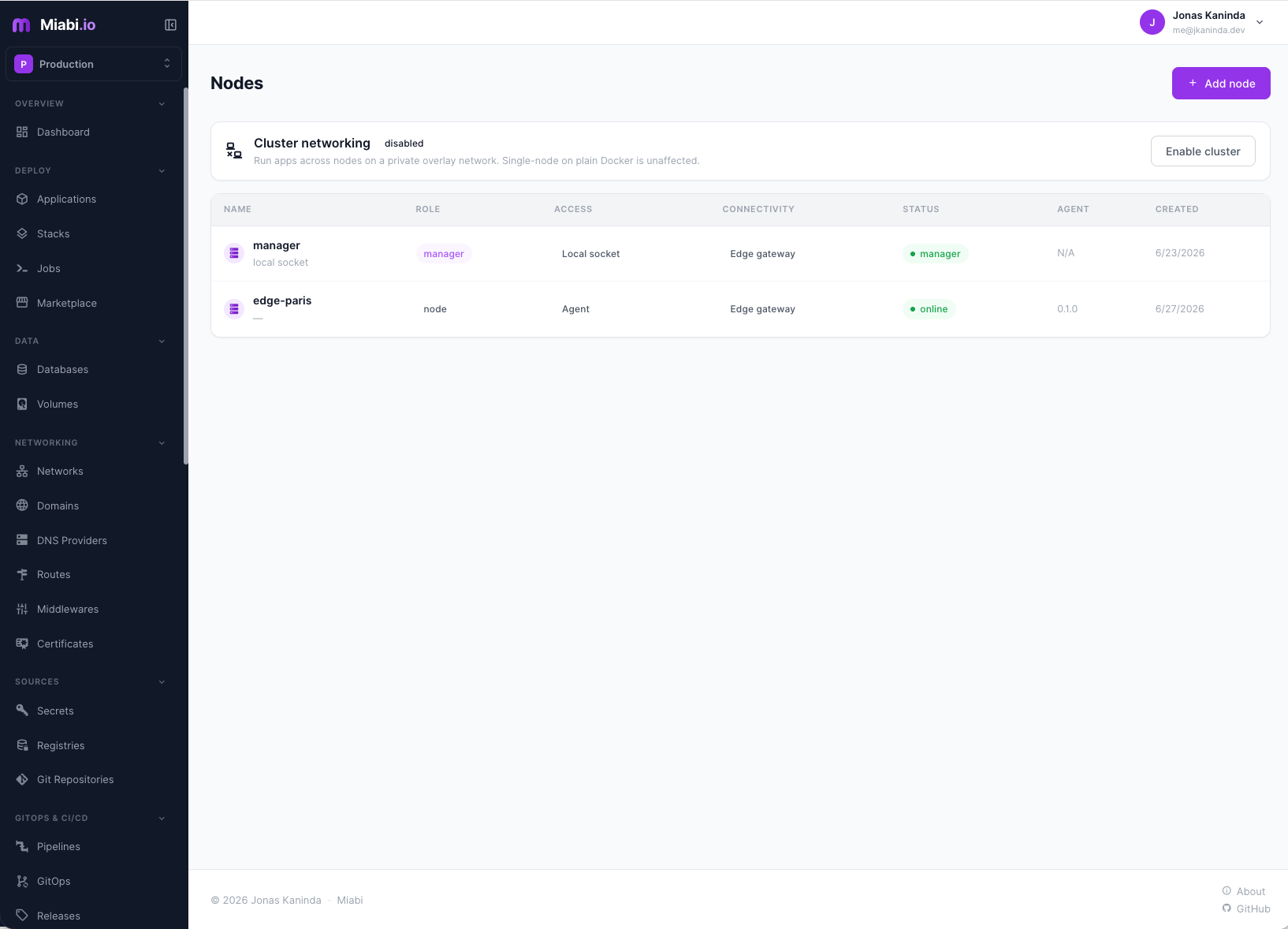 |
Managed databases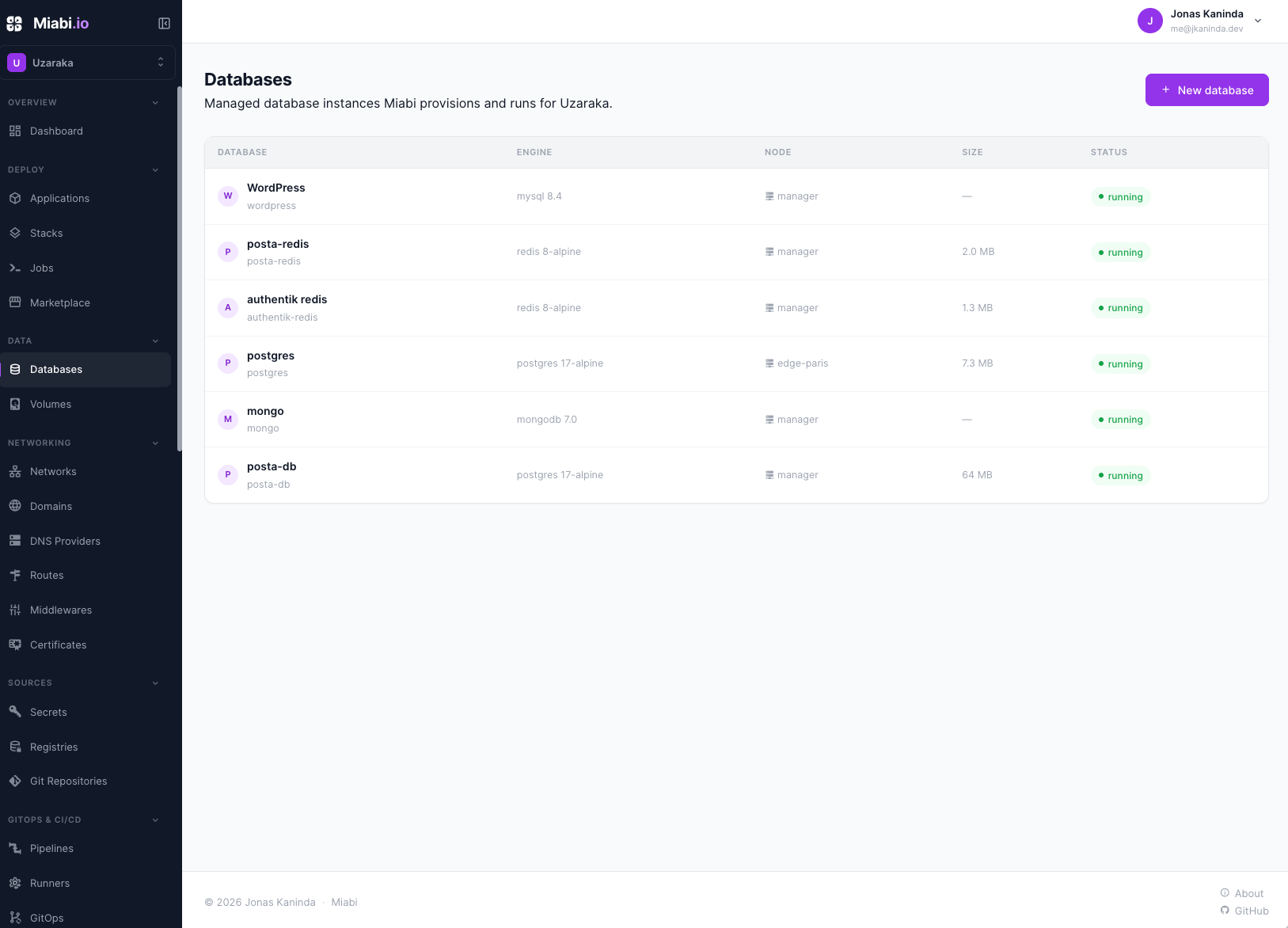 |
More screenshots — pipelines, domains, backups, monitoring, marketplace, admin
CI/CD pipelines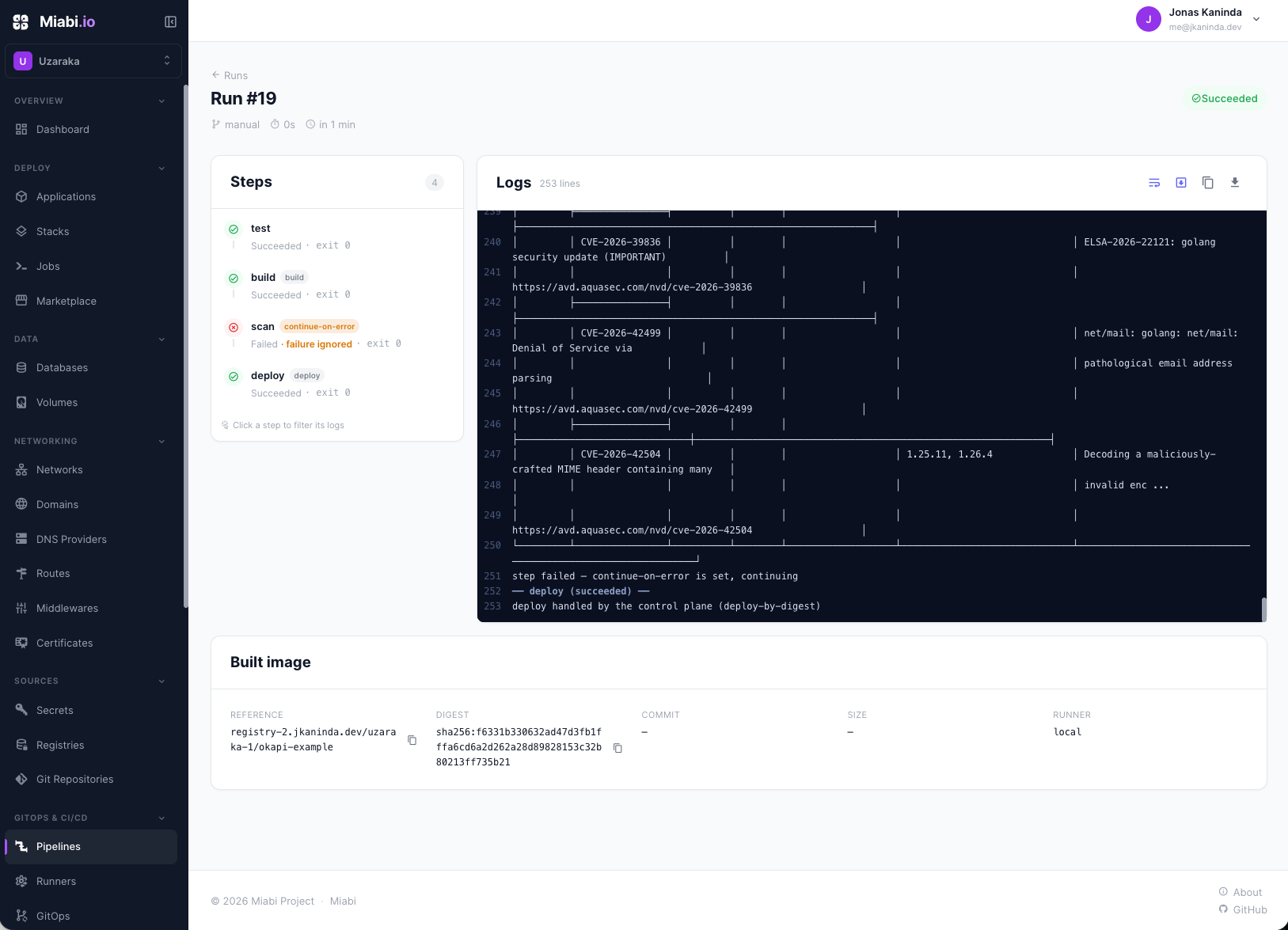 |
Domains, routes & TLS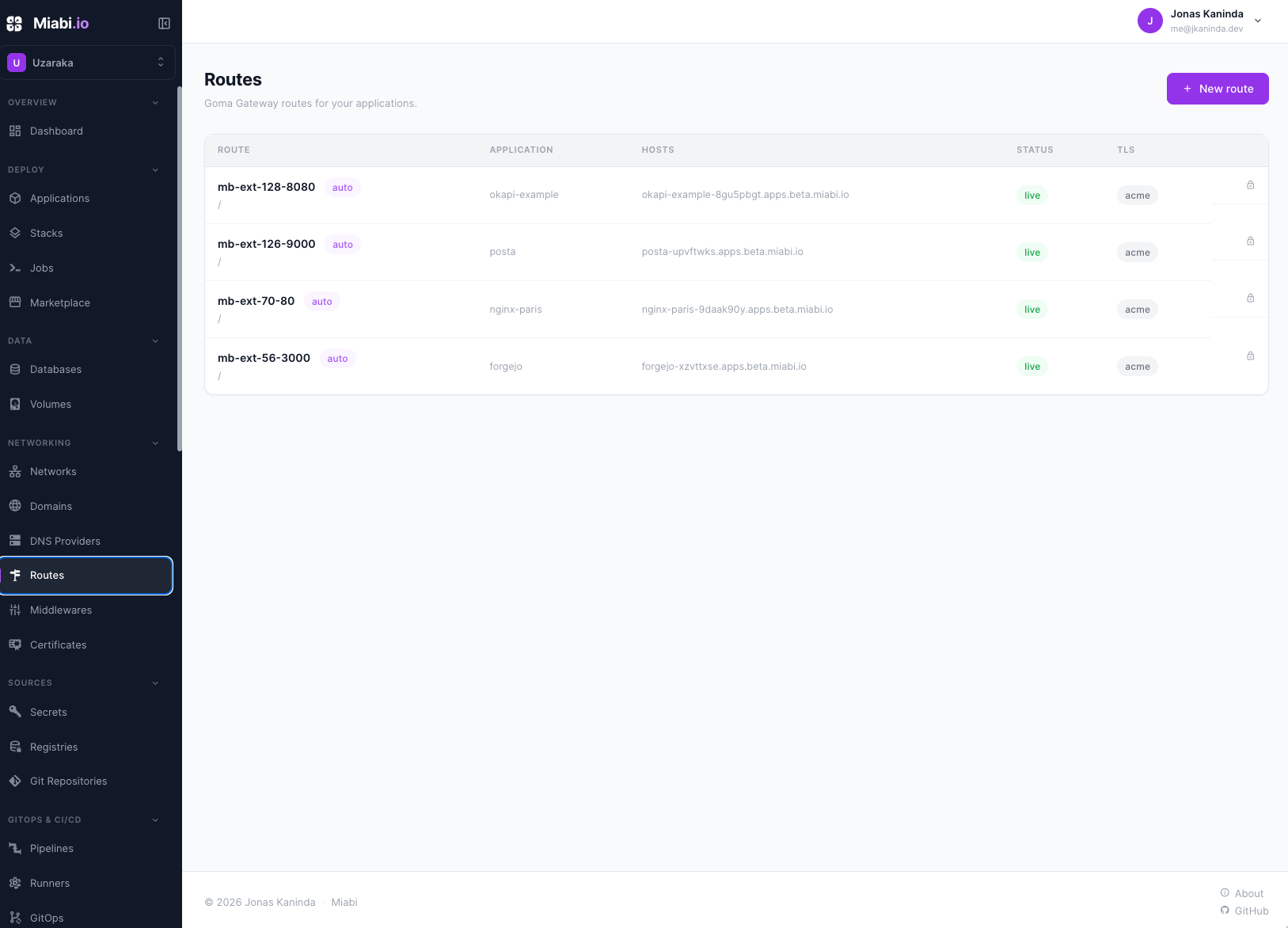 |
Backups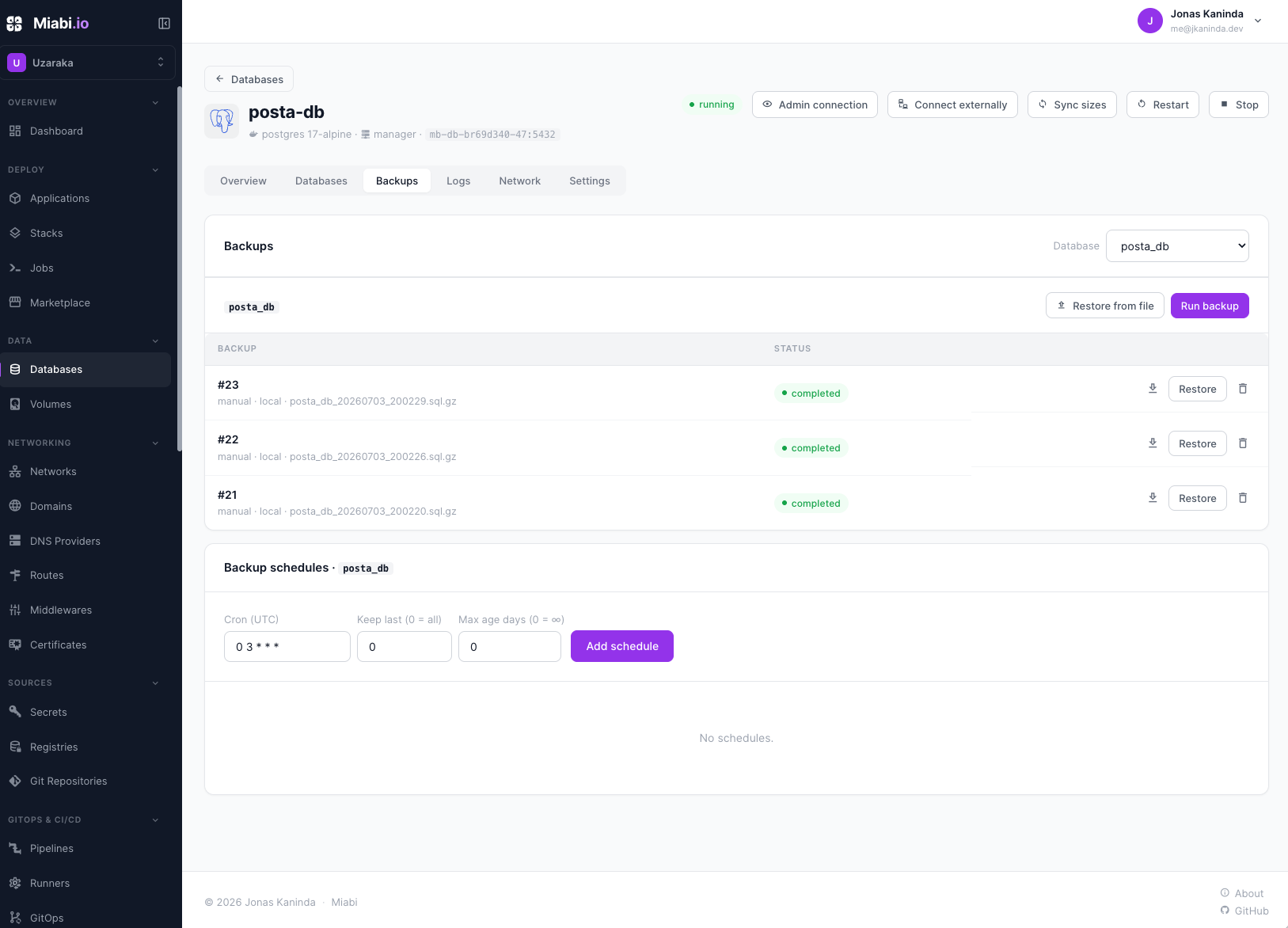 |
Monitoring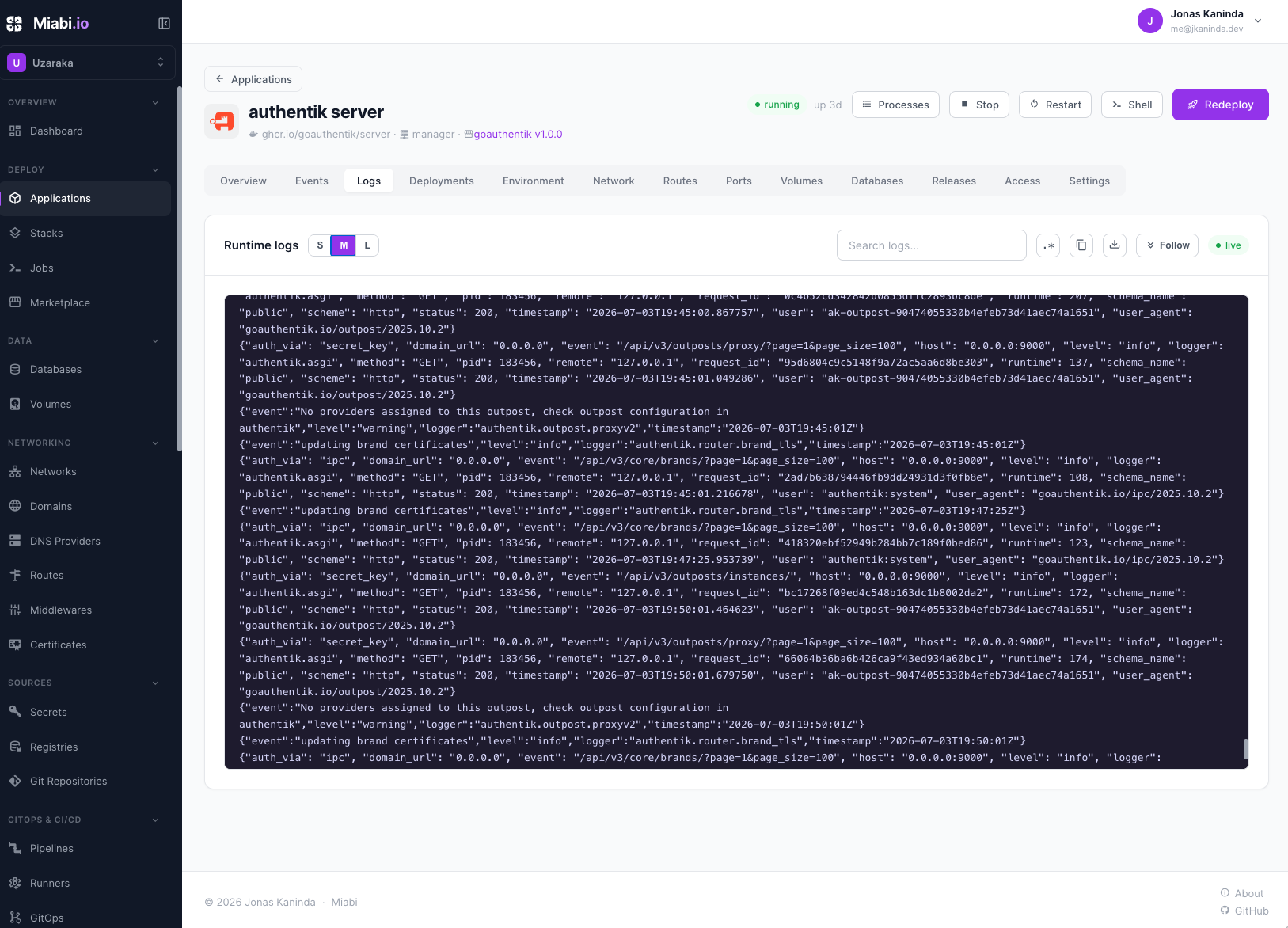 |
Marketplace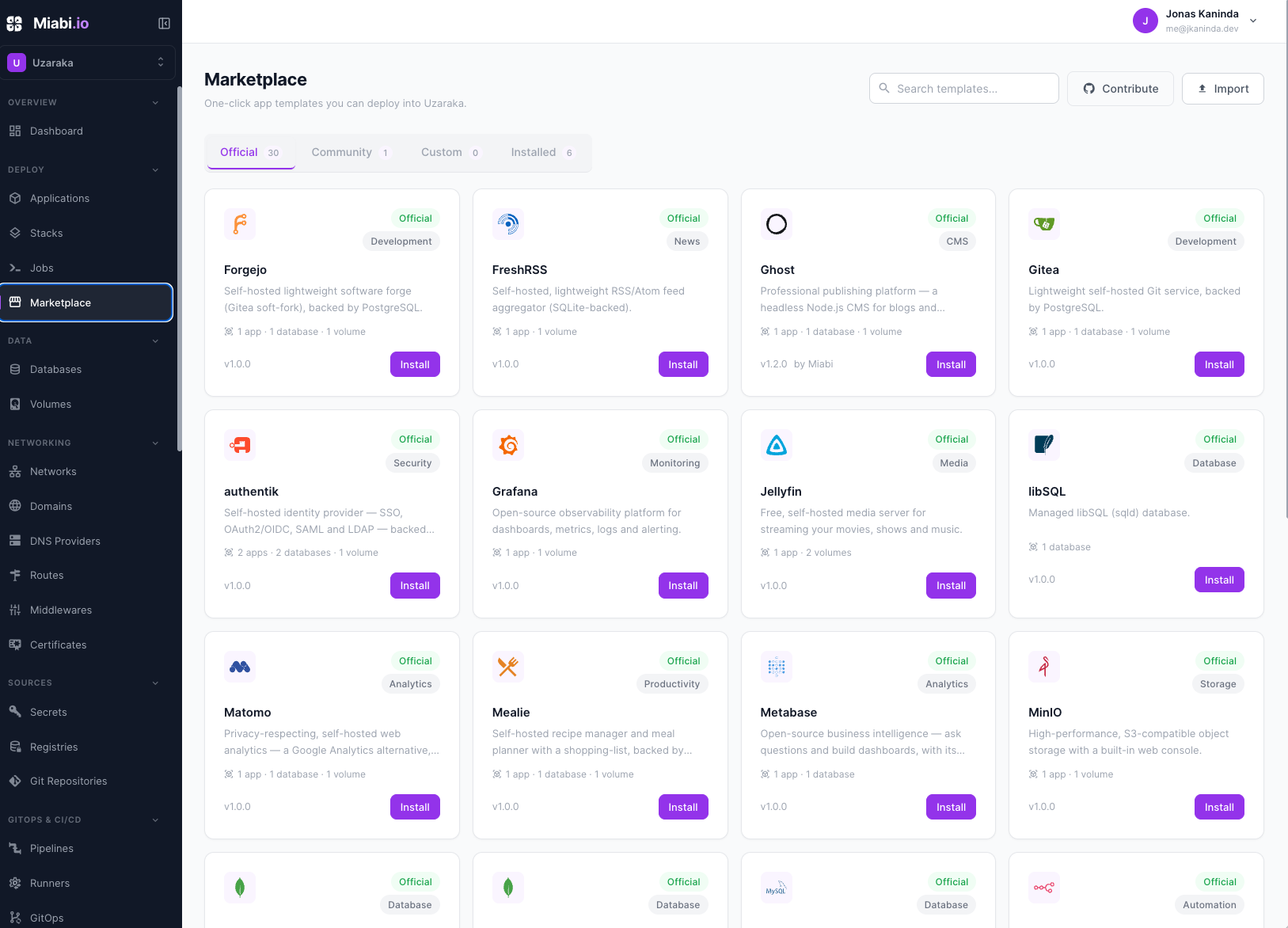 |
Platform admin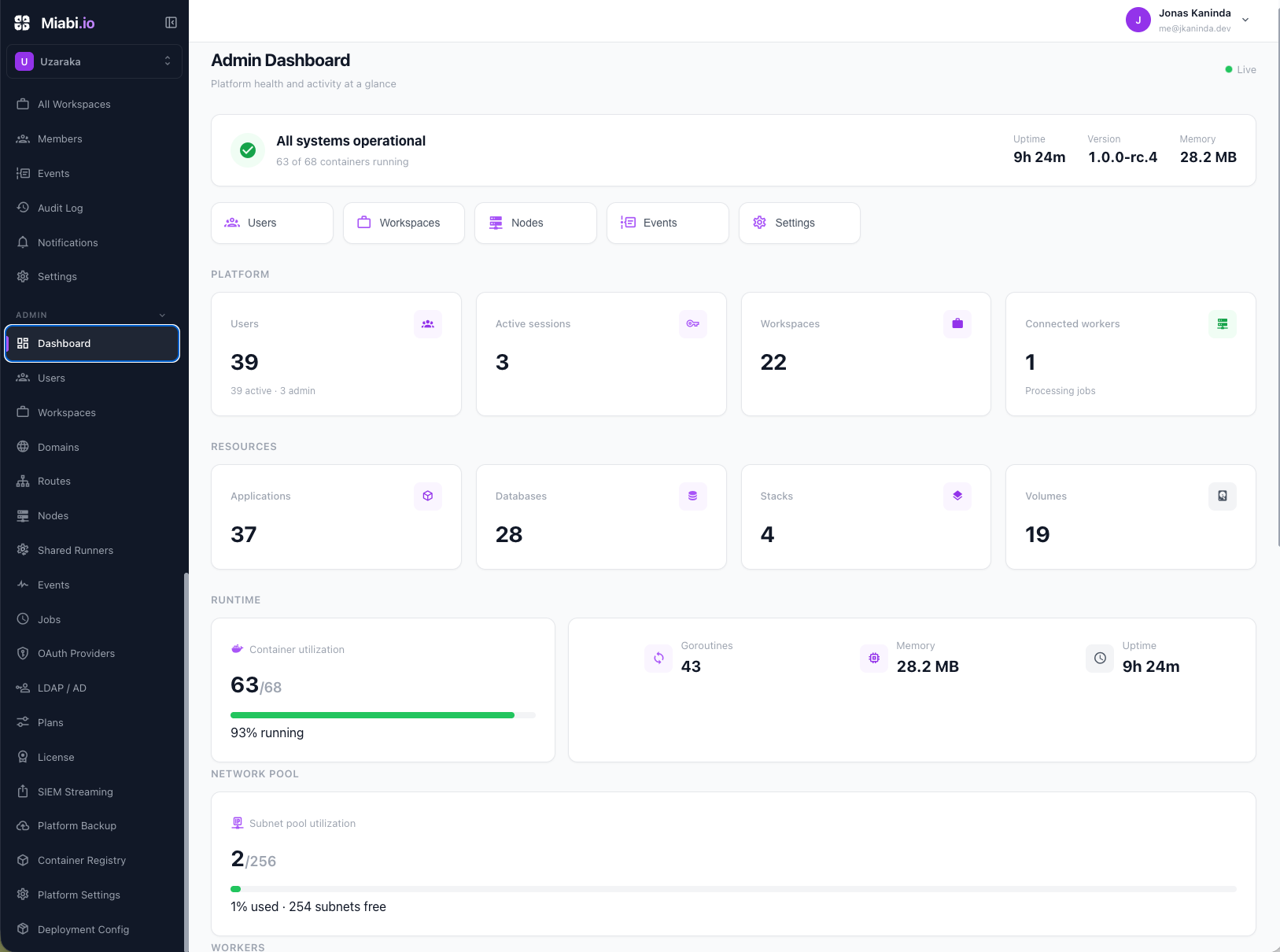 |
Application overview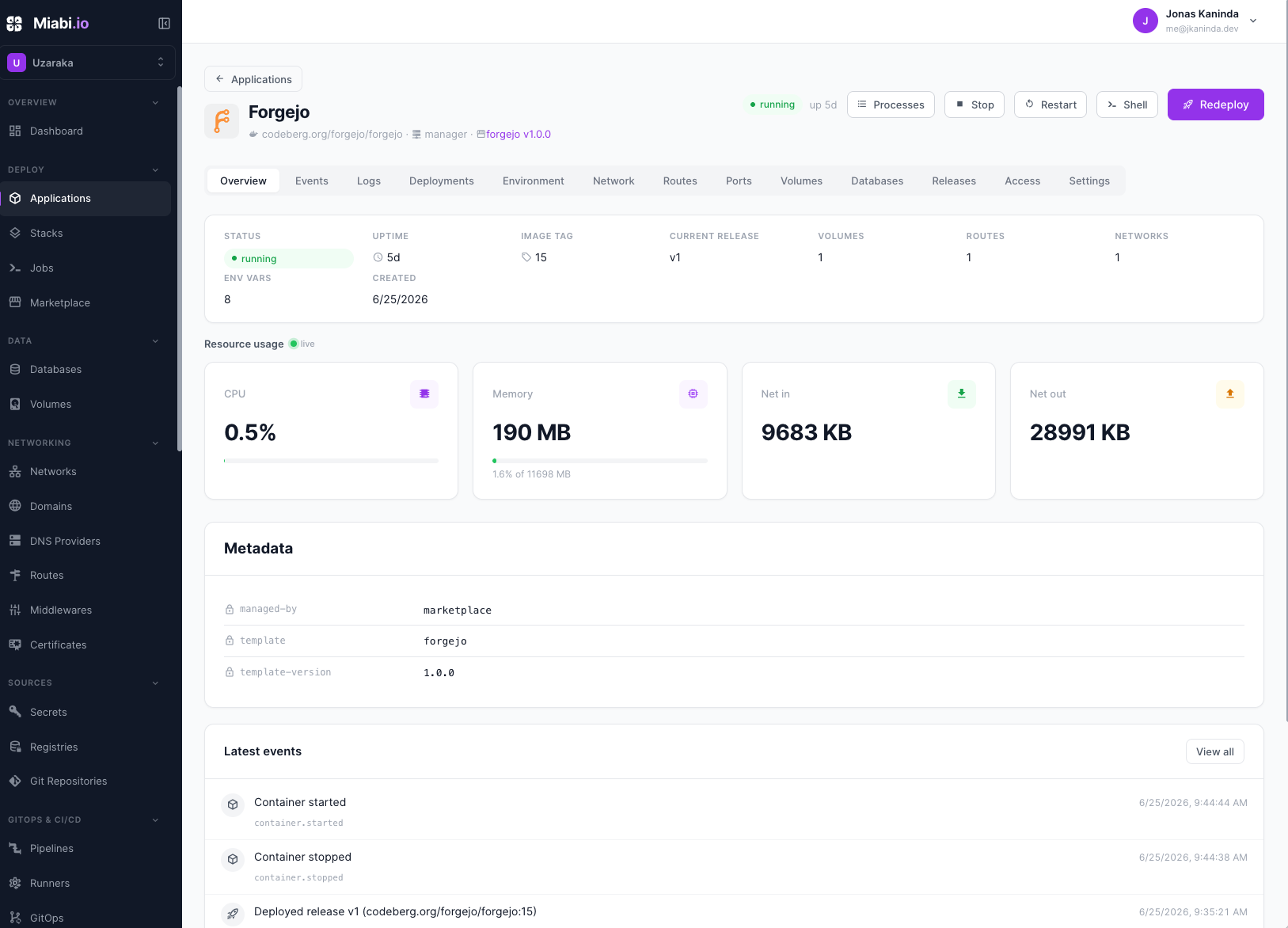 |
HTTP traffic analytics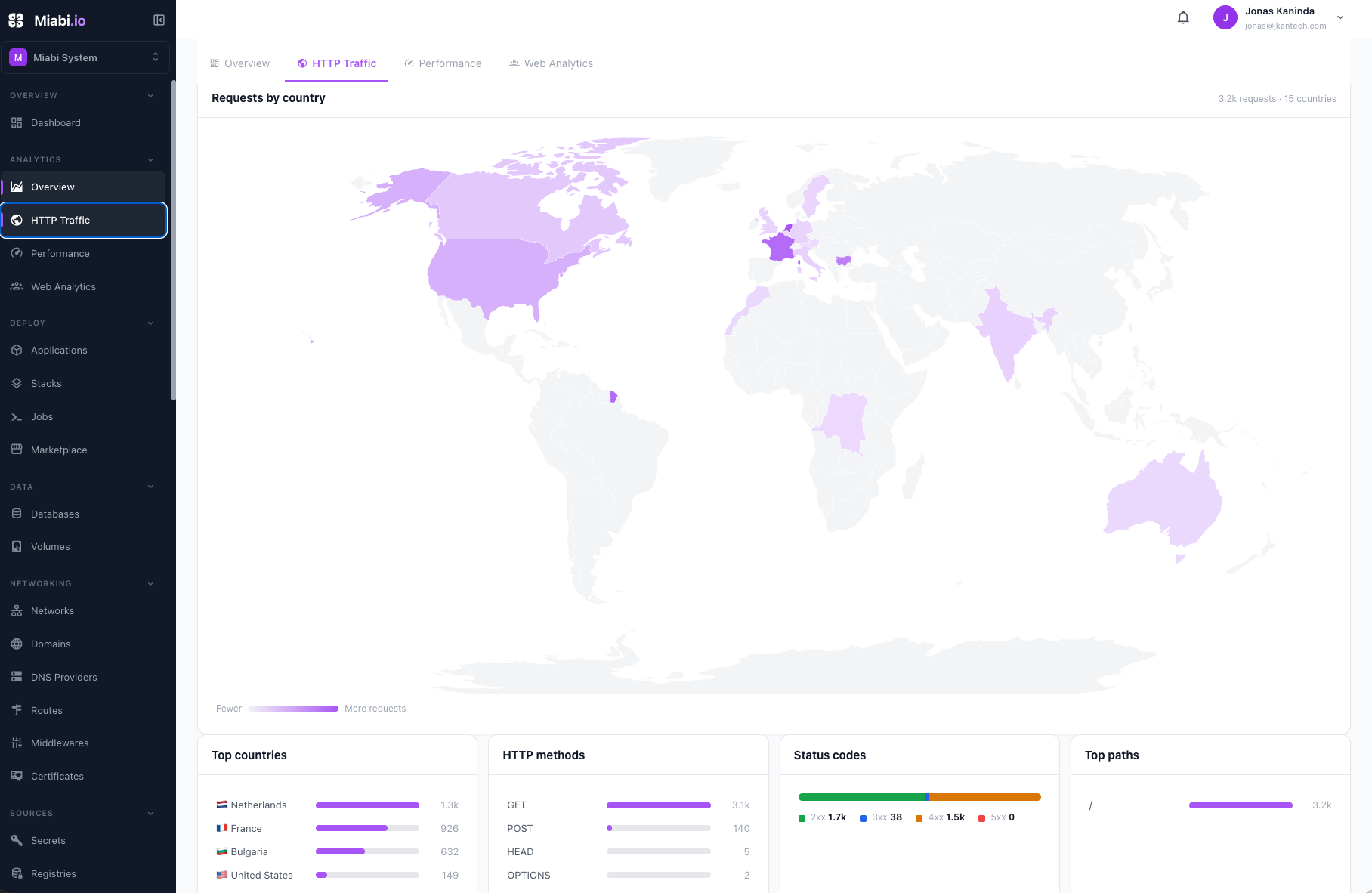 |
All four projects are self-hosted, open source, and deploy from Git or a Docker image with automatic HTTPS. The table covers only where they differ.
| Feature | Miabi | Coolify | Dokploy | CapRover |
|---|---|---|---|---|
| Multi-tenancy & workspace isolation | ✅ | ❌ | ❌ | ❌ |
| Organizations, teams & RBAC | ✅ | Limited | ❌ | ❌ |
| Shared hosting | ✅ | ❌ | ❌ | ❌ |
| Canary deployments | ✅ | ❌ | ❌ | ❌ |
| Zero-downtime deployments | ✅ | Limited | Limited | Limited |
| Built-in CI/CD pipelines | ✅ | ❌ | ❌ | ❌ |
| GitOps (no extra controller) | ✅ | ❌ | ❌ | ❌ |
| Built-in container registry | ✅ | ❌ | ❌ | ❌ |
| Built-in analytics (privacy-first) | ✅ | ❌ | ❌ | ❌ |
| Audit logs | ✅ | ❌ | ❌ | ❌ |
| OpenAPI-documented REST API | ✅ | ❌ | Partial | Limited |
| Official CLI | ✅ | ❌ | ❌ | ❌ |
| Terraform provider | ✅ | ❌ | ❌ | ❌ |
| Multi-node deployments | ✅ | Partial | Partial | Partial |
| Docker import (adopt existing containers) | ✅ | ❌ | ❌ | ❌ |
| Scheduled backups | ✅ | Partial | Partial | ❌ |
| SAML / LDAP | ✅ (Enterprise) | ❌ | ❌ | ❌ |
Compiled from each project's public documentation. These projects move fast — if something here is out of date, please open a PR and we'll correct it.
Browser / CLI / API clients
        │
        ▼
Goma Gateway (routing, TLS/ACME)
        │
        ▼
Miabi control plane (single Go binary: REST API + embedded Vue console)
        │
        ├─ asynq worker ── deploys, provisioning, backups
        ├─ PostgreSQL (GORM) · Redis (cache/queue)
        │
        ▼
Clusters (Docker Engine, optional Swarm per cluster)
        ├─ default cluster ── local socket, plus its Swarm members
        ├─ standalone nodes ── outbound agent tunnel, own edge gateway
        └─ remote Swarm clusters ── managers via agent tunnel, own ingress gateway
| Layer | Technology |
|---|---|
| Backend | Go 1.25+, Okapi framework, REST + OpenAPI |
| Frontend | Vue 3 + Pinia + Vite, built and statically served by the binary |
| Database | PostgreSQL (GORM) |
| Queue / cache | Redis + Asynq |
| Runtime | Docker Engine 25+ via the Moby SDK for Go (moby/moby/client), optional Swarm |
| Reverse proxy / TLS | Goma Gateway |
| Metrics | Prometheus |
The console source lives in web/ and is embedded into the Go binary, so a deployment is a single image. The node agent is a separate module, github.com/miabi-io/agent: a thin Docker proxy that needs only an outbound connection and the local Docker socket.
Try Miabi without installing anything at https://demo.miabi.io (password for all accounts: MiabiDemo2026).
The demo is seeded with two independent customers across three workspaces, so the core idea is visible immediately: shared hosting on Docker with true workspace isolation and role-based access. Every app, database, domain, volume, and secret belongs to a workspace; one tenant can never see or reach another's resources; a member only sees what their role grants.
| Sign in as | Workspaces | Role | Represents |
|---|---|---|---|
admin@acme.demo.miabi.io |
Acme Inc Prod · Acme Inc Dev | Owner | one org running prod and dev in separate, isolated workspaces |
dev@acme.demo.miabi.io |
Acme Inc Dev | Developer | a teammate scoped to a single workspace — can't see Acme Inc Prod |
admin@startup.demo.miabi.io |
Startup Prod | Owner | a different tenant — invisible to Acme |
Switch workspaces from the picker to watch the console re-scope, then sign in as the other customer to confirm the isolation boundary.
Important
These are workspace accounts, not the platform admin. They can't reach the admin platform (nodes/cluster, users, plans, settings, licensing). To explore platform-admin features, install Miabi — the first account you seed is the platform admin.
Note
Demo apps run under a restricted (non-root) security profile: each container runs as a dedicated unprivileged user. If you deploy an app, make sure its image can run as non-root, or it will fail to start.
Building from source needs Go 1.25+, Node (for the console), a PostgreSQL and a Redis instance, and a reachable Docker socket.
git clone https://github.com/miabi-io/miabi.git
cd miabi

make run        # API server on :9000, worker embedded
make worker     # standalone background worker (optional)
make build-ui   # build the Vue console into the embedded assets
make test       # unit + integration tests
The OpenAPI spec is generated from code annotations in internal/routes/ and served at /docs and /openapi.json on any running instance.
Miabi is part of a family of self-hosting tools by the same author:
| Project | What it is |
|---|---|
| Okapi | The Go web framework Miabi is built on |
| Goma Gateway | Reverse proxy with TLS/ACME |
| cli | The official CLI |
| terraform-provider-miabi | Terraform / OpenTofu provider |
| agent | Outbound node agent for multi-node |
| runner | Dedicated build and pipeline runner |
| marketplace | Official app template catalog |
| Posta | Self-hosted email delivery and inbound |
| pg-bkup / mysql-bkup | Database backup tools |
- Docs — https://docs.miabi.io
- Questions & ideas — GitHub Discussions
- Bugs & features — open an issue. Please open one before submitting a pull request, so the approach can be agreed first
- Security — report vulnerabilities privately to maintainers@miabi.io. Please don't file public issues for security problems
If Miabi is useful to you, starring the repo genuinely helps other people find it.
| Path | License |
|---|---|
| Core | AGPL-3.0-or-later — LICENSE, NOTICE |
pkg/ |
Apache-2.0 — pkg/LICENSE |
internal/enterprise/ |
Miabi Enterprise License — LICENSE.md |
The reusable packages under pkg/ are the importable half of the project (pkg/stack is the host installer and lifecycle engine the CLI drives), so embedding them carries no AGPL obligation — nothing under pkg/ depends on AGPL-licensed code.
Enterprise features are built with the enterprise tag and require a valid commercial license.LICENSING.md has the full breakdown.
Copyright © 2026 Jonas Kaninda