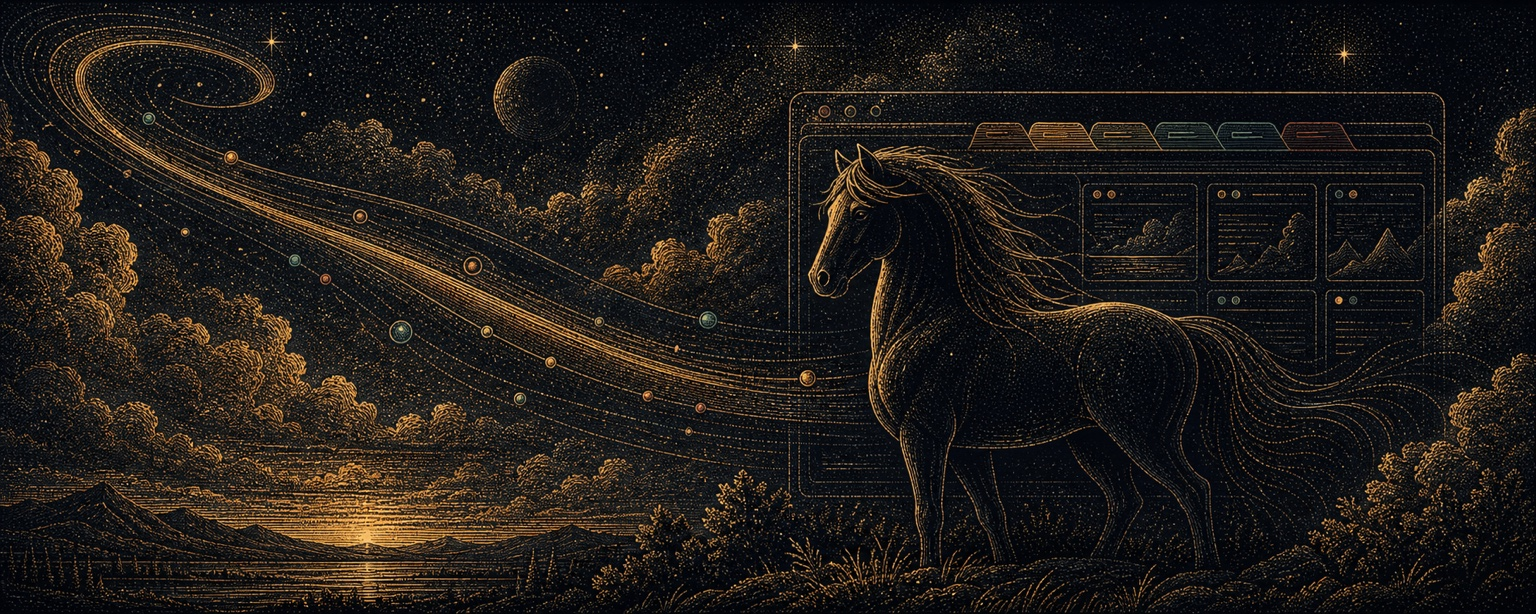
A browser where your agents live. Log in once; every agent you point at it inherits the session — and you watch them all on one live wall.


Every other tool hands each agent a throwaway browser. But you don't want throwaway — you want your browser, logged into your stuff, that agents quietly borrow. The catch: on macOS, every CDP command yanks the browser to the foreground (a known open sore across the big tools). Horse Browser fixes that — agents open tabs in the background, each in their own colored group, in a dedicated browser that coexists with your daily one and never steals your focus.
Why "horse"? Browse meant a horse grazing — nibbling shoots — long before it meant clicking links. A horse that browses is the original browser. And its harness began as a fork of browser-harness: you harness a horse. 🐴
Install (macOS, Node 18+):
The harness that drives the browser is vendored (a fork of browser-harness's core with the shared-browser invariants baked into its daemon) — no separate install. Its private venv needs uv (preferred) or python3 ≥3.11 on the machine:
npm install -g @pa1nd/horse-browserThe npm install fetches a dedicated Chrome for Testing (lives alongside your daily browser, never fights it for the dock), puts the horse-browser launcher on your PATH, and wires in the extension. Then start it and sign into your apps once — those logins persist for every agent:
horse-browser # launches the dedicated browser, no focus stealPrefer your own Chromium? export HORSE_BROWSER_BIN=/path/to/chromium before installing.
Or hand the repo to your agent (clone + ./install.sh)
You don't have to install by hand. Paste into Claude Code or Codex:
Set up https://github.com/pA1nD/horse-browser for me.

Clone it and run ./install.sh so I always use open_tab to open tabs
from now on.
install.sh does the same setup as the npm install, rule included.
The paved path (open tabs with open_tab; the shared-browser sharp edges) must be in context before the first browser call — so it's an always-on rule, not a load-on-demand skill. It's one self-contained file (RULE.md, ~650 tokens, no @-imports); the full reference stays out of context until an agent asks for it via horse-browser skill.
This is on by default. Installing an agent browser your agents don't know how to drive is a half-install, so horse-browser owns a rule file at ~/.claude/rules/horse-browser.md (rules files load into every session exactly like CLAUDE.md) and keeps it current — every run re-checks it, so an upgrade never leaves you on last month's instructions. Same for the subagent lane hook in settings.json and the grok session hook.
horse-browser rule status    # on/off, and where it goes
horse-browser rule off       # remove it and stop rewriting it
horse-browser rule on        # back on
horse-browser rule print     # just print it — to compare, or copy by hand
horse-browser rule check     # is the installed copy current? (exit 1 if drifted)
Nothing to re-run after an upgrade: RULE.md in the package is the single source, and the file on disk is reconciled against it. From a clone, ./claude-md.sh <cmd> is the same thing.
By hand — prefer to paste it into ~/.claude/CLAUDE.md (or a single repo's CLAUDE.md) yourself? horse-browser rule off, then horse-browser rule print and drop the output where you want it. (Codex users: ~/.codex/AGENTS.md works the same way.)
Sign into Gmail, GitHub, your dashboards, whatever — once — and every agent you point at :9223 inherits those sessions. No re-auth dance, no cookie juggling, no "paste your token" on every run. The catch with one shared browser is everyone trips over everyone, so three things keep it civil:
- Coexists with your daily browser. A separate browser (Chrome for Testing) — launching it never hijacks your everyday Chrome/Brave, and clicking yours never lands you in the agents' window.
- Focus-safe by construction. Tabs open in the background and activate through the extension instead of
Target.activateTarget(which calls[NSApp activate]and yanks the browser over whatever you're doing). The page is told it's foregrounded via focus emulation, so nothing misbehaves — as a lease that lapses when no agent is driving, so a tab you've walked away from stops painting instead of burning a core in the background forever. - Per-session tab groups. Each agent's tabs live in their own colored group; you see whose-is-whose at a glance, humans and agents in one window.
(Browserbase, Steel, Hyperbrowser & co. solve scale by giving each agent its own throwaway browser. Great for the cloud; useless when you want one real browser, on your machine, that stays logged in. That's this.)
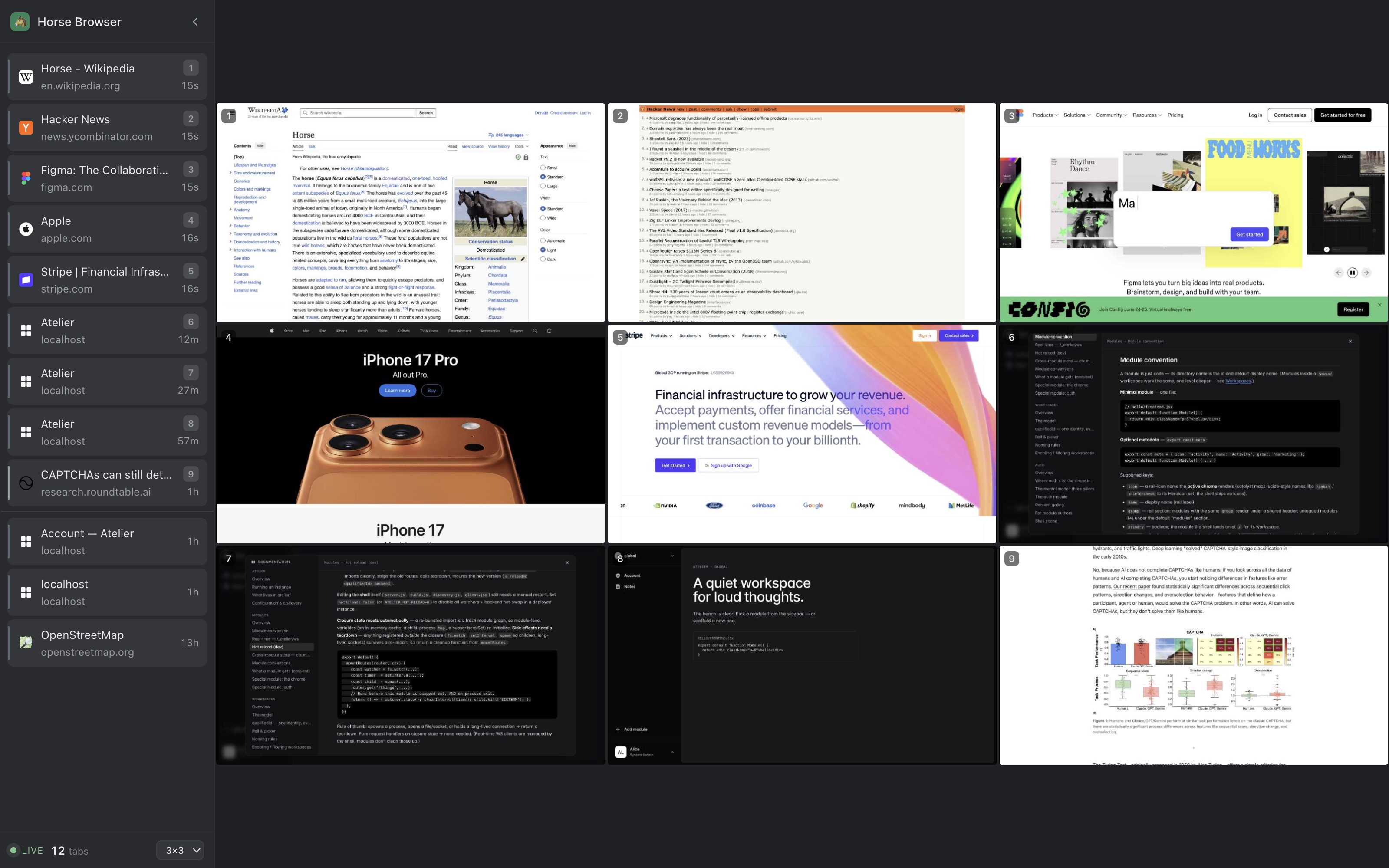
Click the 🐴 toolbar button for a live 2×2 / 3×3 wall of screencasts — one tab per cell — so you can watch every agent browse at once on a big screen.
Built around stable slots: a tab keeps its cell, so the picture never shuffles under you. Activity lights up in place (a green pulse on the tab an agent just acted on) instead of reordering everything; the wall only changes membership when a tab has gone idle and a busier one is waiting. A theme-aware sidebar groups every tab by session — coloured Chrome-style groups (emoji + code), favicon rows, and a slot number on each on-wall tab so a row maps straight to its preview. Click any pane to jump to that tab. Pure read-only over CDP (a second client alongside whatever's driving), so it costs the agents nothing.
The wall runs as hard as it is watched: full rate when its window has focus, about a frame a second when it's visible but you're working elsewhere (a second-display dashboard still updates), and nothing at all when its tab isn't on screen. Live video of nine tabs is expensive — measured at 160 fps aggregate and 3.86 MB/s of JPEG before this, running identically whether or not anyone was looking.
Run several browsers side by side (HORSE_BROWSER_PORT + HORSE_BROWSER_PROFILE, one per agent) and each one's Monitor shows only its own tabs — the launcher tells every browser's extension which port it lives on, and the wall proves the port is its own before attaching.
horse-browser brings the dedicated browser up first (launching if down, self-healing a frozen GPU after sleep), then runs your script against it over CDP through its vendored harness — so agents never touch a port:
horse-browser <<'PY'
open_tab("https://example.com")   # own colored tab group, no focus steal
print(page_info())
PY
It owns the CDP endpoint, so the port lives in exactly one place (its config) — change it there and every agent follows. Under the hood it's just a dedicated browser speaking CDP, so any other CDP client can still attach the classic way:
horse-browser && export BU_CDP_URL=http://127.0.0.1:9223 # for an arbitrary CDP clientAgents open tabs with open_tab(url) — their own colored group, in the background, no focus steal. The discipline lives in RULE.md — register it as an always-on rule (see Setup) and agents follow it automatically. (Once open, plain goto_url is safe: the daemon pins each session to its own tab, so a navigation can't land on another agent's page.)
The reason a harness beats Playwright is raw CDP: the full protocol, and the agent's own intelligence to compose it. Playwright gives you a method per case — and the day you need a case it didn't wrap, you're fighting the abstraction instead of just using the browser. Horse Browser refuses that trade, which means resisting two temptations, not one:
- Don't wrap every capability. A helper per case (
screenshot(width,…), scroll-this-container, …) is just Playwright again. If an agent needs a sized screenshot, it composesEmulation.setDeviceMetricsOverride+Page.captureScreenshotitself — that's the point. - Don't jail raw CDP either. Intercepting calls so "raw is safe by construction" is the same control reflex, one layer down. An agent can call
Target.activateTarget(which would steal your focus) the same way it canrm -rf— and "can" doesn't mean "will." We don't sandbox the shell; we don't sandbox CDP.
So the harness does four things, then gets out of the way:
- Pave the default. The calls the skill points agents to (
open_tab,capture_screenshot, a focus-safeopen_tab) have no footguns — the recommended road is paved, not walled. - Teach the sharp edges. One short, always-on note: this is a shared browser; these specific raw calls steal the operator's focus or hang on an occluded window — here's why and the safe way. Non-obvious side effects are the only thing worth a line in the manual; everything else the agent derives from CDP.
- Keep the substrate coherent. The one thing that's structural, not etiquette: your tab means your tab. Session isolation isn't restricting power — it's the ground honoring what the agent meant.
- Trust the rest. Full protocol, no wrapper per case, no interceptor-as-jail.
The test for anything we add: does it encode knowledge the agent can't derive (trusted input's real event sequences, challenge-solving gestures — keep) or wrap a capability it can compose itself (drop)? The differentiator was never "we prevent the bad calls." It's full power, plus the knowledge to use it well.
extension/— MV3 extension: the tab grouper, the Agent Monitor (sidebar collapsed by default), and a first-run welcome page.bin/horse-browser— the launcher and the driver: ensures the browser is up (self-heals a GPU wedge after sleep), then runs your script against it through the vendored harness. Alsohorse-browser status(versions + state),horse-browser skill(print the manual), andhorse-browser update(fetch the latest Chrome for Testing — it has no auto-updater — and restart onto it).harness/— the vendored CDP harness (horse_harness): the daemon that holds the websocket to Chrome, the pre-imported helpers, and the shared-browser invariants (focus-safe activate, per-session tab pinning, self-reap). Runs from a private venv; a fork of browser-harness's core, no external dependency.install.sh— one-time setup; fetches the browser, builds the harness venv, registers the launcher.claude-md.sh— front door for the rule file (on/off/print/check/status), forwarding tohorse-browser rule. The rule is on by default and reconciled on every run; this is the toggle, not an installer.tools/reconcile_external.py— the one place that writes anything outside horse-browser's own directories: the lane hook in~/.claude/settings.json, the grok session hook, and the rule file. Last-writer-wins, so running two installs converges instead of accumulating.RULE.md— the always-on rule (the paved path + the sharp edges, ~650 tokens).MANUAL.md— the full on-demand reference (horse-browser skill).
A thin, self-contained setup — the vendored harness (or anything else speaking CDP) is just a consumer on port 9223.
npm test runs tests/e2e.sh then tests/tab-reap.sh against the real browser. The e2e suite covers launcher basics and every stdin mode, session identity (daemon pinning, anchoring, reaper restraint), focus-safe tab grouping, helper-namespace integrity, trusted input on real pages, concurrent background-tab screenshots (reliable and non-hijacking under multi-agent load), the realness/anti-bot fingerprint, real-site flows, and the lifecycle races (hard-kill relaunch, 5-way launch stampede, stale-lock recovery). tests/tab-reap.sh covers the orphan-tab leak: a tab-less session's stray about:blank, and the reaper that closes an ended session's tabs while sparing live ones. The lifecycle section bounces the browser (tabs are preserved); HB_TEST_FAST=1 skips it. GPU-wedge healing and display-asleep behaviour are machine-state dependent and stay manual.
tests/captcha-bench.sh (on-demand, not part of npm test) drives horse-browser against public captcha playgrounds — the official vendor demo widgets — and reports, per vendor, whether our realness + challenge-solving stack clears it. It's a bench rather than a gate because captchas are reputation/IP-based and non-deterministic. What "pass" means differs by class: managed/score captchas (Cloudflare Turnstile managed, reCAPTCHA v3) drop a token with no interaction — that's what the always-on fingerprint buys, and both auto-pass; gesture captchas (checkbox, slider, press-&-hold) are solved by solve_challenge() — same-document ones directly, cross-origin ones via a vision brief the driving agent acts on; perception captchas (image grids, distorted text, audio) escalate to the operator by design — those we deliberately do not claim to pass. HB_CAPTCHA_SOLVE=1 attempts the gesture solves on the checkbox demos. The gesture mechanics (steady press-&-hold, slide-to-verify) are covered deterministically and offline by the e2e [5] fixtures; live-vendor bypass rates live in the hb-stealth Stealth Bench.
tests/agent-e2e.sh (on-demand, needs the claude CLI) is the true end-to-end check: a real headless agent (claude -p) is given a browser goal and must fulfil it through horse-browser. It parses the agent's tool-use stream to assert both that the agent actually invoked horse-browser (not curl or a fetch tool) and that it returned the correct answer off the live page — proving the whole chain (rules/skill teach the agent → it writes a driver script → the launcher brings the browser up focus-safely → it reads the page). It spawns an LLM agent, so it's non-deterministic and costs tokens; not part of npm test.
MIT © pa1nd