A Python3 based Scalextric lap timer dashboard built on the Raspberry Pi using the Tkinter and GPIO libraries
This is a personal Raspberry Pi 3b project I have been working on for a couple of weeks. My son recently got a Scalextric Sport set with the Arc One base plate. It's not bad, the Android App is 'OK' but fun is limited when you are looking at a small 5" screen to see your lap time or who is leading the race.
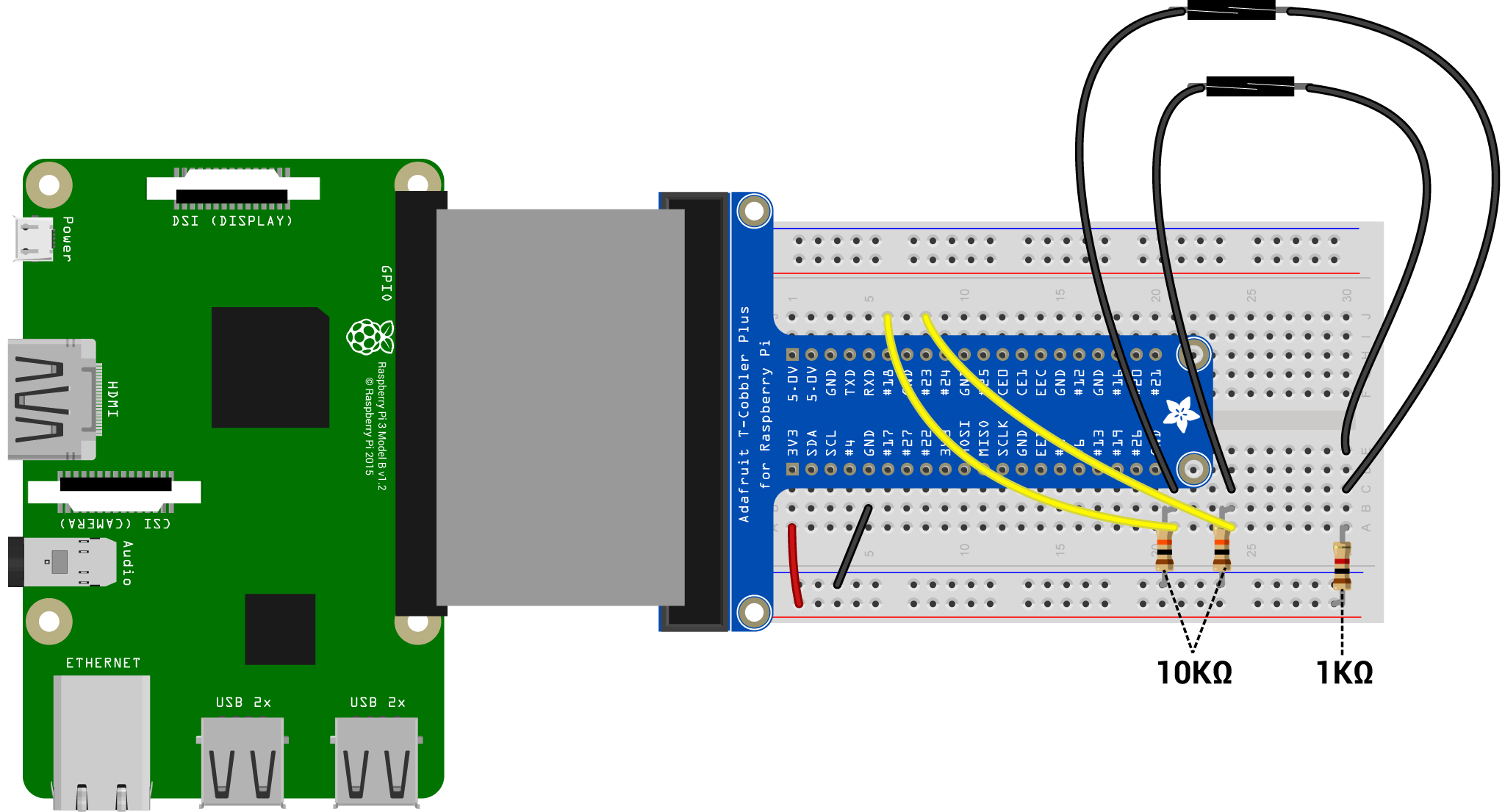
I thought I could do better and make a full screen race control dashboard using the Pi, some Reed sensors and a little Python 3 magic.
The basis of the timer is derived from: http://code.activestate.com/recipes/578666-stopwatch-with-laps-in-tkinter/ but modified to make it better, with an independant timer for each lane. GPIO integration to trigger a lap and more.
It's early days, and I will be extending this dashboard further in the coming weeks with a better UI that defaults to full screen so you can run this on a big TV or monitor at 1080p
- Reaspberry Pi (40 pin version to follow my setup but will work on and Pi)
- Breadboard + wires etc...
- 1KΩ and 10KΩ resistors
- 2 Reed sensors - Sealed / pre-wired ones are best like these: http://ebay.eu/2kwWhZ7
- Python3
- Tkinter Library installed
- GPIO Library installed
- Run the .py file under
sudo - Scalextric Track
- 2 Slot cars with Magnatraction (magnets on the chasis)