


An airport departures and arrivals board for your Home Assistant dashboard. It is built for wall panels and tablets: large, readable text, live status and six classic board styles, including a split-flap board with flipping letters.
It shows the flights from the Flightradar24 integration. No Flightradar24 subscription is needed.
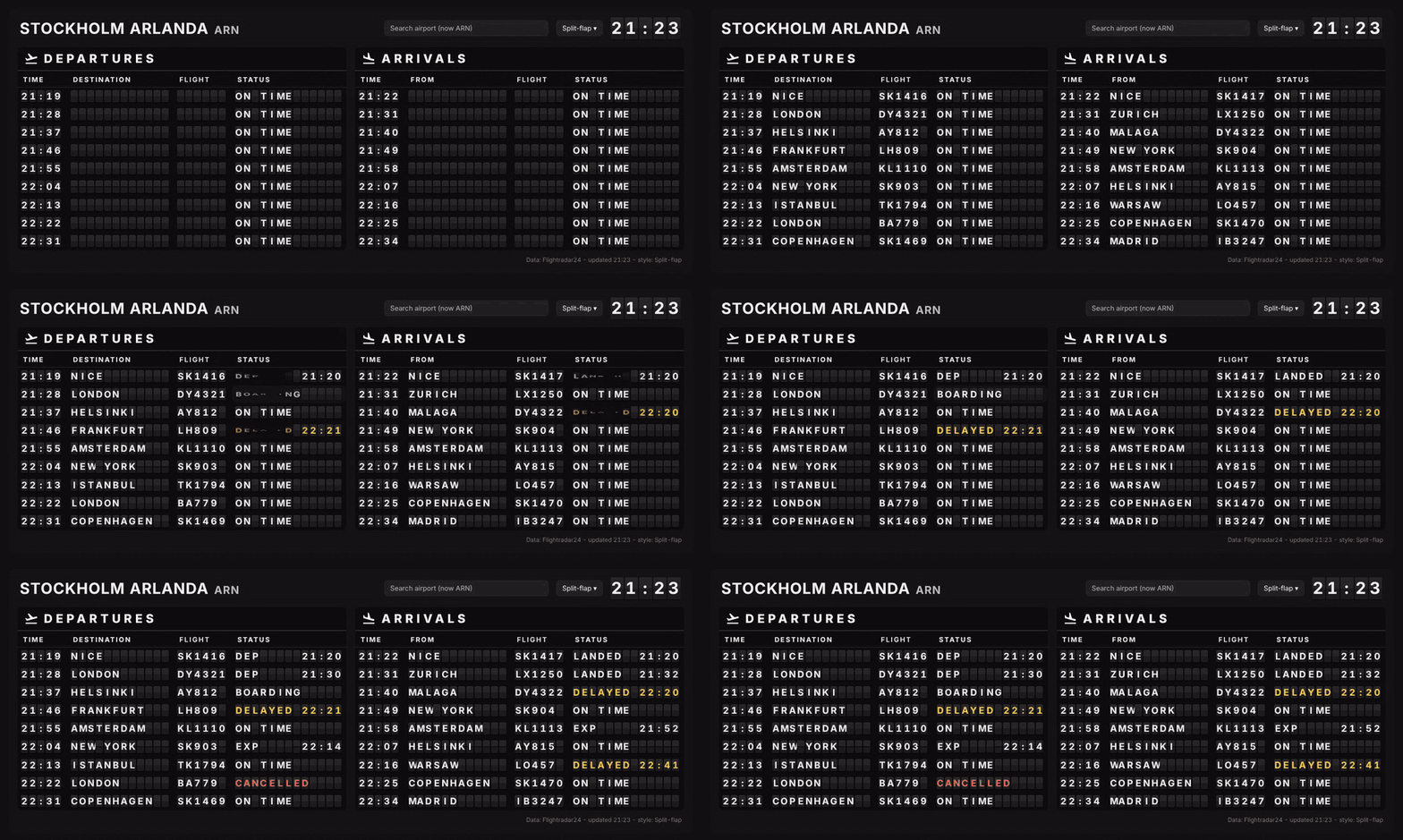
- Departures and arrivals side by side (or stacked, or only one of them)
- Seven board styles, selectable from a menu on the card itself:
- Classic: black and yellow
- Split-flap: every letter on its own flap, letters flip when something changes
- Digital flaps: modern flap-look panels
- Amsterdam style: dark blue and yellow, clean and very readable
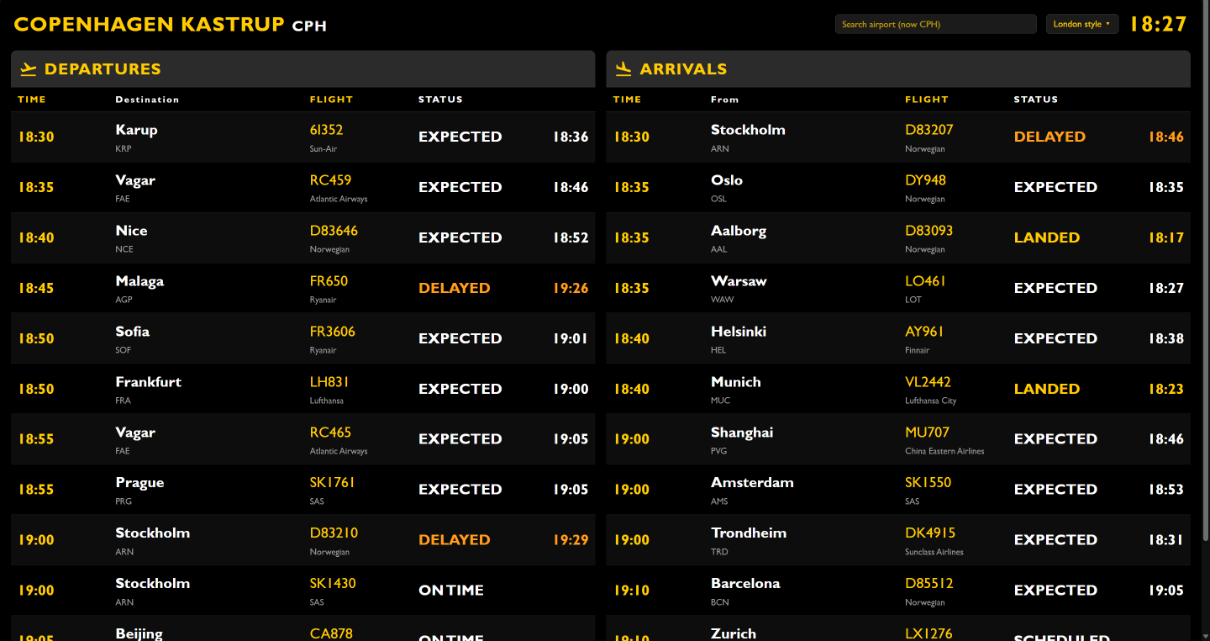
- London style: black and yellow
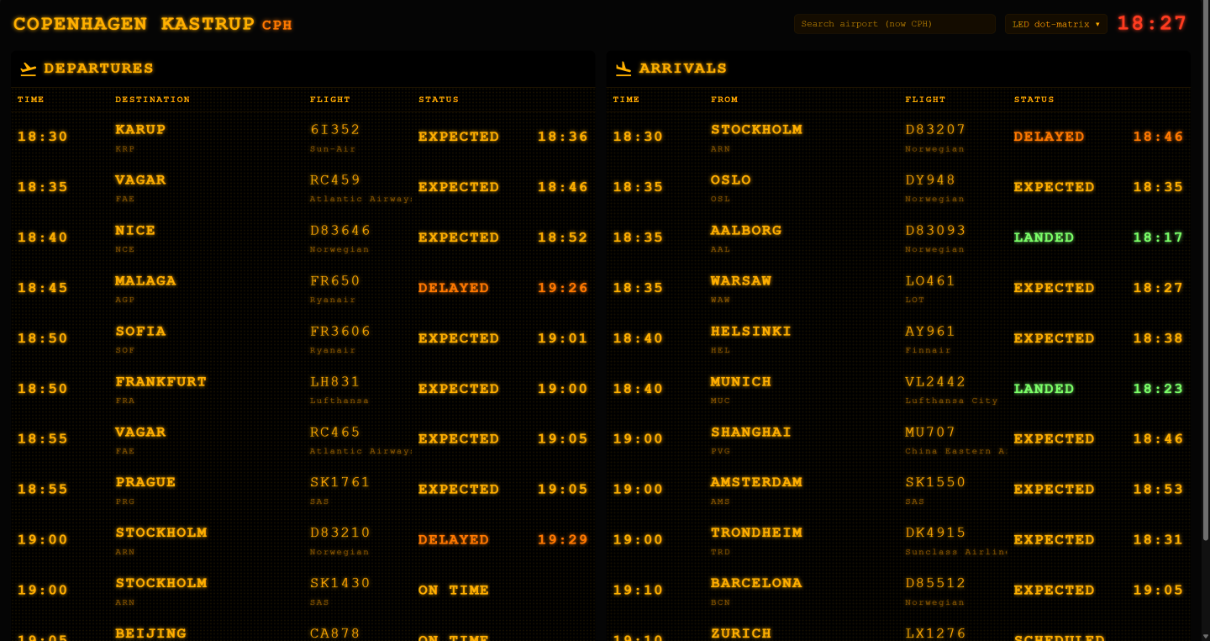
- LED dot-matrix: glowing amber retro display
- Arlanda style: navy and yellow like the Swedavia boards at Stockholm Arlanda, Swedish and English side by side
- Airport search on the card: type a name, city, IATA or ICAO code and pick from about 8,000 airports worldwide, with no setup or API key needed
- A short list of favourite airports is shown when you tap the search field. Use the built-in list or set your own.
- Times and clock in the airport's own local time zone, 24-hour or 12-hour format
- Expected, delayed and landed times aligned in their own column
- Colour-coded status: on time, expected, delayed, boarding, landed / departed, cancelled, diverted
- Visual editor: all settings can be changed in the card editor, no YAML needed
- Scales to fit any screen width
- The selected style is remembered per device, so each screen can have its own look
| Classic | Digital flaps |
|---|---|
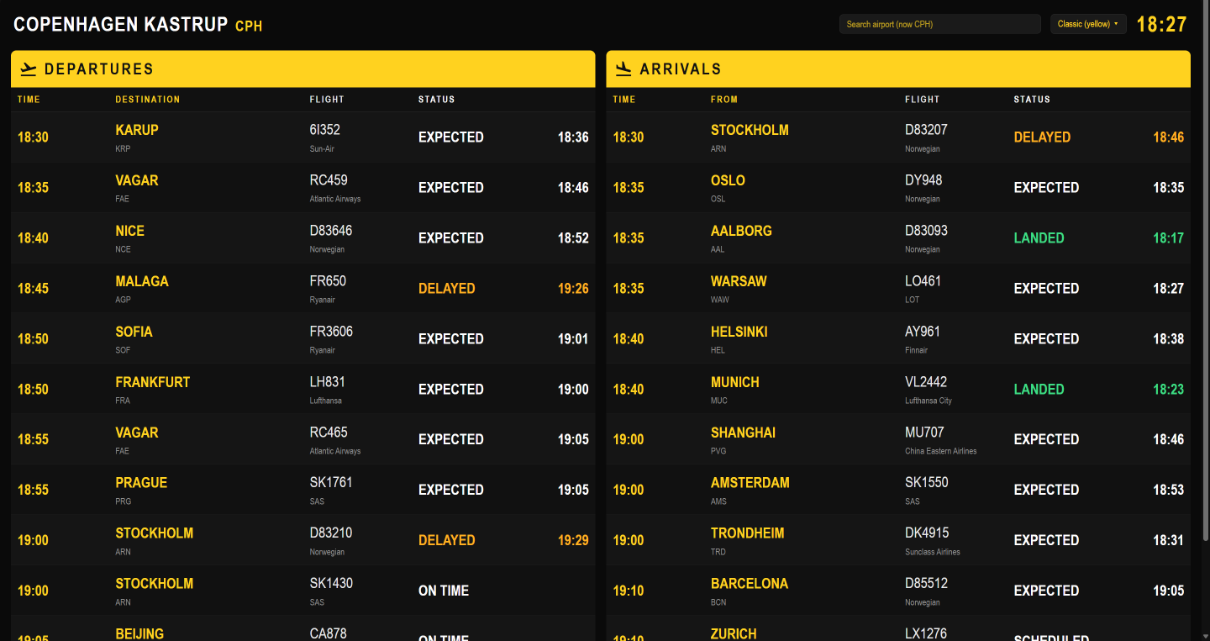 |
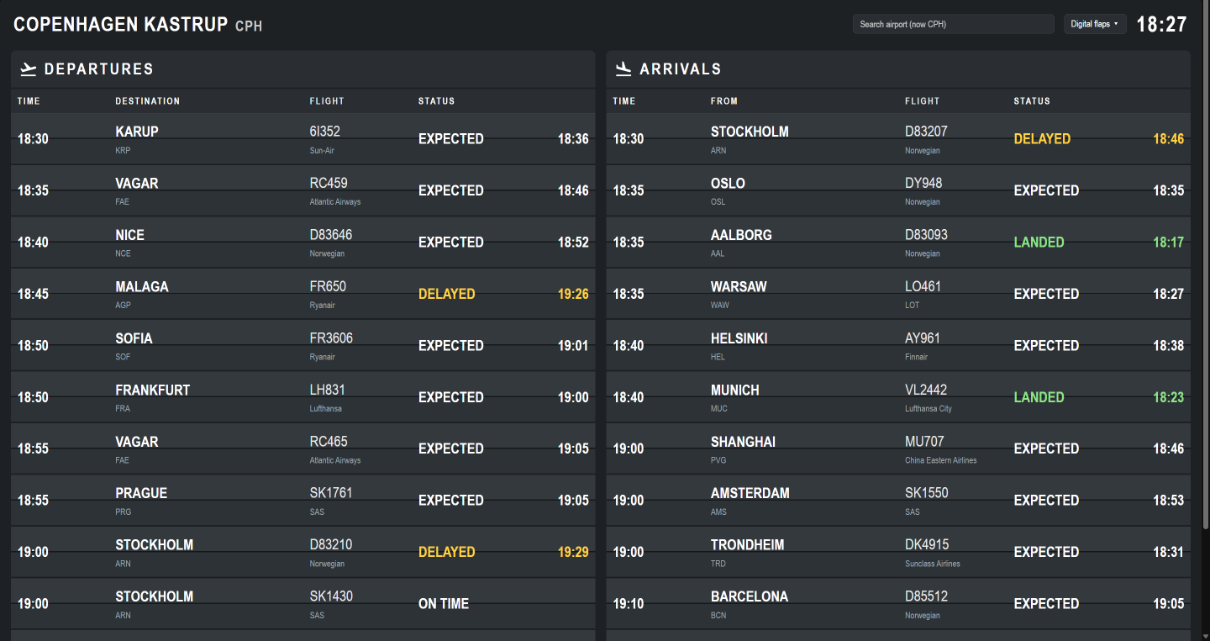 |
| Amsterdam style | London style |
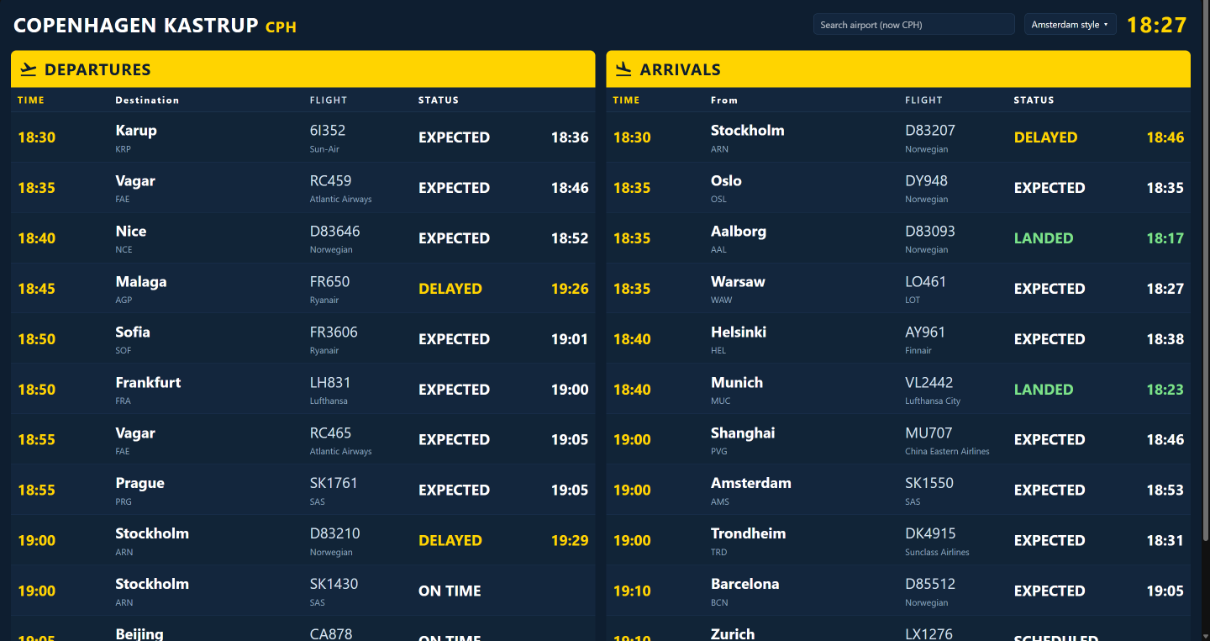 |
 |
| LED dot-matrix | |
 |
-
Home Assistant 2024.1 or newer.
-
The Flightradar24 integration (AlexandrErohin/home-assistant-flightradar24), installed via HACS and added under Settings > Devices & services.
The integration creates these entities, which the card uses by default:
| Entity | Used for |
|---|---|
sensor.flightradar24_airport_departures |
departures |
sensor.flightradar24_airport_arrivals |
arrivals |
text.flightradar24_airport_track |
which airport is shown (ICAO code, e.g. ESSA) |
If the integration is missing, the card shows a message telling you what to install.
Click the button to open the repository directly in HACS on your Home Assistant, then click Download:
Or add it by hand:
- Open HACS, click the three dots in the top right and choose Custom repositories.
- Add
https://github.com/pmnilsson/flight-board-cardwith type Dashboard. - Search for Flight Board Card and click Download.
- Reload your browser.
- Download
flight-board-card.jsfrom the latest release. - Copy it to
/config/www/flight-board-card.js. - Add it as a resource: Settings > Dashboards > three dots > Resources > Add, URL
/local/flight-board-card.js, type JavaScript module.
Add the card from the card picker (search for "Flight Board") and change the settings in the visual editor, or use YAML:
type: custom:flight-board-cardFull example:
type: custom:flight-board-card
theme: splitflap
time_format: 24h
rows: 12
font_size: 22
show: both
layout: auto
past_minutes: 15
show_airline: true
show_selector: true
show_airport_selector: true
The board looks best on its own dashboard view with the Panel (single card) layout. In a Sections view it automatically takes the full width.
| Option | Default | Description |
|---|---|---|
theme |
classic |
Starting style: classic, splitflap, digital, amsterdam, london, led, arlanda. A style picked in the menu on the card overrides this on that device. |
time_format |
24h |
24h (18:30) or 12h (6:30 PM) |
rows |
12 |
Number of flights shown in each list |
font_size |
22 |
Base text size in pixels |
show |
both |
both, departures or arrivals |
layout |
auto |
auto (side by side on wide screens) or stacked |
past_minutes |
15 |
How long departed or landed flights stay on the board |
show_airline |
true |
Show the airline and airport code under the flight number and city |
show_selector |
true |
Show the style menu on the card |
show_airport_selector |
true |
Show the airport search field on the card |
airports |
built-in list | Favourite airports shown when the search field is empty (see below) |
title |
airport name | Your own title instead of the airport name |
departures_entity |
sensor.flightradar24_airport_departures |
Departures sensor |
arrivals_entity |
sensor.flightradar24_airport_arrivals |
Arrivals sensor |
airport_entity |
text.flightradar24_airport_track |
Text entity that holds the tracked airport |
Tip: on a public or shared screen, set show_airport_selector: false so nobody changes the airport by mistake.
type: custom:flight-board-card
airports:
  - icao: ESSA
    iata: ARN
    name: Stockholm Arlanda
    tz: Europe/Stockholm
  - icao: KLAX
    iata: LAX
    name: Los Angeles
    tz: America/Los_Angeles
Any airport can be found with the search. The favourites are just quick picks. Built-in favourites: Stockholm Arlanda, Stockholm Bromma, Göteborg Landvetter, Copenhagen, Oslo, Helsinki, London Heathrow, Amsterdam Schiphol, Frankfurt, Paris CDG, Milano Malpensa, Zurich, Singapore Changi, Dubai and New York JFK.
- One airport per Home Assistant installation. The Flightradar24 integration follows one airport at a time. Changing the airport on the card changes it for every screen and every card using the integration.
- Switching airport takes a moment. The board shows Loading until Flightradar24 has fetched the new airport's flights, usually 20–60 seconds depending on the integration's scan interval.
- About the data. The Flightradar24 integration uses Flightradar24's public, unofficial data feed. If Flightradar24 changes something on their side, flight data can stop updating until the integration is updated. That is outside this card's control. Please report data problems to the integration and display problems here.
- Upgrading from an early version. The old style names
solari,frankfurt,schipholandheathrowstill work and are mapped tosplitflap,digital,amsterdamandlondon.
The airport search uses a compact copy of the mwgg/Airports database (MIT License), limited to airports that have an IATA code. See THIRD_PARTY_NOTICES.md.
This project is not affiliated with or endorsed by Flightradar24, any airport or any airport operator. The styles are original designs inspired by well-known types of departure boards. Flight data comes from the Flightradar24 integration and may be delayed or incomplete, so don't use it for real travel decisions.
MIT © 2026 P-M Nilsson