Run go run main.go image to create an XML which contains the shape of the image.
Example: Get the image from https://commons.wikimedia.org/wiki/File:Greek_vase_Dionysos_attica_520_bC.jpg and run
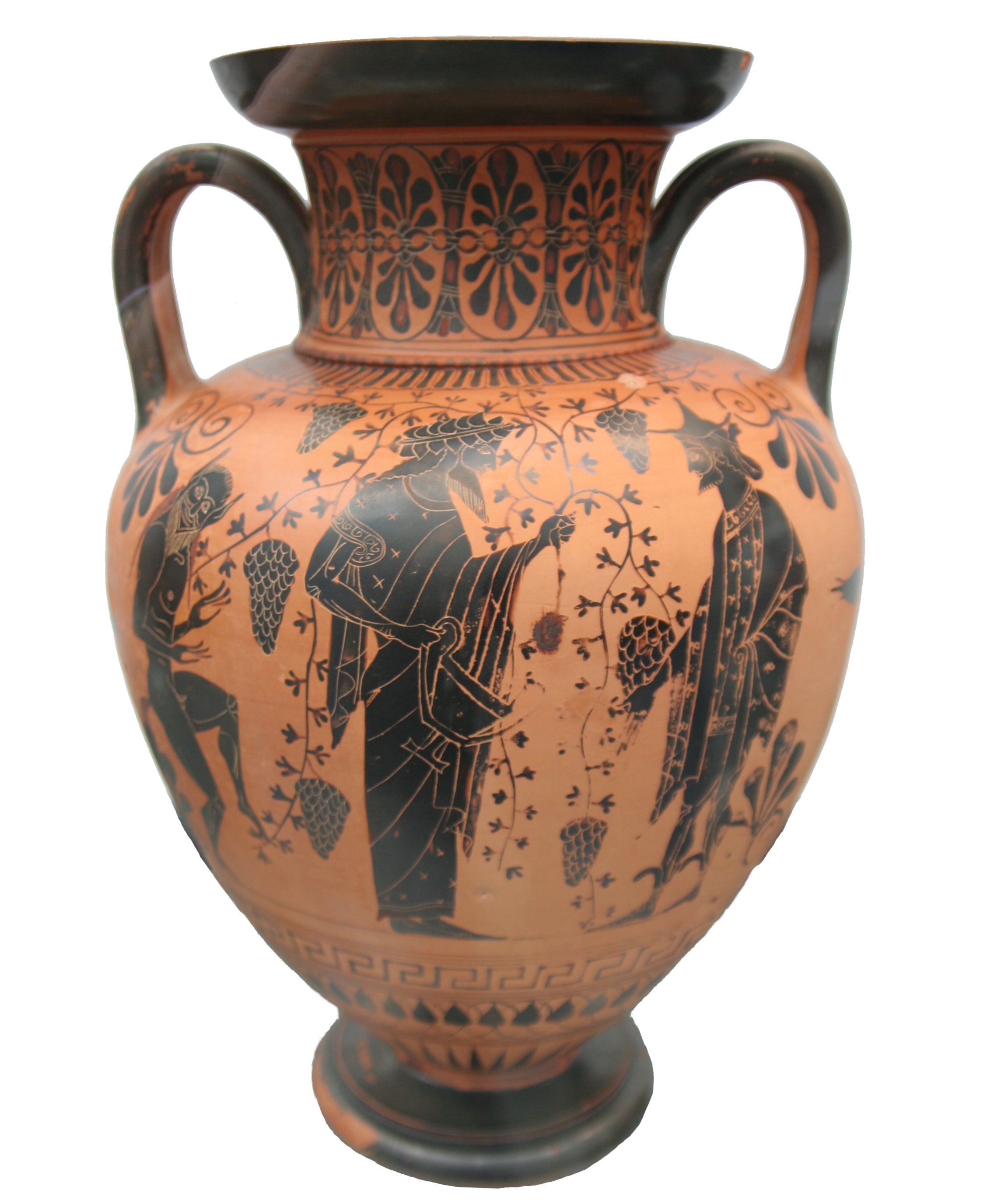
go run main.go Greek_vase_Dionysos_attica_520_bC.jpg
which outputs this to the console:
--------------------------------------------------------------------
|              ■■■■■■■■■■■■■■■■■■■■■■■■■■■■■■■■■■■■                |
|              ■■■■■■■■■■■■■■■■■■■■■■■■■■■■■■■■■■■■                |
|              ■■■■■■■■■■■■■■■■■■■■■■■■■■■■■■■■■■                  |
|            ■■■■■■■■■■■■■■■■■■■■■■■■■■■■■■■■■■■■■■■■              |
|        ■■■■■■■■■■■■■■■■■■■■■■■■■■■■■■■■■■■■■■■■■■■■■■■■          |
|        ■■■■■■■■■■■■■■■■■■■■■■■■■■■■■■■■■■■■■■■■■■■■■■■■          |
|      ■■■■■■■■■■■■■■■■■■■■■■■■■■■■■■■■■■■■■■■■■■■■■■■■■■          |
|      ■■■■■■■■■■■■■■■■■■■■■■■■■■■■■■■■■■■■■■■■■■■■■■■■■■          |
|      ■■■■■■■■■■■■■■■■■■■■■■■■■■■■■■■■■■■■■■■■■■■■■■■■■■          |
|      ■■■■■■■■■■■■■■■■■■■■■■■■■■■■■■■■■■■■■■■■■■■■■■■■■■          |
|        ■■■■■■■■■■■■■■■■■■■■■■■■■■■■■■■■■■■■■■■■■■■■■■■■          |
|        ■■■■■■■■■■■■■■■■■■■■■■■■■■■■■■■■■■■■■■■■■■■■■■■■          |
|        ■■■■■■■■■■■■■■■■■■■■■■■■■■■■■■■■■■■■■■■■■■■■■■■■          |
|        ■■■■■■■■■■■■■■■■■■■■■■■■■■■■■■■■■■■■■■■■■■■■■■■■          |
|        ■■■■■■■■■■■■■■■■■■■■■■■■■■■■■■■■■■■■■■■■■■■■■■■■          |
|      ■■■■■■■■■■■■■■■■■■■■■■■■■■■■■■■■■■■■■■■■■■■■■■■■■■■■        |
|      ■■■■■■■■■■■■■■■■■■■■■■■■■■■■■■■■■■■■■■■■■■■■■■■■■■■■        |
|      ■■■■■■■■■■■■■■■■■■■■■■■■■■■■■■■■■■■■■■■■■■■■■■■■■■■■        |
|      ■■■■■■■■■■■■■■■■■■■■■■■■■■■■■■■■■■■■■■■■■■■■■■■■■■■■        |
|      ■■■■■■■■■■■■■■■■■■■■■■■■■■■■■■■■■■■■■■■■■■■■■■■■■■■■        |
|      ■■■■■■■■■■■■■■■■■■■■■■■■■■■■■■■■■■■■■■■■■■■■■■■■■■          |
|        ■■■■■■■■■■■■■■■■■■■■■■■■■■■■■■■■■■■■■■■■■■■■■■■■          |
|        ■■■■■■■■■■■■■■■■■■■■■■■■■■■■■■■■■■■■■■■■■■■■■■■■          |
|        ■■■■■■■■■■■■■■■■■■■■■■■■■■■■■■■■■■■■■■■■■■■■■■■■          |
|          ■■■■■■■■■■■■■■■■■■■■■■■■■■■■■■■■■■■■■■■■■■■■            |
|          ■■■■■■■■■■■■■■■■■■■■■■■■■■■■■■■■■■■■■■■■■■■■            |
|          ■■■■■■■■■■■■■■■■■■■■■■■■■■■■■■■■■■■■■■■■■■              |
|            ■■■■■■■■■■■■■■■■■■■■■■■■■■■■■■■■■■■■■■■■              |
|              ■■■■■■■■■■■■■■■■■■■■■■■■■■■■■■■■■■■■                |
|              ■■■■■■■■■■■■■■■■■■■■■■■■■■■■■■■■■■                  |
|                ■■■■■■■■■■■■■■■■■■■■■■■■■■■■■■                    |
|                  ■■■■■■■■■■■■■■■■■■■■■■■■■■                      |
|                    ■■■■■■■■■■■■■■■■■■■■■■                        |
|                    ■■■■■■■■■■■■■■■■■■■■■■■■                      |
|                    ■■■■■■■■■■■■■■■■■■■■■■■■                      |
|                    ■■■■■■■■■■■■■■■■■■■■■■■■                      |
|                    ■■■■■■■■■■■■■■■■■■■■■■                        |
|                      ■■■■■■■■■■■■■■■■■■■■                        |
|                          ■■■■■■■■■■■■                            |
--------------------------------------------------------------------
and writes an XML file:
<imageinfo>
  <cells_x>33</cells_x>
  <cells_y>40</cells_y>
  <segment x1="8" x2="25" y1="2" y2="2"></segment>
  <segment x1="8" x2="25" y1="3" y2="3"></segment>
  <segment x1="8" x2="24" y1="4" y2="4"></segment>
  <segment x1="7" x2="26" y1="5" y2="5"></segment>
  <segment x1="5" x2="28" y1="6" y2="6"></segment>
  <segment x1="5" x2="28" y1="7" y2="7"></segment>
  <segment x1="4" x2="28" y1="8" y2="8"></segment>
  <segment x1="4" x2="28" y1="9" y2="9"></segment>
  <segment x1="4" x2="28" y1="10" y2="10"></segment>
  <segment x1="4" x2="28" y1="11" y2="11"></segment>
  <segment x1="5" x2="28" y1="12" y2="12"></segment>
  <segment x1="5" x2="28" y1="13" y2="13"></segment>
  <segment x1="5" x2="28" y1="14" y2="14"></segment>
  <segment x1="5" x2="28" y1="15" y2="15"></segment>
  <segment x1="5" x2="28" y1="16" y2="16"></segment>
  <segment x1="4" x2="29" y1="17" y2="17"></segment>
  <segment x1="4" x2="29" y1="18" y2="18"></segment>
  <segment x1="4" x2="29" y1="19" y2="19"></segment>
  <segment x1="4" x2="29" y1="20" y2="20"></segment>
  <segment x1="4" x2="29" y1="21" y2="21"></segment>
  <segment x1="4" x2="28" y1="22" y2="22"></segment>
  <segment x1="5" x2="28" y1="23" y2="23"></segment>
  <segment x1="5" x2="28" y1="24" y2="24"></segment>
  <segment x1="5" x2="28" y1="25" y2="25"></segment>
  <segment x1="6" x2="27" y1="26" y2="26"></segment>
  <segment x1="6" x2="27" y1="27" y2="27"></segment>
  <segment x1="6" x2="26" y1="28" y2="28"></segment>
  <segment x1="7" x2="26" y1="29" y2="29"></segment>
  <segment x1="8" x2="25" y1="30" y2="30"></segment>
  <segment x1="8" x2="24" y1="31" y2="31"></segment>
  <segment x1="9" x2="23" y1="32" y2="32"></segment>
  <segment x1="10" x2="22" y1="33" y2="33"></segment>
  <segment x1="11" x2="21" y1="34" y2="34"></segment>
  <segment x1="11" x2="22" y1="35" y2="35"></segment>
  <segment x1="11" x2="22" y1="36" y2="36"></segment>
  <segment x1="11" x2="22" y1="37" y2="37"></segment>
  <segment x1="11" x2="21" y1="38" y2="38"></segment>
  <segment x1="12" x2="21" y1="39" y2="39"></segment>
  <segment x1="14" x2="19" y1="40" y2="40"></segment>
</imageinfo>
This is used by the speedata Publisher (https://github.com/speedata/publisher/) to flow text around images.

