





Sun-tracking cover automation with an inspectable decision pipeline, full venetian sequencing, glare zones, and a seasonal climate arbiter — for Home Assistant.
Full documentation lives on the Wiki.
- Four cover types with full geometric modeling — vertical blinds, horizontal awnings, tilt-only blinds, and venetian blinds; each uses real window and facade geometry, not rules of thumb.
- Inspectable decision pipeline — 10 handlers run in priority order (safety, weather, manual, climate, glare, solar) and each reports its reason. A
decision_tracesensor shows exactly why the cover is at 45% — no black boxes. - Venetian blinds done properly — dual-axis sequencer waits for the carriage to settle before sending tilt, handles back-rotation across a 45-second post-settle window, and pre-positions tilt on opening to eliminate flicker. Covers KNX, Shelly, and Somfy IO buses.
- Climate mode with a full seasonal arbiter — winter heating, winter insulation, summer cooling, and glare comfort each have independent logic; presence, lux, irradiance, and cloud cover are all suppression inputs.
- Glare zones — name the floor areas you want protected (TV, dining table); the cover deploys further than pure sun tracking when a protected zone would receive direct sun.
- 15 runtime services — every parameter is scriptable from automations; no UI interaction needed to change mode, position limits, or overrides at runtime.
More detail: How It Decides · Climate Mode · Enhanced Geometric Accuracy
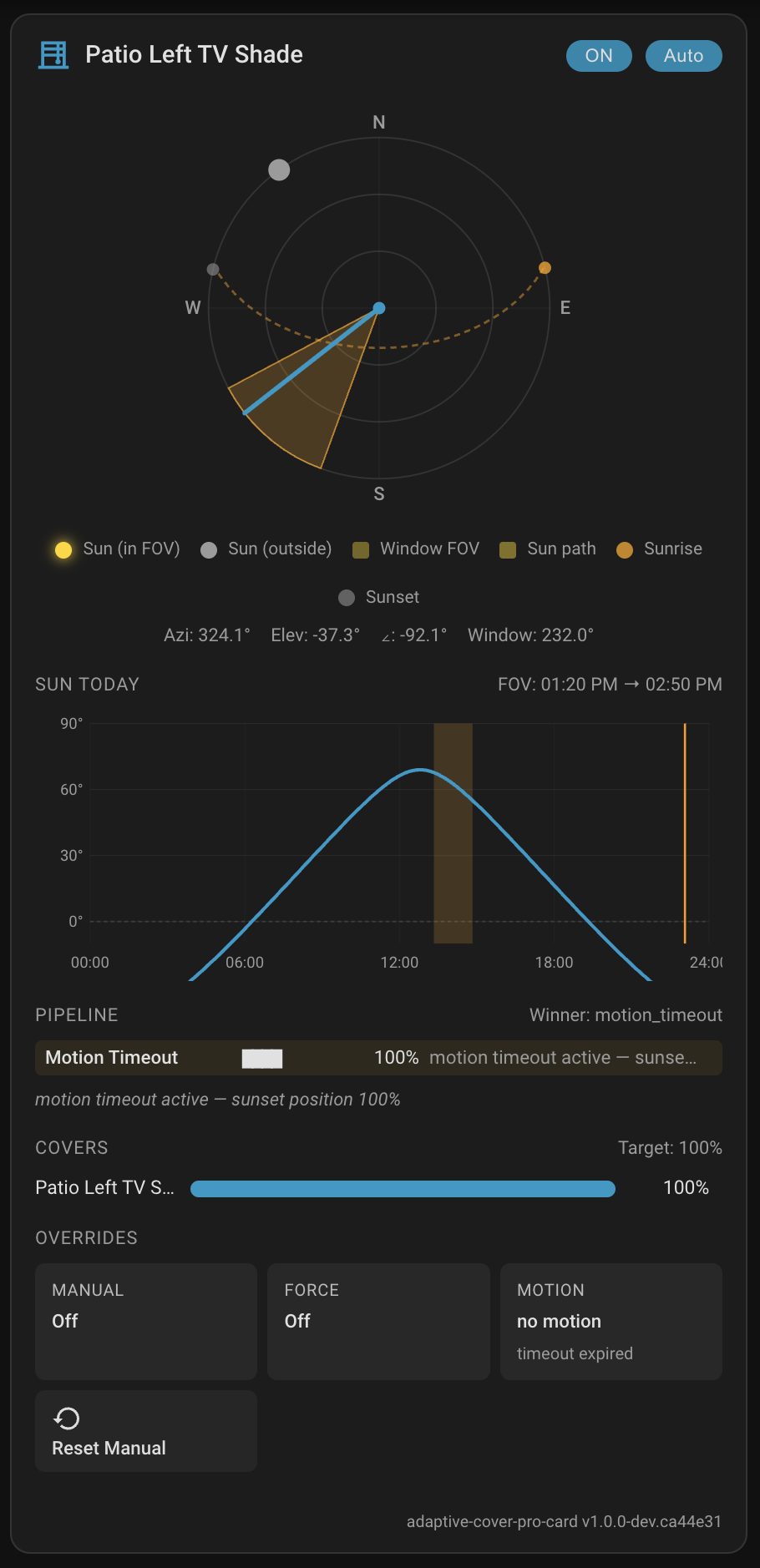
Pair with the Adaptive Cover Pro Card, a custom Lovelace card that shows the full pipeline decision trace, a polar sun compass, live cover positions, and inline override controls — all in one card. HACS-installable. See the Lovelace Card wiki page for setup and configuration.
HACS (recommended): In HACS, search Adaptive Cover Pro, download, restart Home Assistant, then add the integration.
Manual: Copy custom_components/adaptive_cover_pro/ into config/custom_components/, restart Home Assistant, and add the integration.
Full steps: Installation · First-Time Setup
| 🚀 Getting started | Installation · First-Time Setup · Cover Types · Migrating from Adaptive Cover |
| 🧠 How it works | How It Decides · Basic Mode · Climate Mode · Enhanced Geometric Accuracy |
| 🎨 Dashboard | Lovelace Card — install, configure, and use the companion card that visualizes the full pipeline |
| ⚙️ Configuration | Sun Tracking · Glare Zones · Weather Safety · Climate · Summary Screen |
| 🔌 Entities & services | Entities · Runtime Configuration Services · Position Verification · Somfy RTS (My Position) |
| 🛠️ Operations | Troubleshooting · Known Limitations |
If Adaptive Cover Pro has been useful, you can support the project:
